Prepare Tally import columns from AI-extracted invoice data
के साथ शुरू
REVIEWED INVOICE DATA

इसके लिए काम करें
Tally import columns
उदाहरण स्रोत
REVIEWED INVOICE DATA
- Source row key
- INV/24-25/0144 · line 01
- Document type
- Tax invoice
- Mapping status
- Party ledger review required
Keep the original beside the result. Review before export.
By Dynamite Docs. Published . Updated .
Turn GST invoices into clean, reviewed data for Excel and Tally.
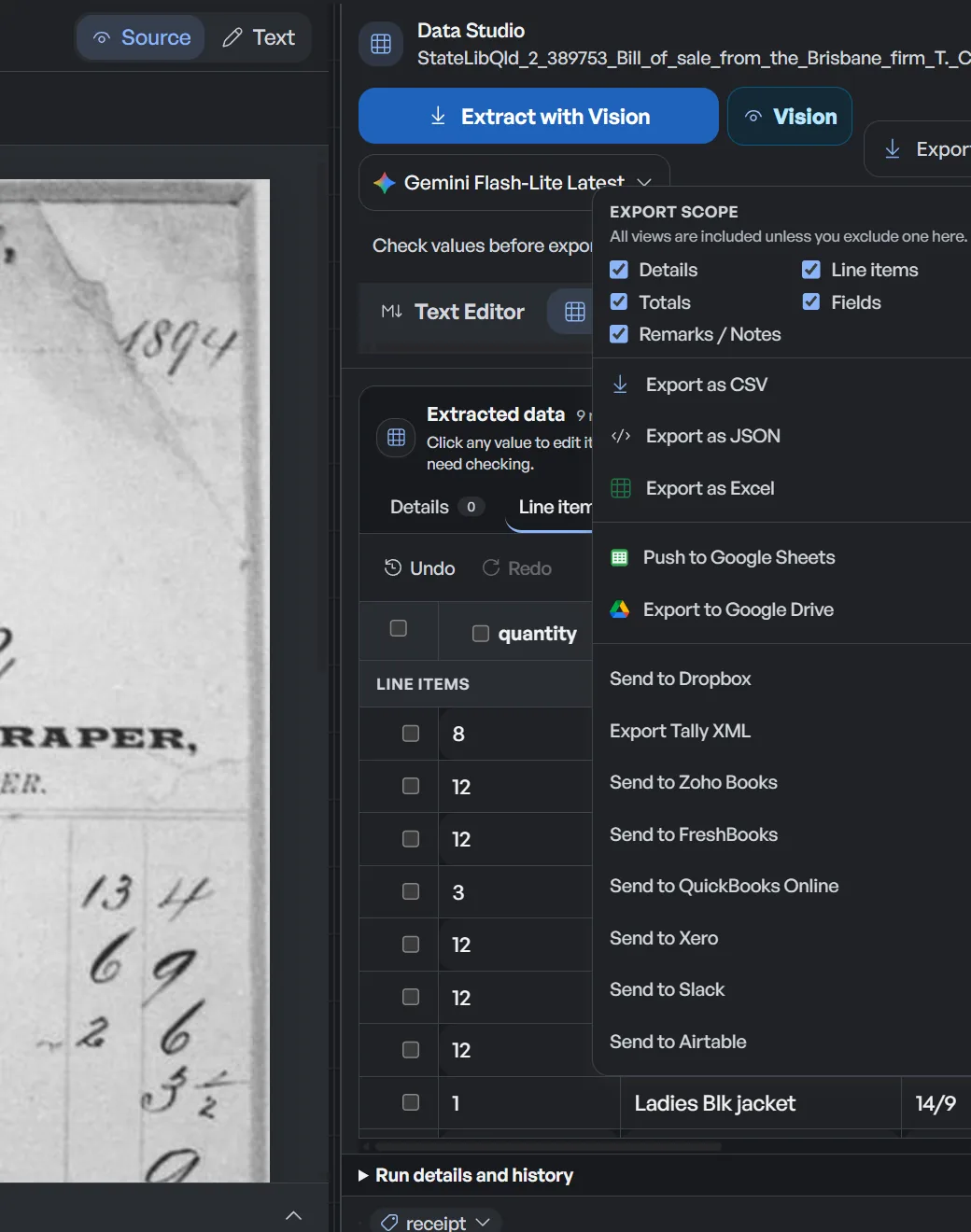
Use this page after invoice extraction and review are complete. Dynamite Docs exports GST invoice fields and item rows as Excel, CSV, or JSON with stable source headers. For TallyPrime, use the Excel workbook as input to a company mapping template that supplies the party ledger, voucher type, stock item, unit, cost centre, tax ledger, and other required masters. Dynamite Docs does not create that mapping template or post vouchers. The output is ready for mapping, not ready for unattended posting.
Try a GST invoice or compare its storage, processing, and export limits.
के साथ शुरू
REVIEWED INVOICE DATA
इसके लिए काम करें
Tally import columns
- 01Upload your invoice batch
- 02Review with confidence scores
- 03Map into your accounting software
 ओपनएआई
 ओपनएआई
 मिथुन
मिथुन मिस्ट्राल
 स्थानीय ओलामा
 स्थानीय ओलामा
Choose a supported provider or your own key. Local Ollama requires the companion and an eligible plan.
Stable source columns still need a TallyPrime mapping
- Supplier layouts change, so the workbook needs stable source headers before a reusable mapping can work.
- Party ledgers, voucher types, stock items, units, and tax ledgers come from the TallyPrime company, not from OCR.
- Document fields and item rows may need separate sheets or multiple mapped rows for one voucher.
- A technically successful import can still be wrong if signs, masters, dates, or tax ledgers are mapped incorrectly.
Document types this workflow handles
- GST tax invoices: sales and purchase invoices with tax splits
- Credit & debit notes: adjustments exported with distinct document types
- Purchase bills: vendor bills for goods and services
- Sales bills: outward customer invoices
What appears in the exported rows
के साथ शुरू
REVIEWED INVOICE DATA
इसके लिए काम करें
Tally import columns
उदाहरण स्रोत
REVIEWED INVOICE DATA
- Source row key
- INV/24-25/0144 · line 01
- Document type
- Tax invoice
- Mapping status
- Party ledger review required
Keep the original beside the result. Review before export.
Exports include reviewed invoice fields as clean, standardized columns. A typical extraction provides:
- Source row key: INV/24-25/0144 · line 01
- Document type: Tax invoice
- GSTIN (party): 27AABCS1429B1ZP
- Invoice number: INV/24-25/0144
- Invoice date: 2026-08-02
- Place of supply: Maharashtra (27)
- HSN / SAC code: 4820
- Taxable value: ₹24,000.00
- CGST amount: ₹2,160.00
- SGST / IGST amount: ₹2,160.00 / ₹33,480.00
- Invoice total (incl. tax): ₹28,320.00
- Mapping status: Party ledger review required
एक यथार्थवादी उदाहरण
Sample data. Not a real invoice or filing record.
A reviewed batch exports into organized rows like these, one row per document, ready for your accounting workflow:
| Doc type | Invoice # | Date | Party GSTIN | HSN/SAC | Taxable value | CGST | SGST | IGST | कुल |
|---|---|---|---|---|---|---|---|---|---|
| Tax invoice | INV/24-25/0144 | 2026-08-02 | 27AABCS1429B1ZP | 4820 | ₹24,000 | ₹2,160 | ₹2,160 | Not applicable | ₹28,320 |
| Tax invoice | INV/24-25/0145 | 2026-08-03 | 33AABCC3456C1ZD | 8467 | ₹1,86,000 | Not applicable | Not applicable | ₹33,480 | ₹2,19,480 |
| Credit note | CN/24-25/0031 | 2026-08-06 | 27AABCS1429B1ZP | 4820 | ₹4,000 | ₹360 | ₹360 | Not applicable | ₹4,720 |
What to validate before export
Validation issue
Confirm column mapping, ledger names, dates, and debit-credit treatment.
Limitation
The export is not a native Tally import file and is not posted automatically.
Reviewed by Dynamite Docs content team. Last verified 2026-09-30.
Standardized columns for a controlled accounting import
के साथ शुरू
REVIEWED INVOICE DATA
इसके लिए काम करें
Tally import columns
- 01Check required columns
- 02Confirm voucher types
- 03Test a small import
 Tally mapping
 एक्सेल
Export reviewed rows, map the receiving system's fields, then test the import.
A stable export schema separates document capture from accounting configuration. The extracted invoice number, date, GSTIN, HSN or SAC, taxable value and tax amounts stay in predictable columns even when supplier layouts change. TallyPrime supports mapping Excel columns to company fields, but the required masters and import configuration still belong to the TallyPrime company. Keeping that translation outside extraction makes exceptions easier to see and mapping changes easier to audit.
Treat the export as a staging file, not as a posting-ready truth source. Review low-confidence fields against the invoice, confirm that line totals reconcile to the taxable value, and check that the tax components add up to the document total. Look for duplicate invoice references within the same supplier and financial period. If a source uses an unfamiliar item description or party spelling, resolve it to an approved master value in a separate mapping column rather than overwriting the captured source text.
Before a large import, use a small pilot containing a normal invoice, an interstate transaction, an adjustment document and at least one multi-line bill. Import it into a test company or controlled workflow, inspect the resulting vouchers, then lock the accepted header order and mapping version. Record who reviewed the source rows and who approved the import. This simple checkpoint makes rework much easier to trace than editing vouchers after a full batch has been posted.
Excel and CSV exports also work as review schedules. You can filter by supplier, GSTIN, document type or exception status; compare the batch total with the invoice register; and retain the reviewed sheet with the accounting period. JSON is useful when an internal script or integration needs explicit field names and predictable value types. Whichever format you choose, preserve the original documents and the reviewed export together so a later query can be traced back to its source.
Reliable data exports with complete user control
Consistent headers reduce repeated cleanup, but they do not decide which ledger, voucher type or tax treatment is correct for your company. That judgment stays with the reviewer and the accounting system mapping.
Digital PDFs may contain usable embedded text, while scans and photos require visual extraction. Both can contain ambiguous values, broken tables or missing labels, so both should pass through the same review controls.
Reviewed rows can be exported to Excel, CSV or JSON, or pushed to Google Sheets when that connection is enabled. Every signed-in tier can connect a provider key. Free and Hobby own-key runs use their monthly PE allowance; Pro and Ultra own-key runs do not consume PE.
सवालों के जवाब
What export formats are supported?
You can export reviewed data to Excel XLSX, CSV or JSON. You can also push a table to Google Sheets after connecting the integration.
Can I import the exported Excel workbook directly into TallyPrime?
Use the workbook with a TallyPrime mapping template that maps its headers or columns to the required masters and transaction fields. Dynamite Docs does not create that template or post the voucher. Preview and test a small import, then inspect any exceptions before processing a full period.
Are credit notes and debit notes included in the export?
Yes. Adjustments are labeled with their respective document types so invoices and notes can be identified clearly within the same spreadsheet.
Do manual corrections carry over into the export?
Yes. Any corrections made during the review step are saved and reflected in your final exported file.
Related extraction articles
Open the document extraction workspace, no credit card required.