01
Capture visible area
Save the part of a page or PDF currently on screen as a PNG. Scroll to the part you need first. This captures a view, not the original document or every PDF page.
 Browser to spreadsheet
Bring a Firefox page view, a text selection or an HTML table into a workspace where you can check the source before exporting.
Free to install. Workspace account and processing limits apply.
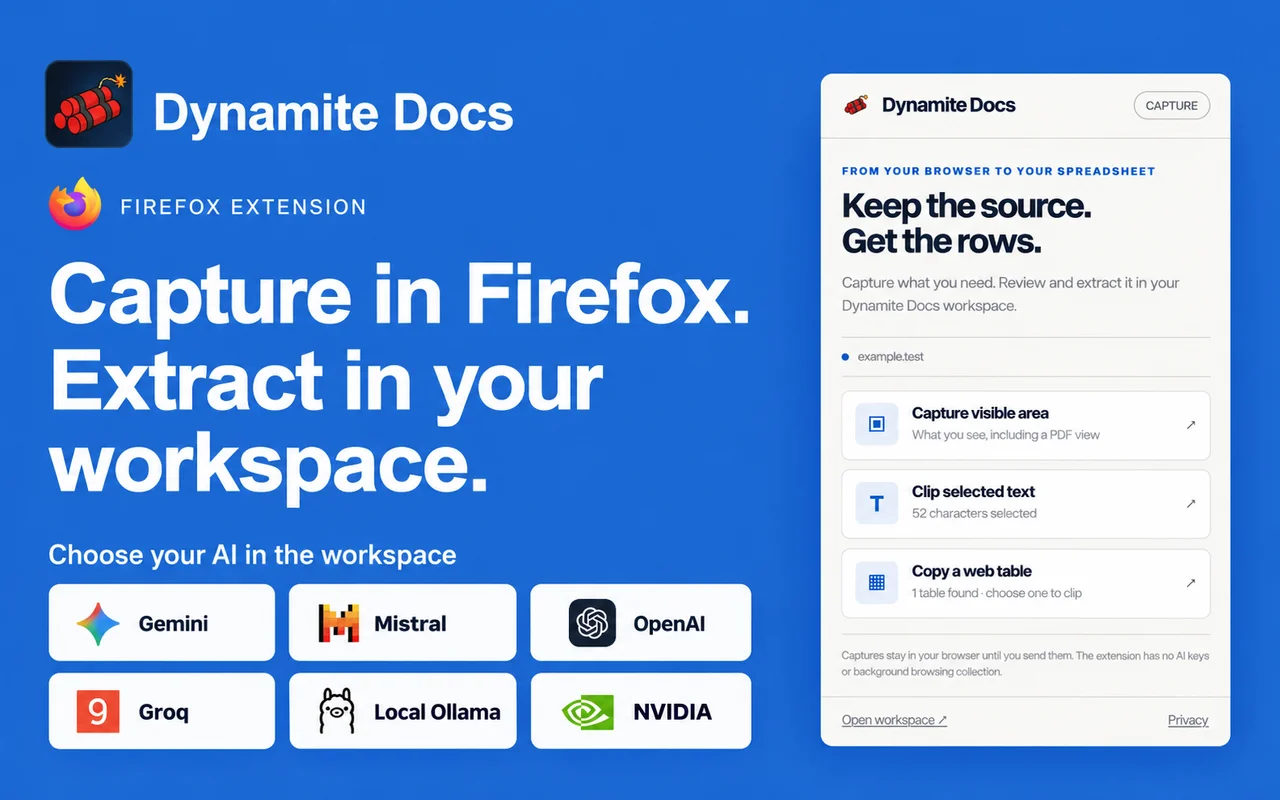
Open the Firefox Add-ons listing, select Add to Firefox and review the permission prompt. Use the Extensions button in the toolbar to open Dynamite Docs on the page you want to capture.
An invoice is open in Firefox’s PDF viewer. Capture the visible area to keep that view as a PNG, then preview it before import. In the workspace, choose an extraction model and compare the invoice number, totals and line items with the image before downloading Excel.
01
Save the part of a page or PDF currently on screen as a PNG. Scroll to the part you need first. This captures a view, not the original document or every PDF page.
02
Highlight the passage you need on the page, then open the extension. The selection becomes a TXT capture that you can preview, download or import into the workspace.
03
Choose a supported HTML table and check its preview. Save the table as CSV or import it for further work. Check merged headers, dates and column alignment before relying on the result.
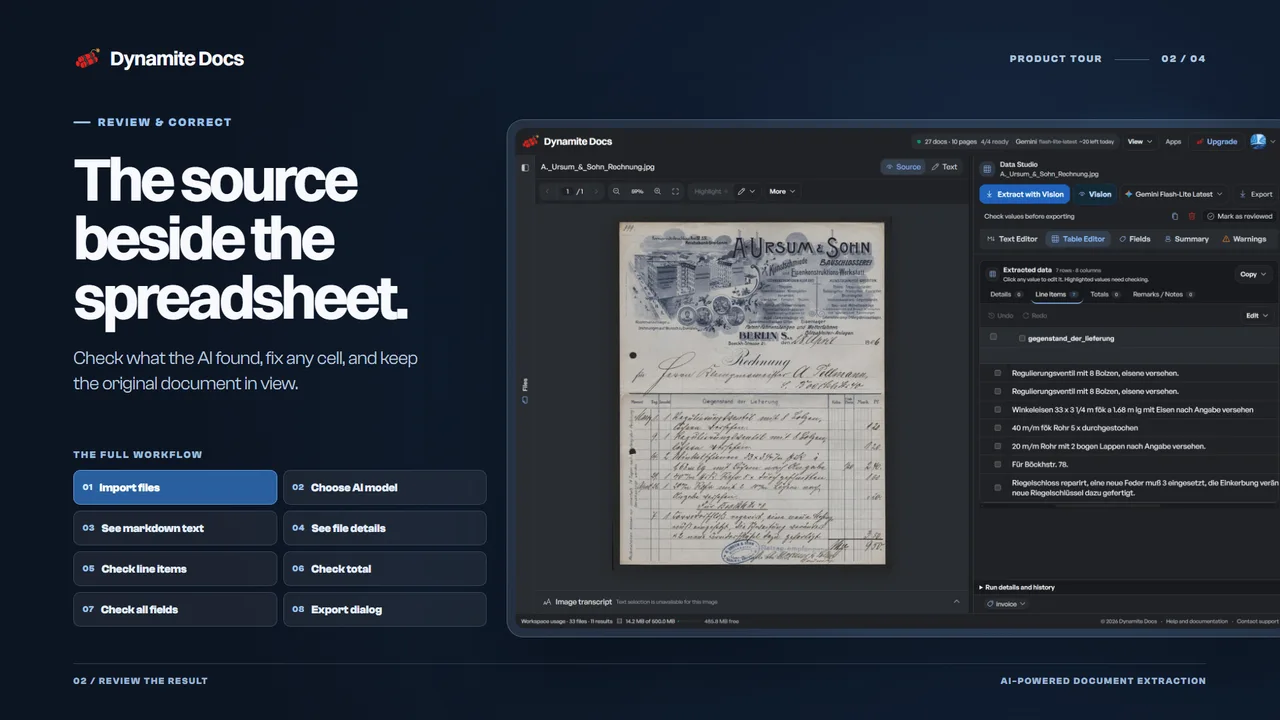
Preview the capture before sending it. Confirm the import in your workspace, choose an extraction model, and check the proposed fields and rows against the source. Correct a value before exporting Excel, CSV or JSON.
Already have the complete document? Upload the original PDF or image in the workspace instead of capturing a single view.
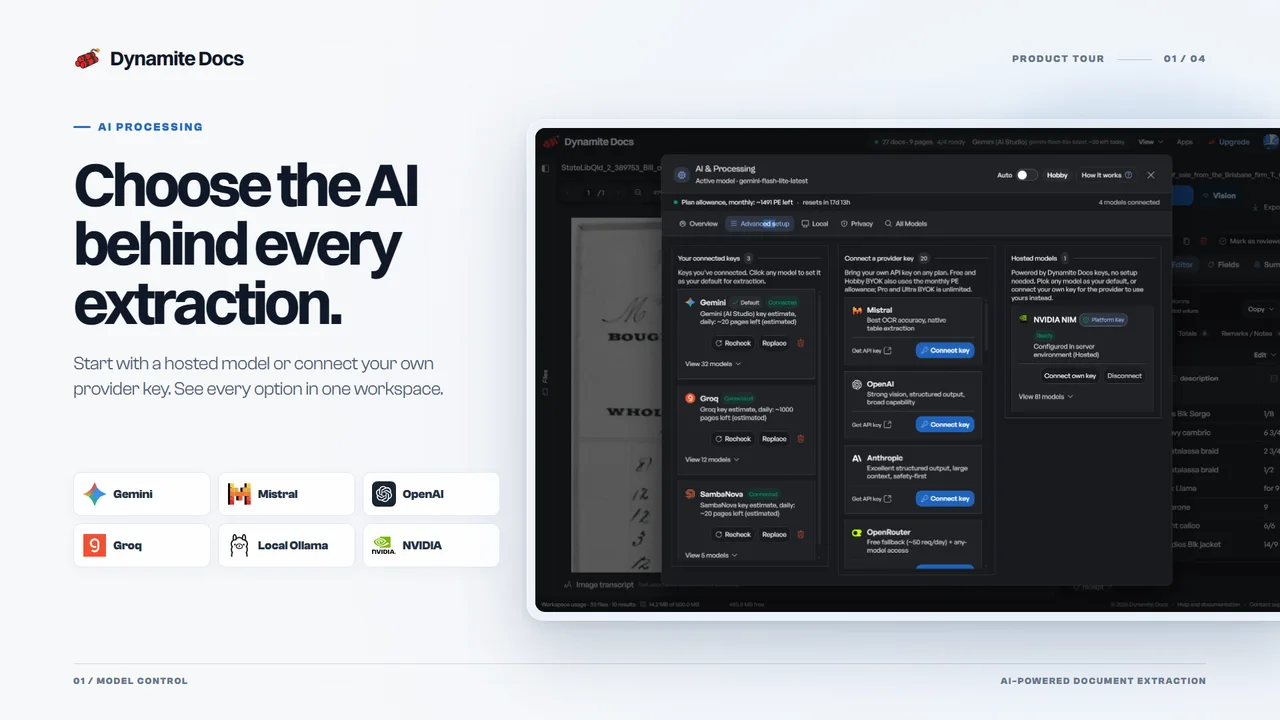
Open the extraction workspaceUse hosted models or connect your own provider key. Eligible local processing uses the Windows Ollama companion. Capturing a page does not start an AI run or change your plan allowance.
Firefox protects internal browser pages and add-on store pages from extension capture. PDF viewers may also limit access to text selections or HTML tables. Visible-area capture keeps the current view only; upload the original PDF to process every page.
Yes. You can install the extension and download captures locally. Workspace extraction and exports follow Dynamite Docs account and plan limits. A free account is available; higher allowances are listed on the pricing page.
Choose the model in the web workspace after import. Use a hosted model, connect your own provider key, or configure eligible local Ollama processing with the Windows companion. The extension itself has no AI keys and does not run an extraction automatically.
Captures stay in browser memory until you send or download them. A pending workspace transfer expires after 15 minutes and is removed after import, discard, closure of the receiving tab or browser restart. Import checks the file through our server, including browser-only imports. Storage and AI processing follow your workspace choices.
No. Supported HTML table capture is limited to 1,000 rows and 1 MB of text per table, with up to 20 table choices. Canvas tables, cross-origin frames and unloaded virtual rows are not included. Captures are limited to 4 MB. Upload the original file for full-document extraction.
Use another browser? Explore the Chrome extension.