Windows beta
Run document extraction with your own Ollama models.
The Dynamite Docs Companion links the web app to Ollama on your Windows PC. Document bytes and model requests stay on your computer.
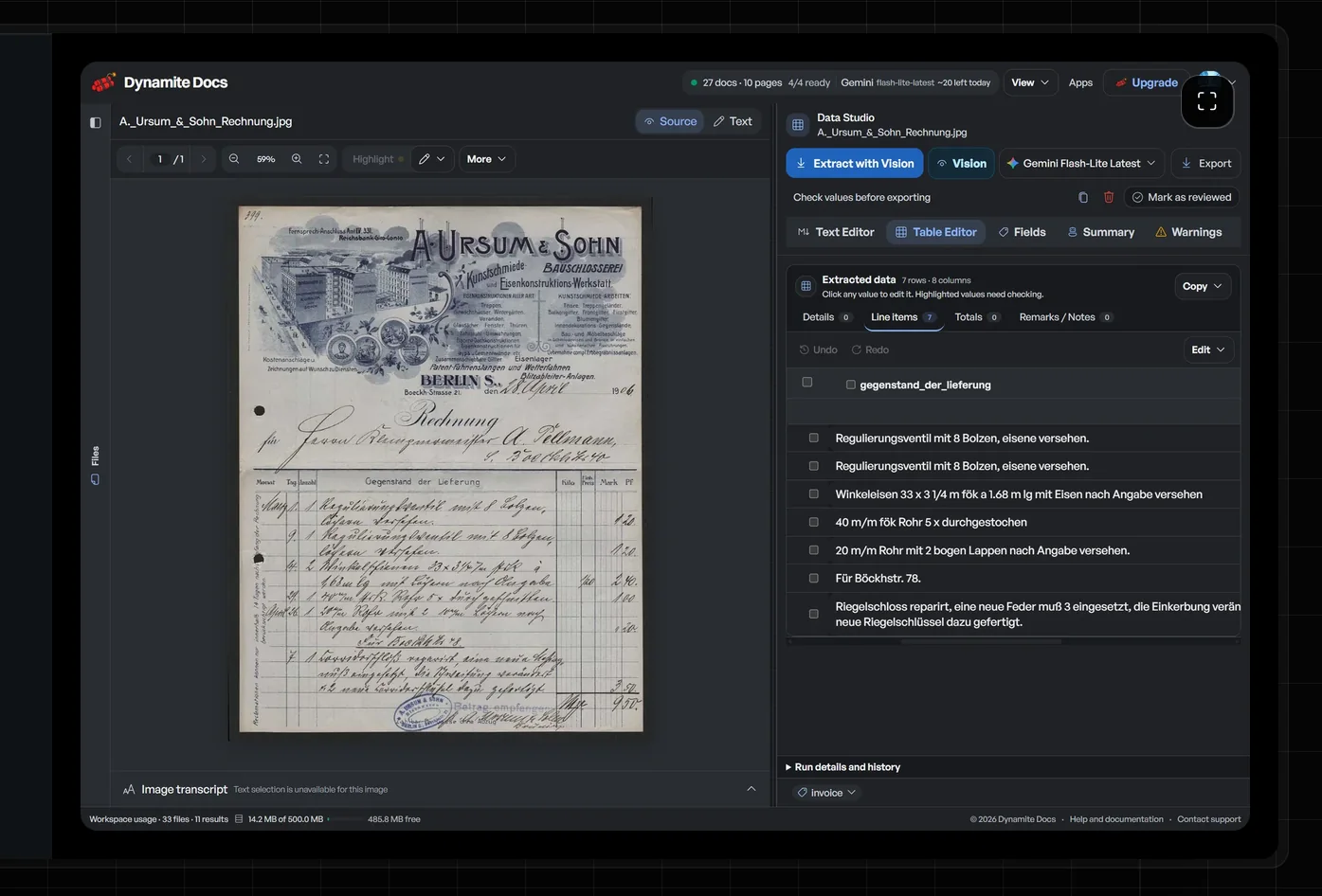 Review the source and extracted rows in the same workspace.
Download the Windows beta
Verify the installer before you run it
The download page shows the current file size and SHA-256 checksum from the release server. The beta is not code signed yet, so Windows SmartScreen may show a warning.
Select More info, confirm the publisher says Unknown publisher, then select Run anyway.
Local Ollama processing
The companion binds to 127.0.0.1:8756 and sends model work to Ollama at 127.0.0.1:11434. It does not send document bytes to a hosted AI provider. It contacts Dynamite Docs to validate your short-lived sign-in token.
You need a 64-bit Windows PC, Ollama installed and running, and a Dynamite Docs Hobby, Pro, or Ultra plan.
Uninstall the companion
Quit the companion from its Windows tray menu. Open Settings, choose Apps, then Installed apps. Find DynamiteDocs Companion and select Uninstall. Your Ollama models are separate and will not be removed.