GST invoice OCR for scanned papers and mobile photos
Turn GST invoices into clean, reviewed data for Excel and Tally.
When a GST invoice arrives as a paper scan, a photocopied bill, or a photo taken on WhatsApp, it has no selectable text. You cannot copy the 15-digit GSTIN or search for the invoice number directly. Dynamite Docs uses optical character recognition (OCR) to read the printed text from images and scans, turning photos into structured spreadsheet rows with supplier GSTINs, HSN/SAC codes, taxable values, and tax splits.
Try a GST invoice or compare its storage, processing, and export limits.
See the workflow
Upload scans and photos → Visual character recognition → Review highlighted fields.
Paper bills and photo captures slow down bookkeeping
- Scanned papers and photos contain image pixels rather than selectable text, requiring someone to read and retype every single number.
- Photos sent over messaging apps often have glare, shadows, angled perspectives, or creased paper.
- Important fields like the 15-character GSTIN, HSN/SAC code, and tax amounts are often printed in small fonts or faint thermal ink.
- Basic OCR software produces unorganized text blocks rather than the clean spreadsheet table your accounting workflow requires.
Document types this workflow handles
- Scanned GST invoice PDFs: paper invoices scanned to PDF without selectable text
- Photocopies & faxes: faded and low-contrast paper documents
- WhatsApp & mobile photos: photos taken on phones with varying angles and lighting
- Thermal paper purchase slips: fuel, retail, and local supplier receipts
What gets extracted from a scanned GST invoice
The same comprehensive field set as a digital PDF, with confidence scores highlighting any unclear reads:
- GSTIN (supplier): 07AAECS4458H1ZF
- Invoice number: GT-8821
- Invoice date: 2026-08-05
- Vendor / customer: Vardhan Packaging
- Place of supply: Delhi (07)
- HSN / SAC code: 4819
- Item & quantity: Corrugated boxes x 800
- Taxable value: ₹36,000.00
- CGST (rate · amount): 9% · ₹3,240.00
- Invoice total (incl. tax): ₹42,480.00
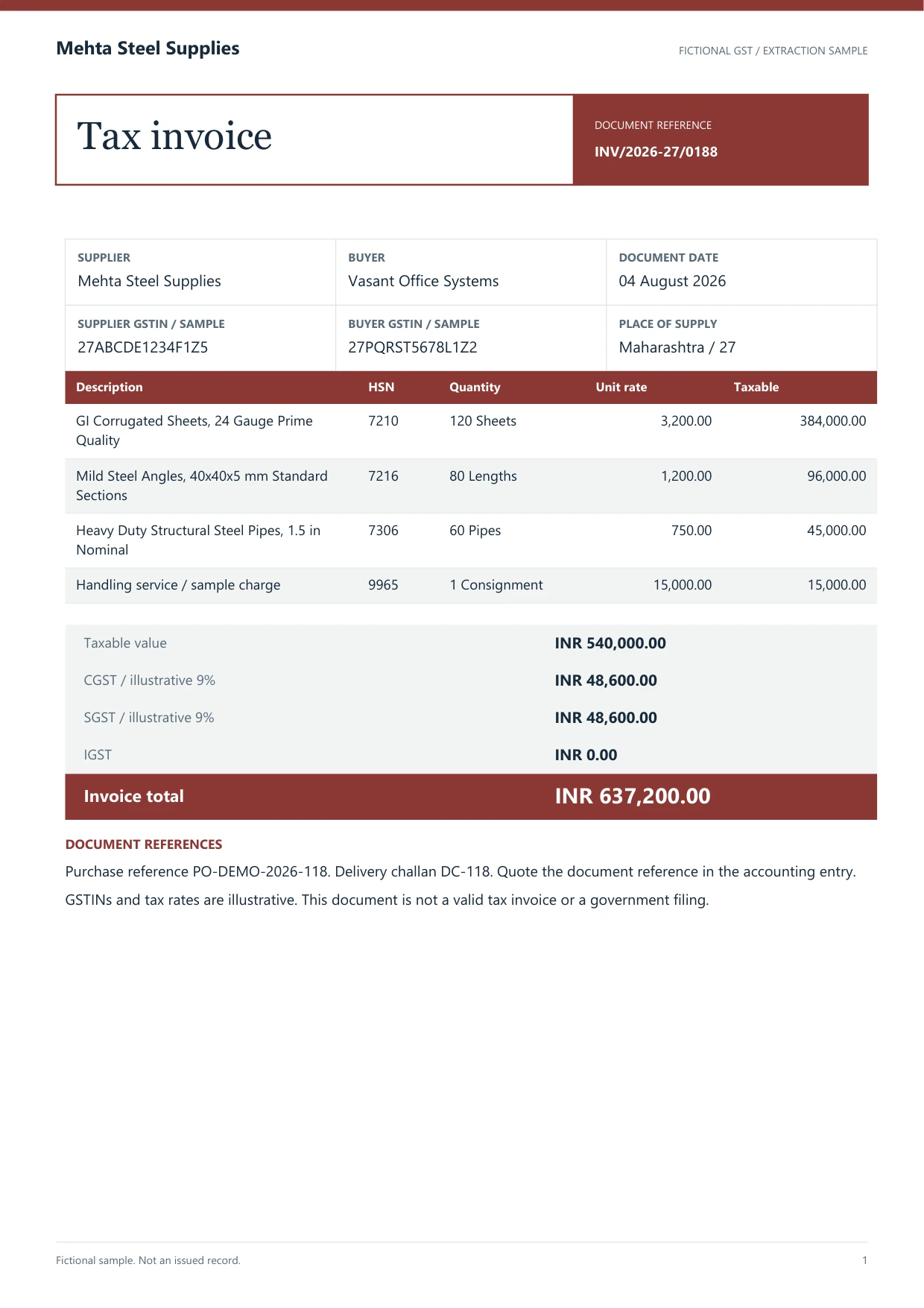 A scanned GST invoice from Vardhan Packaging.
A realistic example
Sample data. Not a real invoice or filing record.
A batch of photographed and scanned invoices extracts into clean rows like these, with confidence flags on unclear numbers:
| Invoice # | Date | Vendor | GSTIN | HSN/SAC | Item | Taxable value | CGST | SGST | IGST | Total |
|---|
| GT-8821 | 2026-08-05 | Vardhan Packaging | 07AAECS4458H1ZF | 4819 | Corrugated boxes | ₹36,000 | ₹3,240 | ₹3,240 | — | ₹42,480 |
| KT-5512 | 2026-08-07 | Ganesh Industries | 29AABCC3456C1ZD | 8467 | Rotary hammer | ₹1,86,000 | — | — | ₹33,480 | ₹2,19,480 |
| TH-0916 | 2026-08-08 | Prabhat Hardware | 27AAEHP5621L1ZV | 7323 | Steel pipes | ₹28,000 | ₹2,520 | ₹2,520 | — | ₹33,040 |
What to validate before export
Validation issue
Low-quality scans need character-level review of GSTINs, dates, and amounts.
Limitation
OCR output is not a compliance validation of the invoice.
Reviewed by Rajesh Sharma, FCA · Indirect Tax Practice. Last verified 2026-08-19.
Optical character recognition designed for Indian invoices
Standard OCR tools often output a long, unstructured paragraph of words in reading order, leaving you to manually find and copy the GSTIN, invoice date, and tax amounts. Dynamite Docs organizes the text into a clear table where every number is in its proper column.
Thermal receipts and smartphone photos present real-world challenges like faded ink, creases, and shadows. The vision models in Dynamite Docs are selected specifically to handle these variations, and confidence scoring immediately highlights any uncertain numbers for a quick human check.
Digital PDFs with selectable text skip the vision step entirely, parsing deterministically for free. You only use vision credits when processing actual scans or images.
Flexible vision models with transparent pricing
Document quality varies between clean digital files and faded paper scans. Dynamite Docs lets you bring your own vision API key from providers like OpenAI, Anthropic, Gemini, Mistral, or Groq, paying standard provider rates with zero markup. Own-key processing is unlimited on every plan.
Digital PDF invoices with selectable text parse directly for free, ensuring you only pay for visual OCR on documents that truly need it.
All extracted data and confirmed supplier corrections stay in your private workspace, ready to export whenever you need.
Questions, answered
Can it read faded thermal receipts or crumpled bills?
Yes. Optical character recognition reads low-contrast printouts, faded thermal slips, and paper copies. Any unclear digits are flagged with a low confidence score so you can verify them.
How are clean digital PDFs handled?
Digital PDFs with selectable text are parsed directly from their file text for free without calling external vision AI models.
Which vision AI providers can I use?
You can use our built-in models or connect your own API keys from Gemini, Mistral, OpenAI, Anthropic, Groq, Cloudflare, or OpenRouter. On Hobby, Pro, and Ultra plans, you can also run model inference locally using Ollama.
Can it handle photos taken at an angle with mobile phones?
Yes. Modern vision recognition handles angled photos, shadows, and uneven lighting effectively, extracting the standard GST fields into structured spreadsheet rows.
Related document workflows
Related extraction articles
Open the document extraction workspace, no card needed.