CSV, JSON, XLSX & document export
OUT: Export API (?format=csv|json|xlsx)
Content reviewed .
Choose document extraction export formats by what happens after download. CSV fits a flat import, JSON fits code and XLSX fits spreadsheet work. All three are available with a free account. Starter and higher plans also create Word and PDF documents. Every export uses the reviewed table or document state you see on screen.
Open this integration in the app or read the public API and webhook guide.
Reviewed data should leave in a usable shape
- A table trapped in a tool is a report, not data. Every downstream user has to re-copy it by hand, re-introducing the errors extraction removed.
- The most common export formats each have sharp edges: CSV without a BOM mangles accents in Excel, JSON that drops metadata breaks pipelines, and a spreadsheet that ignores your edits exports the wrong numbers.
- Exports that do not reflect the reviewed table (edits, added columns, corrected values) quietly export stale data.
- Teams juggling multiple systems need multiple formats from the same source without re-exporting manually each time.
How exporting works
01. Review the table
Every export reflects the table exactly as you left it in Data Studio. Inline edits, added columns, corrected values, and column order all carry through.
02. Choose the format
Download CSV, JSON, or a real XLSX workbook with a free account. Starter and above add Word and PDF document output.
03. Download or push
Exports download directly, or route through the same builder to Google Sheets and Drive. The API serves the identical formats to scripts.
04. Or copy without a file
Paste the table as CSV directly from the workspace, useful for combining data from other systems without a download step.
Export formats and behavior
One reviewed table can leave in several formats:
- CSV: UTF-8 BOM, opens clean in Excel
- JSON (Free account): columns, rows, metadata, docType
- XLSX (Free account): real workbook for spreadsheet workflows
- Word/PDF (Starter+): document export from the editor
- Fidelity: edits, columns, and order preserved
- API-identical: same formats served by /export
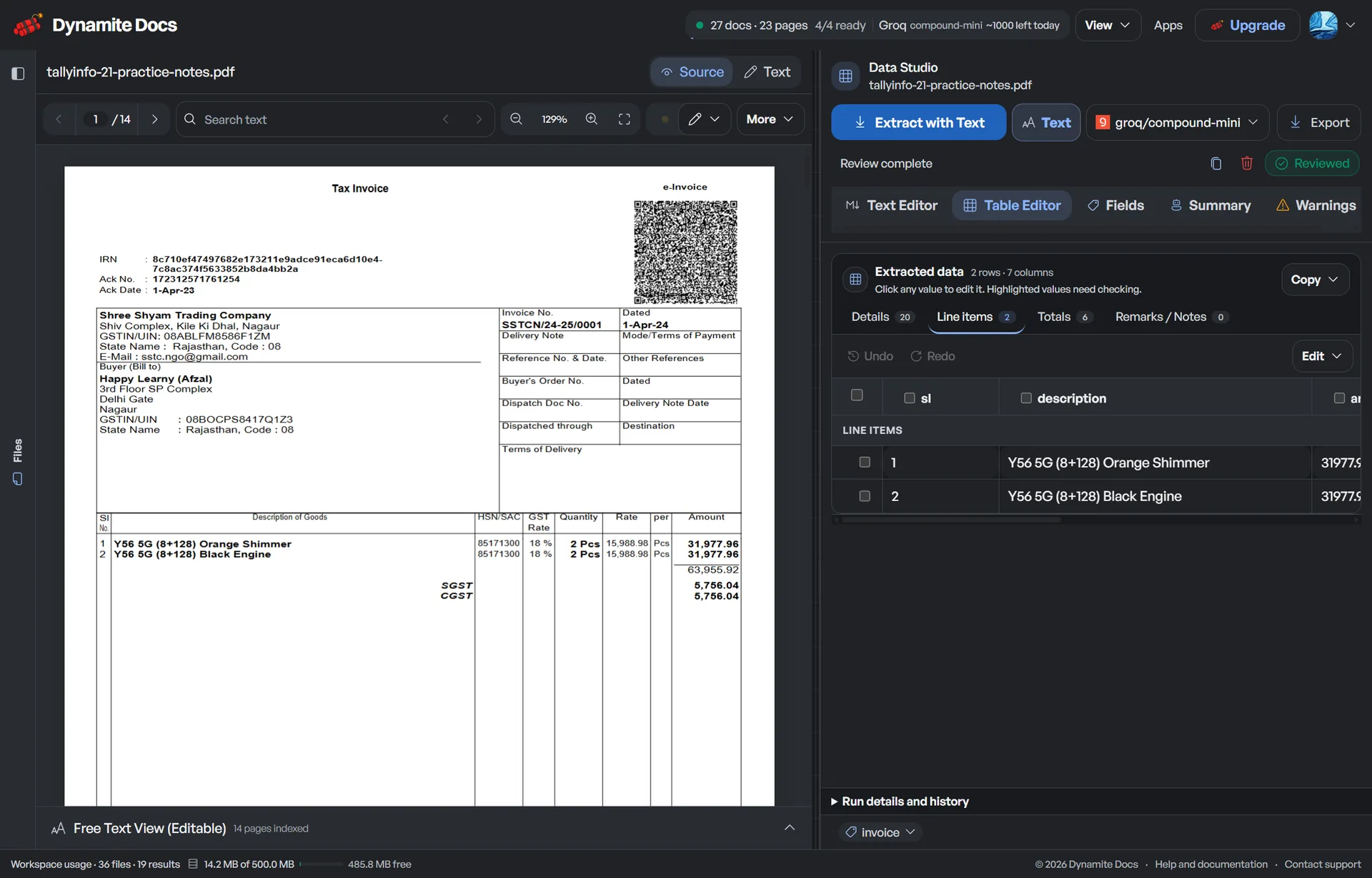
A realistic example
The same reviewed table, three exits:
| Format | Used for | Ships with |
|---|---|---|
| CSV | Excel / Sheets / Numbers | UTF-8 BOM, header row, your reviewed values |
| JSON | Pipelines and integrations | columns, rows, metadata, docType |
| XLSX | Shared workbook | real sheets a colleague can open and format |
What to validate before relying on it
Open the exported file and confirm its headers, row count, corrected values, and number formats match the reviewed table.
Fidelity is the whole game in export
An export is only as good as its fidelity to the reviewed table. If you corrected a vendor name or added a category column during review, the export must carry those changes. Otherwise you are exporting the wrong data with extra steps. Dynamite Docs builds every export from the table as it stands after review, so the file you hand off is the data you approved, not a stale copy.
The format details are where trust is won or lost. CSV ships with a UTF-8 BOM so accents and symbols open correctly in Excel instead of becoming mojibake. JSON keeps the full structured payload of columns, rows, metadata, and docType, so a pipeline can consume the extraction without guessing. XLSX produces a real workbook for the spreadsheet-bound, and Word covers the document-shaped destination. Each format exists because a different part of the organization needs it.
Exports are also what the other connectors build on. The API serves the same CSV, JSON, and XLSX formats to scripts and integrations, so what you download by hand is exactly what a pipeline can fetch. The Google Sheets and Drive pushes reuse the same workbook and row builders, which keeps one definition of “the exported table” across every exit.
Paste-as-CSV covers the last case. For teams that stitch data together from several tools, copying the table as CSV and pasting it into a sheet is often faster than a download-import cycle, and it goes through the same table you reviewed, not a re-render.
What exports do and do not
Does
- Export the reviewed table faithfully, edits, added columns, and column order included.
- Ship CSV with a UTF-8 BOM for Excel compatibility and JSON with the full structured payload. Both downloads are available with a free account.
- Serve the same formats through the API for scripts and integrations.
Does not
- Does not export table data you have not reviewed. The export reflects the saved, reviewed table.
- Does not round-trip changes made to the exported file back into the workspace.
- Does not leak metadata beyond what the extraction carries.
Export is the promise that your data is yours
A reviewed table that exports faithfully in every format is a table you can move wherever your work continues.
Format details like the UTF-8 BOM are the difference between an export that works and an export that fails in Excel at the worst moment.
One export definition feeds downloads, the API, Sheets, and Drive, so every exit agrees on what the data is.
Questions, answered
Which formats are available?
CSV with a UTF-8 BOM, JSON, and XLSX downloads are available with a free account. Word (.docx) and PDF document output require Starter or above.
Do exports include my edits?
Yes. Every export is built from the table as it stands after review. Inline edits, added columns, corrected values, and column order all carry through.
How is this different from the API export?
It is the same definition of the exported table. The API serves the identical CSV, JSON, and XLSX formats to scripts, and Sheets/Drive pushes reuse the same builders.
Can I export without downloading a file?
Yes. Copy the table as CSV and paste it directly into a sheet or document.
Related integrations
Document workflows it feeds
Related integration articles
Open the integrations workspace, no payment details.