Accounts payable automation without template setup
By Dynamite Docs. Published . Updated .
Stop typing invoices into spreadsheets.
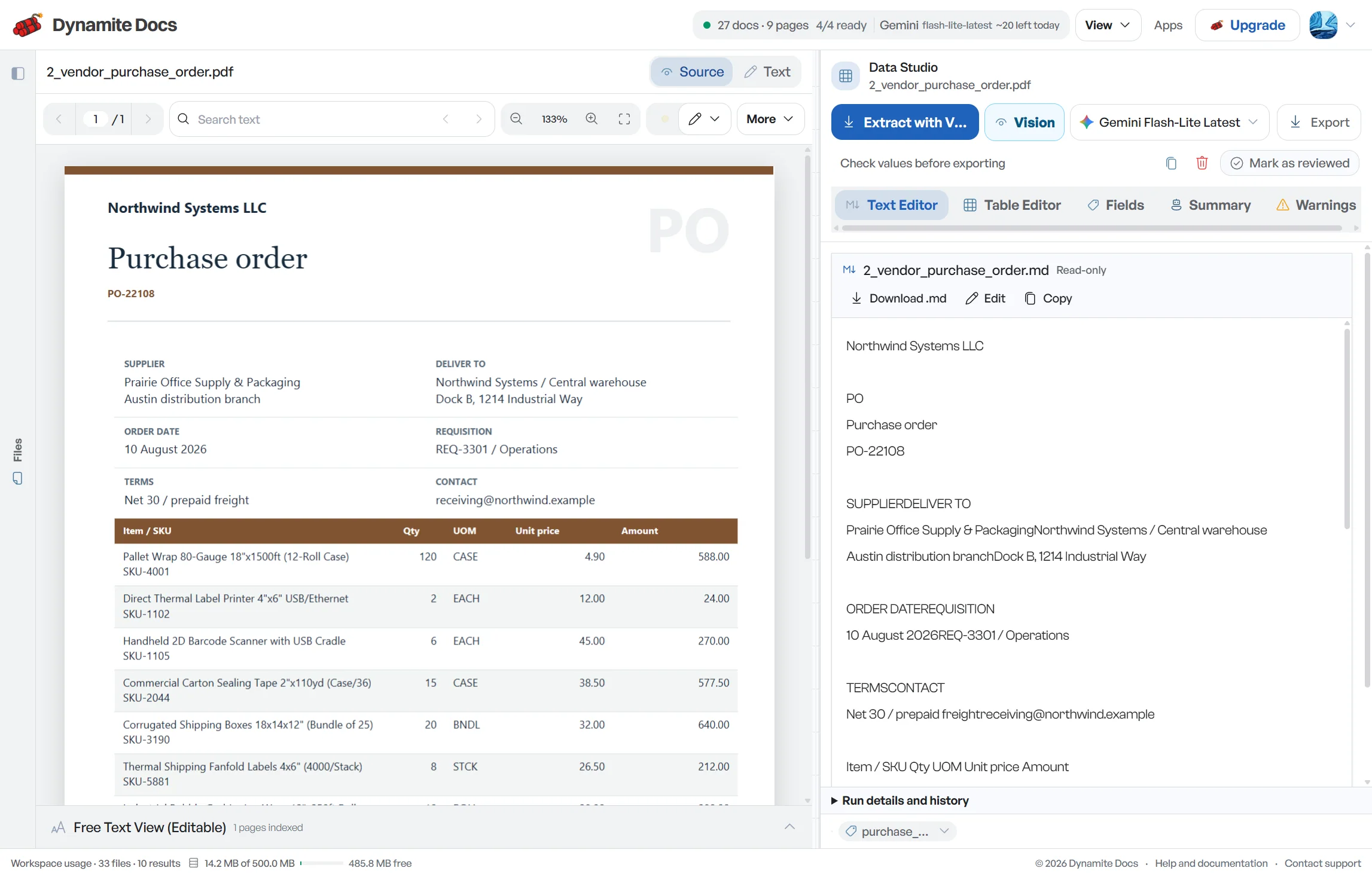
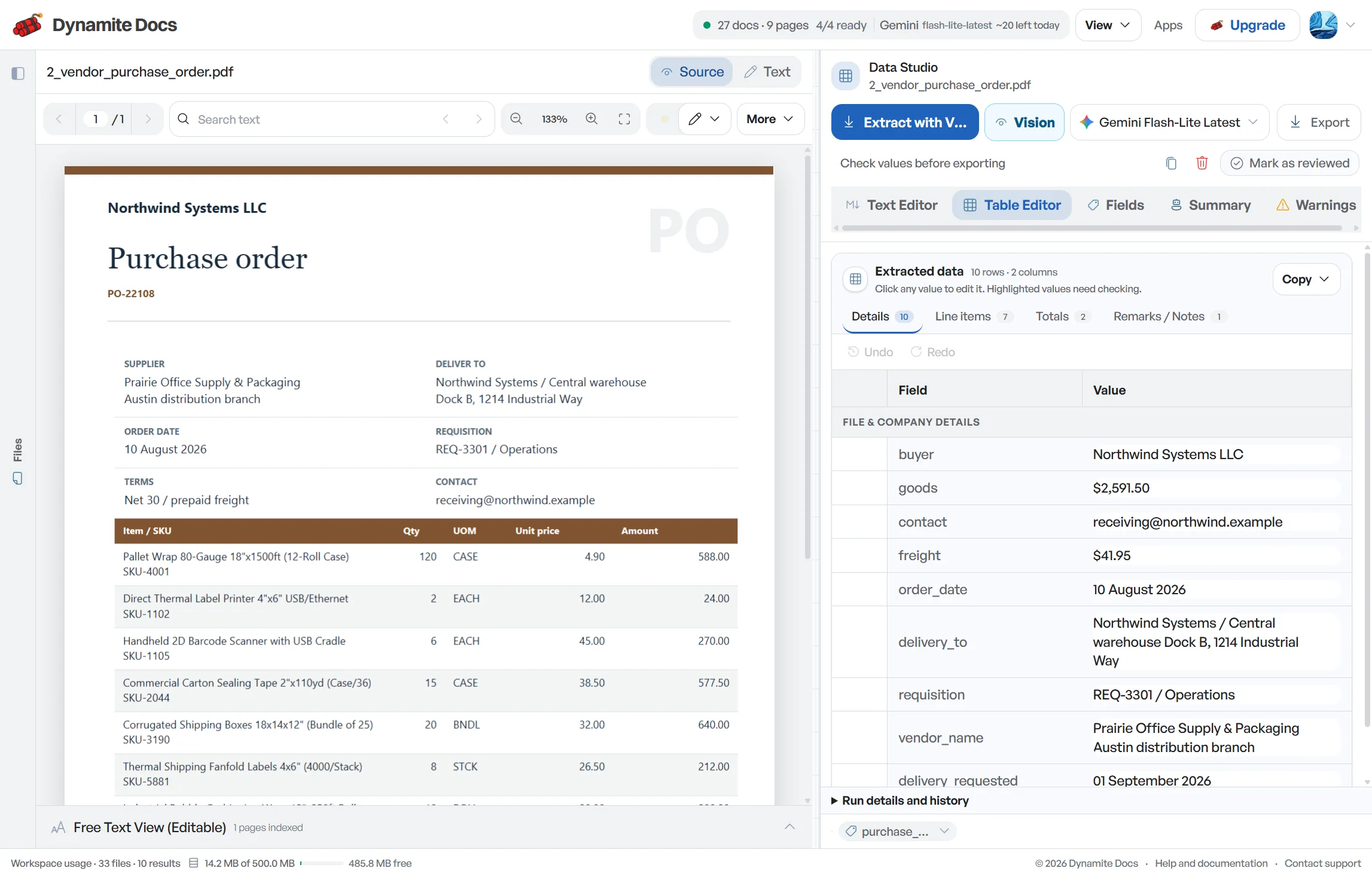
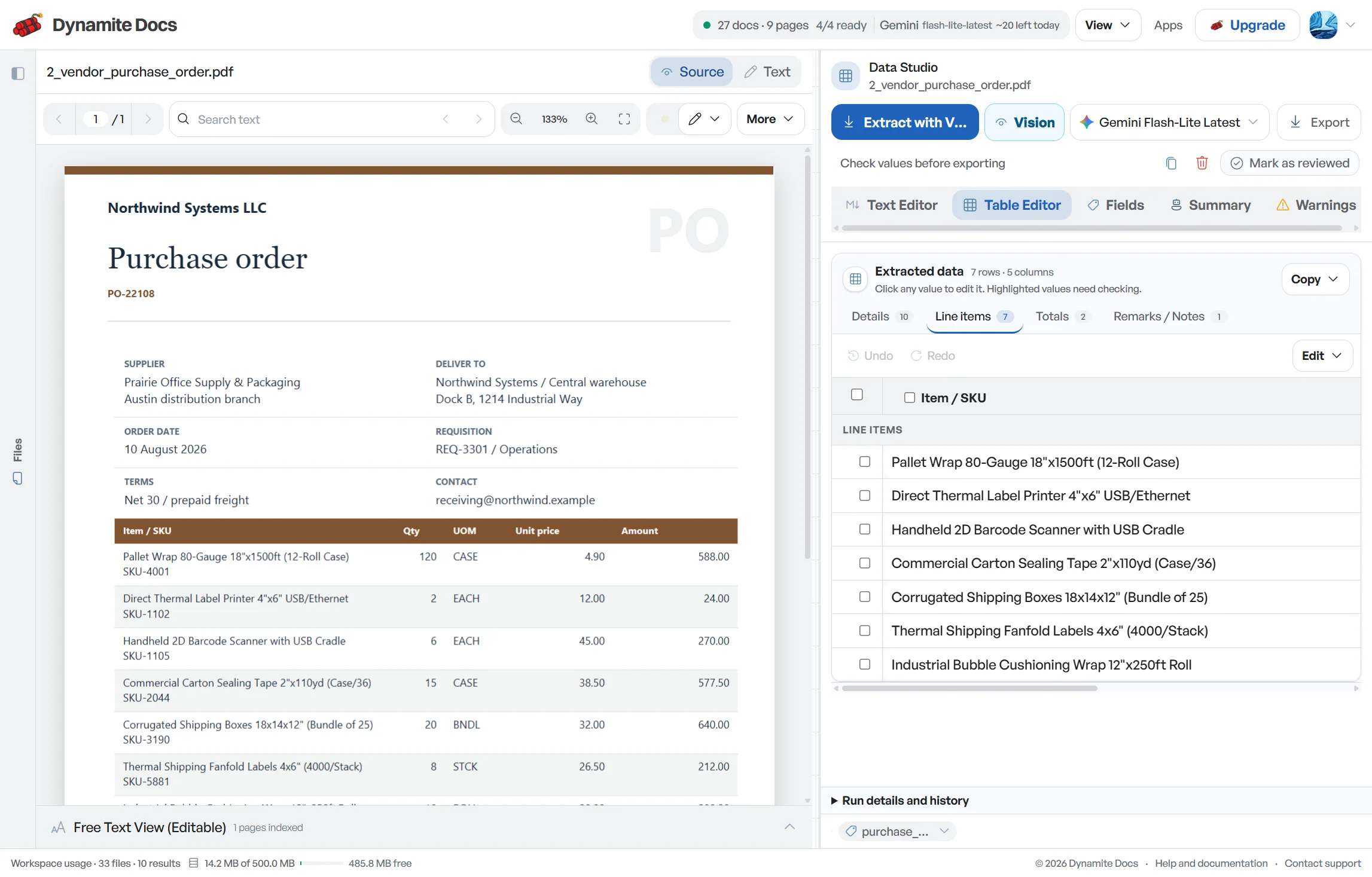
Accounts payable automation starts by turning supplier bills into data that a reviewer can trust. Vendors use different layouts, but AP still needs the same facts: supplier, [invoice](/ocr/invoice) number, dates, payment terms, purchase-order reference, tax, total and line items. Dynamite Docs proposes those fields without a supplier template and keeps the bill beside the result. Your team resolves uncertain values, duplicate risks and matching exceptions before sending reviewed rows to the accounting or ERP system that controls posting and payment.
Try an invoice or compare its storage, processing, and export limits.
Accounts payable teams spend too much time typing bills
- Every supplier uses their own invoice format, making template-based tools difficult and costly to maintain.
- Matching a supplier bill to a purchase order and receiving slip takes extra time when data must be copied by hand.
- Manual data entry can lead to missed payment terms, resulting in lost early-payment discounts or accidental late fees.
- Account coding and payment approval require human judgment. Retyping supplier numbers by hand is unnecessary busywork.
Document types this workflow handles
- Supplier bills: invoices received via email, mail, or portals
- PO-linked invoices: bills that reference an existing purchase order
- Scanned paper bills: paper documents digitized with optical character recognition
- Credit notes & adjustments: supplier adjustments and credit memos
What gets extracted from a vendor bill
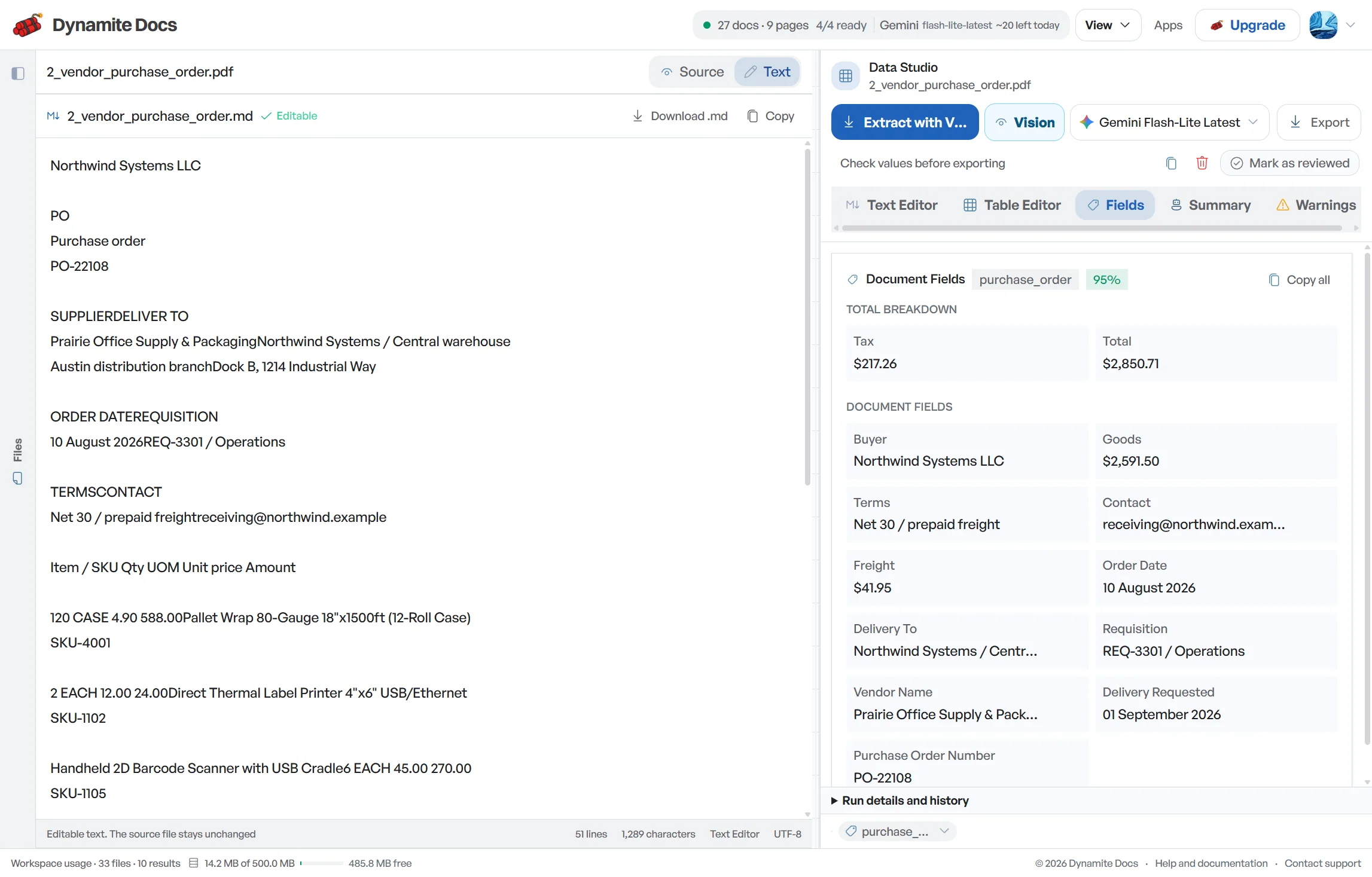
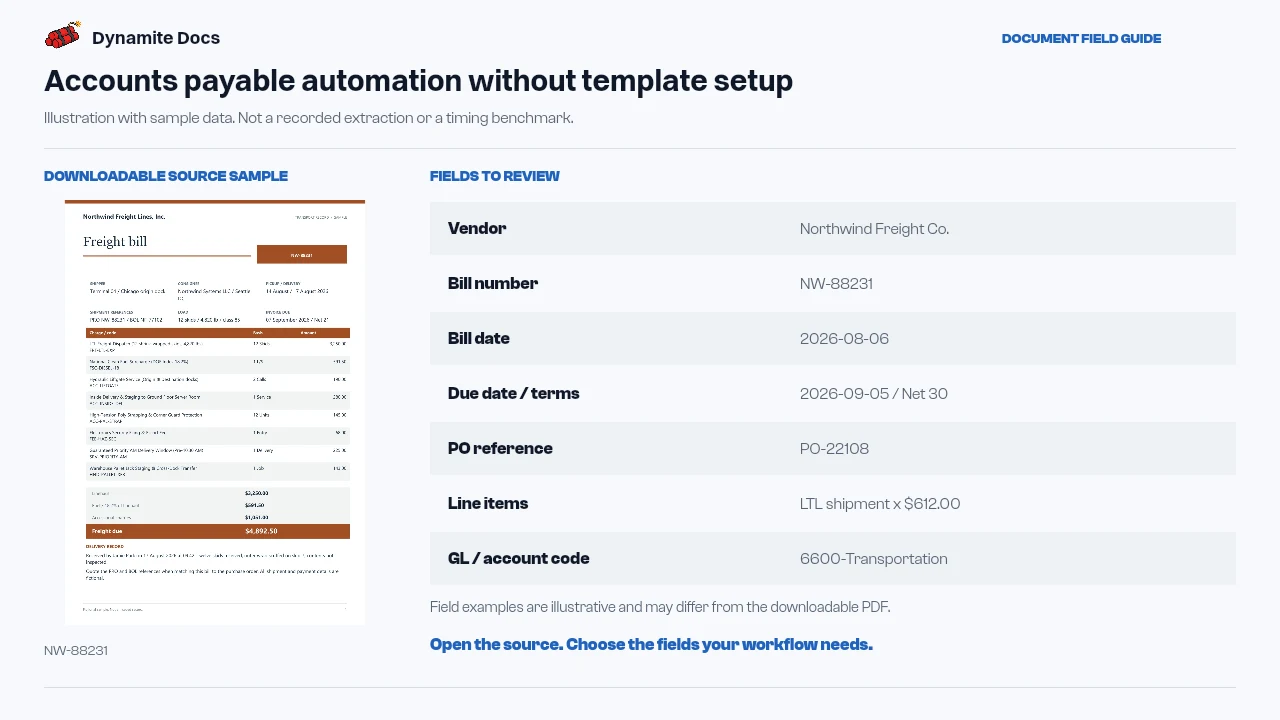
Fields are identified from each bill layout. A standard AP run provides:
- Vendor: Northwind Freight Co.
- Bill number: NW-88231
- Bill date: 2026-08-06
- Due date / terms: 2026-09-05 / Net 30
- PO reference: PO-22108
- Line items: LTL shipment x $612.00
- GL / account code: 6600-Transportation
- Tax & discounts: $0.00 / 2% early discount
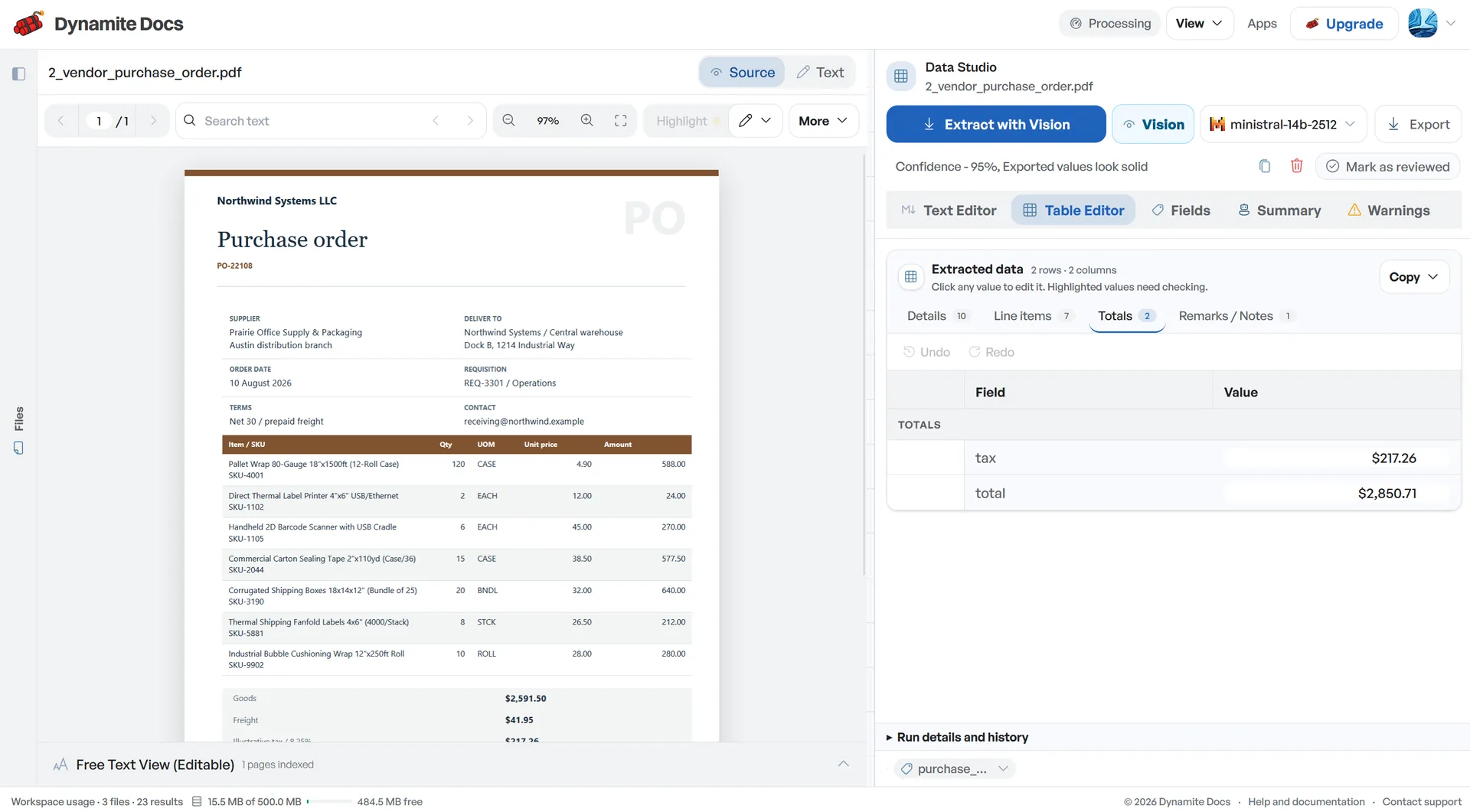
- Total: $612.00
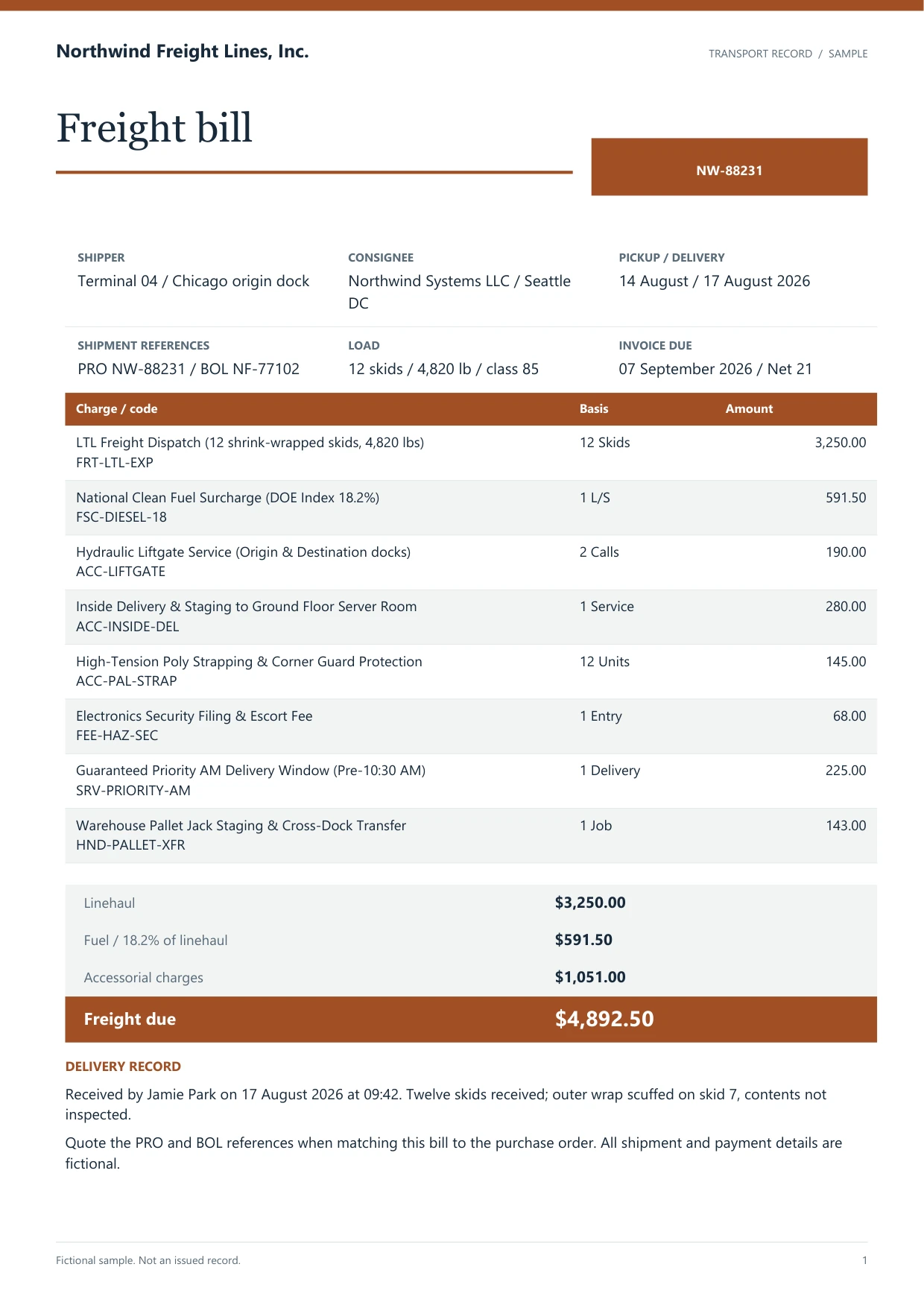
A realistic example
Sample data. Not a real invoice or filing record.
Supplier bills extract into structured rows like these, ready for matching and approval:
| Vendor | Bill # | Due date | PO ref | Line item | Total |
|---|---|---|---|---|---|
| Northwind Freight Co. | NW-88231 | 2026-09-05 | PO-22108 | LTL shipment | $612.00 |
| Prairie Office Supply | PR-1093 | 2026-08-30 | PO-21991 | Printer toner | $475.00 |
| Vertex Legal LLP | VL-772 | 2026-09-12 | None | Quarterly retainer | $3,000.00 |
What to validate before export
Validation issue
Verify vendor, due date, PO reference, and total before payment approval.
Limitation
The workflow does not approve or send payments.
Reviewed by Dynamite Docs content team. Last verified 2026-09-11.
Streamlining your bill approval process
Extraction prepares a bill for AP work; it does not approve or post it. Begin with document identity. Confirm the supplier, invoice number, bill date and legal entity before checking the amount. A perfectly read total can still create a duplicate or land in the wrong company if those reference fields are wrong.
Next, decide whether the bill should follow a purchase-order route. For a two-way match, compare the invoice with the PO. For a three-way match, the receiving record also matters. Dynamite Docs can extract the references and line values used by that comparison, but your accounting or ERP system owns matching tolerances, receipt status, approval authority and the final posting decision.
Non-PO bills need a different review path. The approver may have to confirm the service period, department, project, cost centre, general-ledger account and tax treatment. If a code is printed on the document, it can be extracted. A suggested code based on a saved pattern is still a suggestion, especially when one supplier sells several kinds of goods or services.
Check payment terms against the source rather than trusting a calculated date without context. Net terms may begin from the invoice date, receipt date or another contractual milestone. Early-payment discounts also have conditions. Capture the printed terms, then let the responsible AP process decide the due date and whether a discount is valid.
Duplicate review should compare more than invoice number. Suppliers sometimes reuse numbering sequences across entities, and an invoice may arrive through both email and a portal. Compare supplier identity, invoice number, date, currency, amount and source. Keep possible duplicates out of the payment-ready export until a reviewer resolves them.
Start with one high-volume supplier and one destination schema. Agree on the mandatory columns, exception rules and evidence an approver needs. After the first batch ties back to the source documents, add more suppliers. This exposes layout differences while the review queue is still small enough to diagnose.
Flexible and cost-effective accounts payable processing
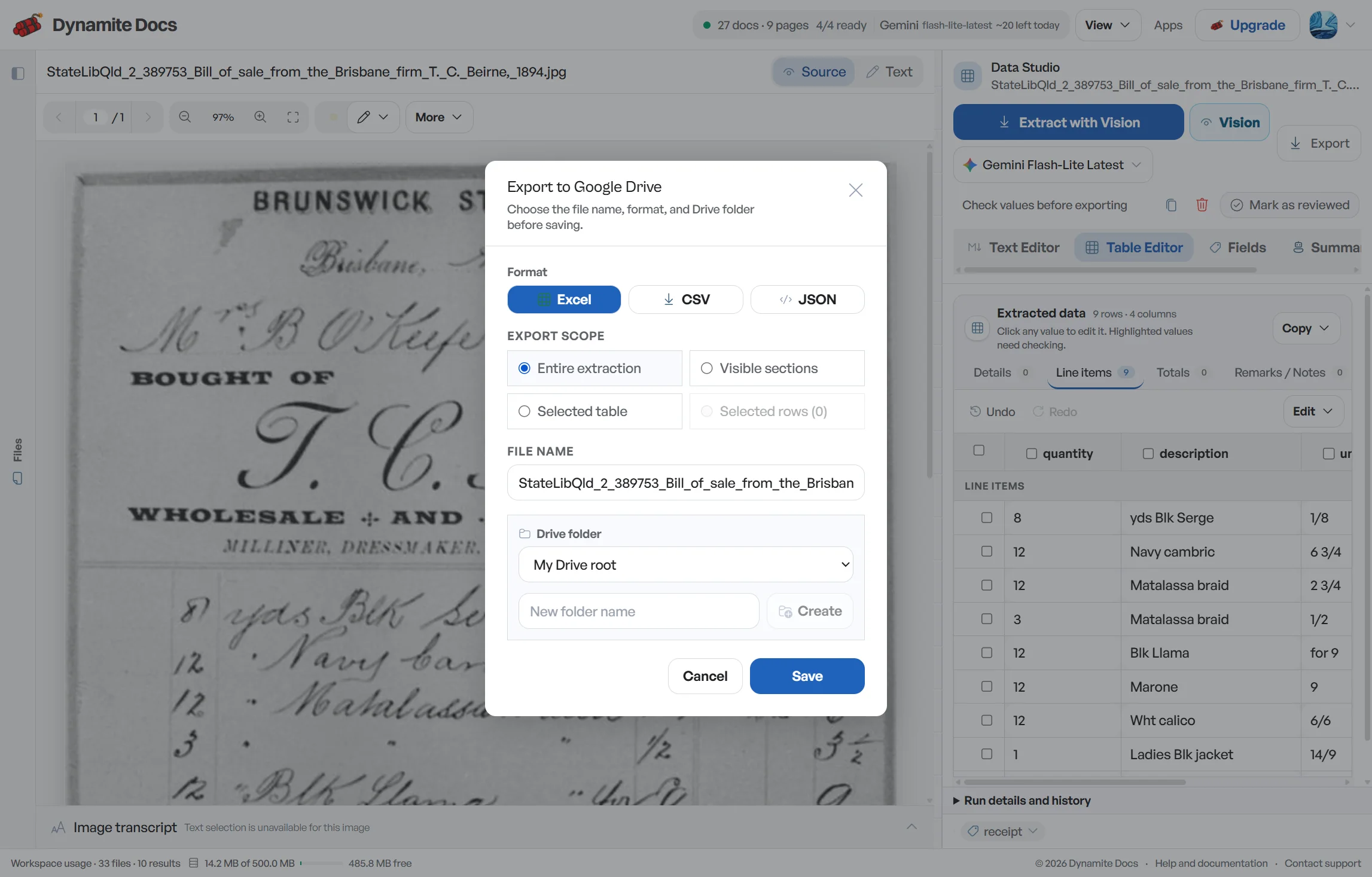
Accounts payable often involves recurring document volume, so provider cost and plan limits matter. You can connect your own key from OpenAI, Anthropic, Mistral and other supported providers. The provider bills that usage directly. Pro and Ultra BYOK runs do not use Dynamite Docs PE, though provider and file-size limits still apply.
Financial bills contain confidential pricing and payment terms. You can select providers with strict data privacy terms or run model inference locally on your own computer with our Ollama companion.
All account coding and supplier patterns you confirm remain stored in your workspace, keeping your business independent of any single software provider.
Questions, answered
Does Dynamite Docs perform three-way matching automatically?
Dynamite Docs extracts the purchase order numbers, line items, and totals cleanly from your documents so that your matching process has accurate inputs. The final approval logic runs in your accounting or ERP software.
How many bills can be uploaded at once?
You can upload batches of bills into the processing queue. Each document is handled individually, allowing you to review and export files according to your plan limits.
Can it extract general ledger account codes?
If an account code is printed on the invoice, request it as an extraction field and verify the result. You can also save corrected patterns for recurring layouts. Coding that depends on business purpose, department or policy still needs an AP reviewer or the rules in your accounting system.
How does this compare to standard invoice data entry?
Invoice data entry focuses primarily on getting invoice numbers and amounts into a spreadsheet. Accounts payable automation covers the broader workflow, including due dates, payment terms, PO references, and approval preparation.
Related document workflows
Related extraction articles
Open the document extraction workspace, no credit card required.