Indian bank statement extraction to Excel and CSV
By Dynamite Docs. Published . Updated .
Turn GST invoices into clean, reviewed data for Excel and Tally.
Bank reconciliation in India often means working across statements with different headers, date formats and narration patterns. Dynamite Docs extracts transaction dates, value dates, descriptions, debits, credits, running balances and printed references from digital or scanned statements into a consistent table. The result is a review schedule, not a completed reconciliation. Your team still needs to confirm the account and period, prove opening and closing balances, match transactions to the ledger, and investigate exceptions.
Try a bank statement or compare its storage, processing, and export limits.
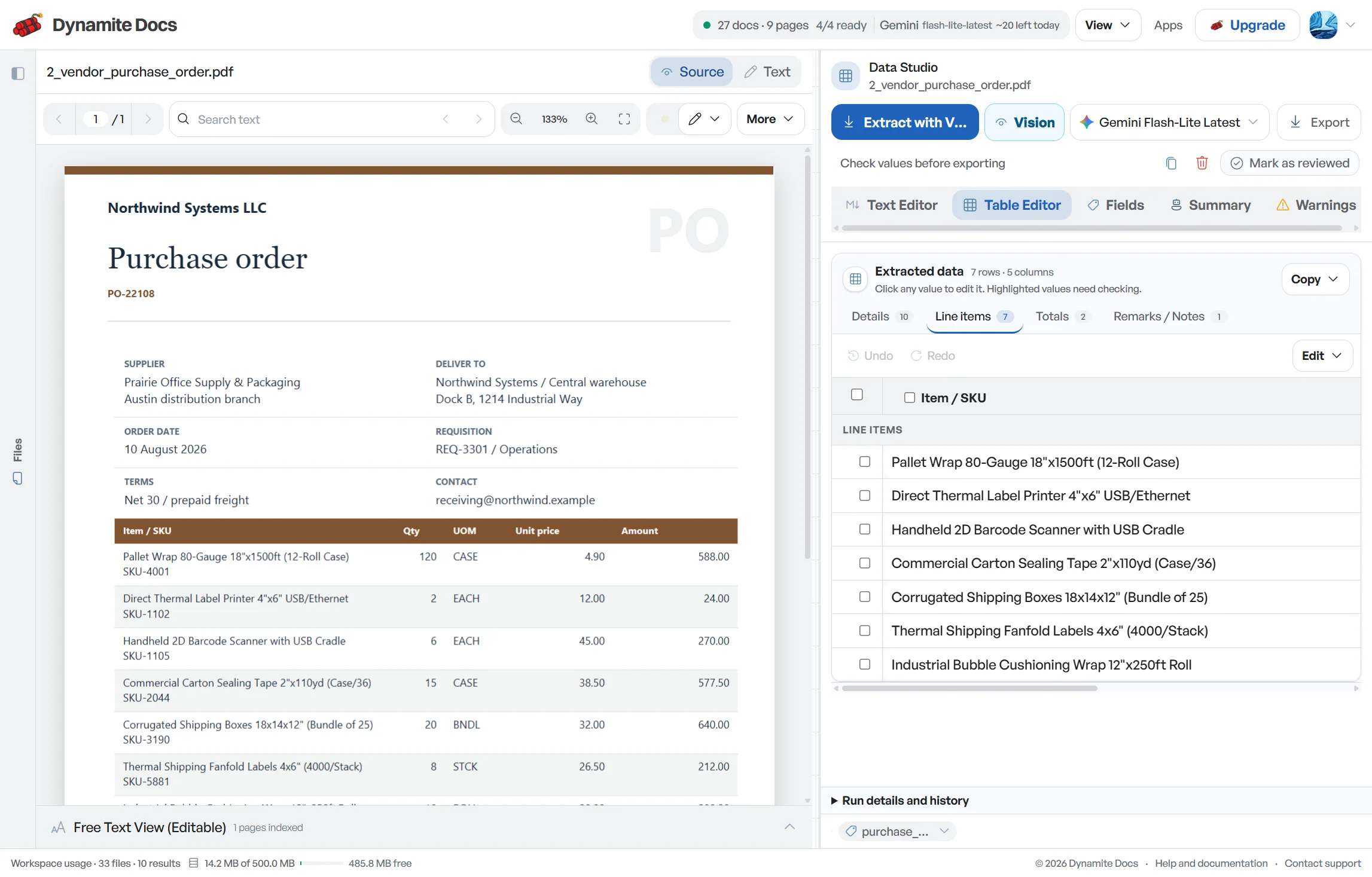
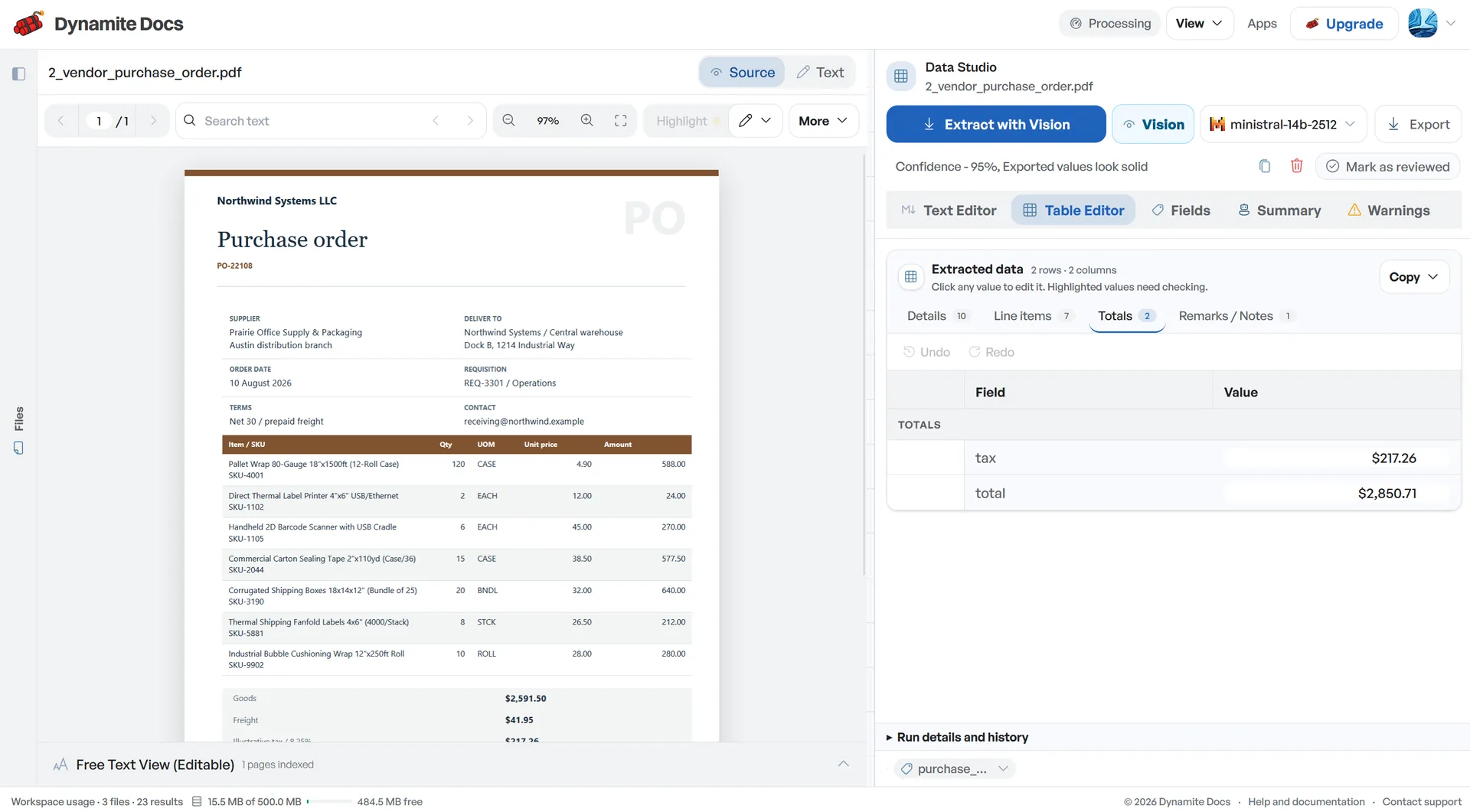
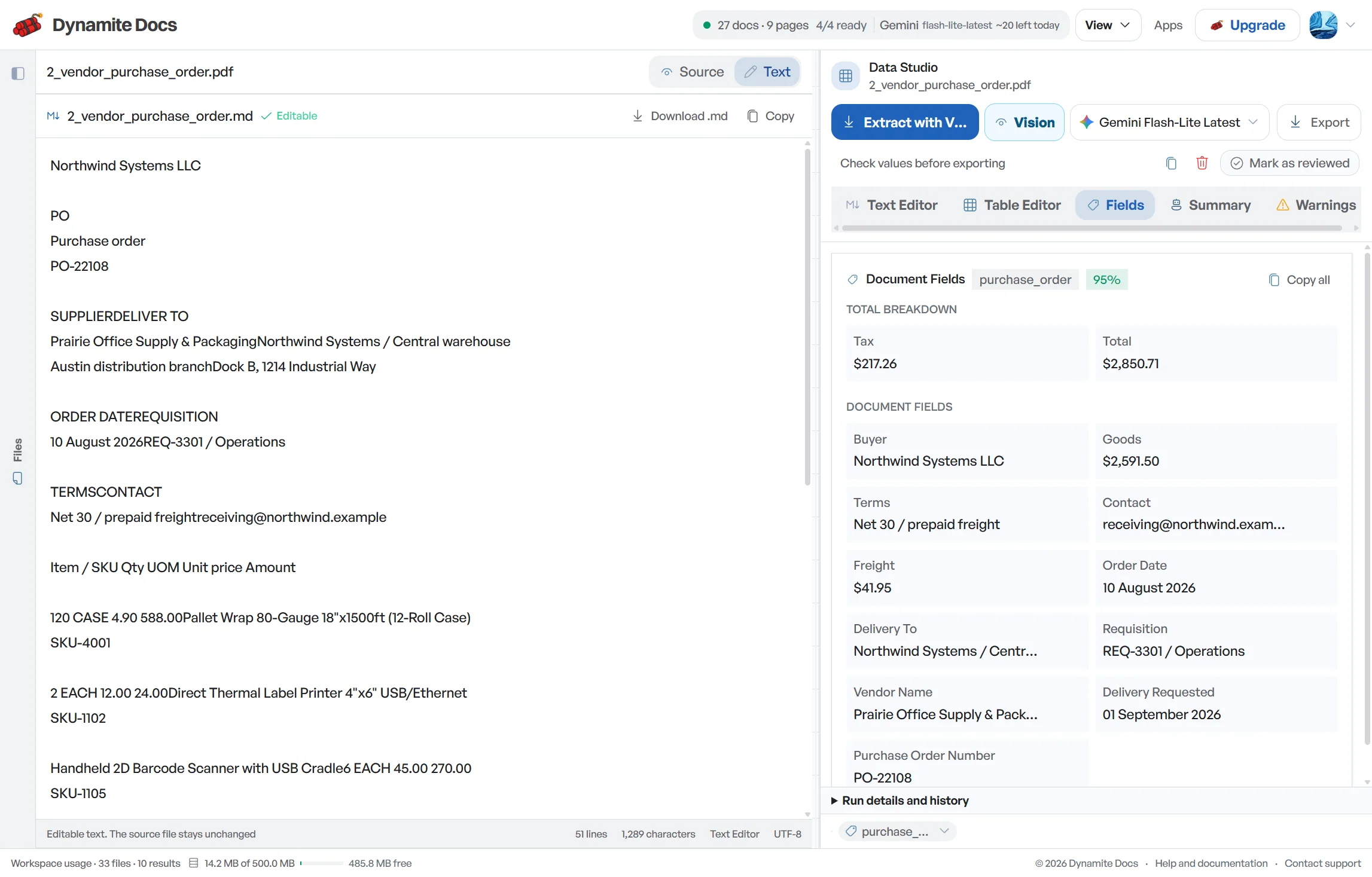
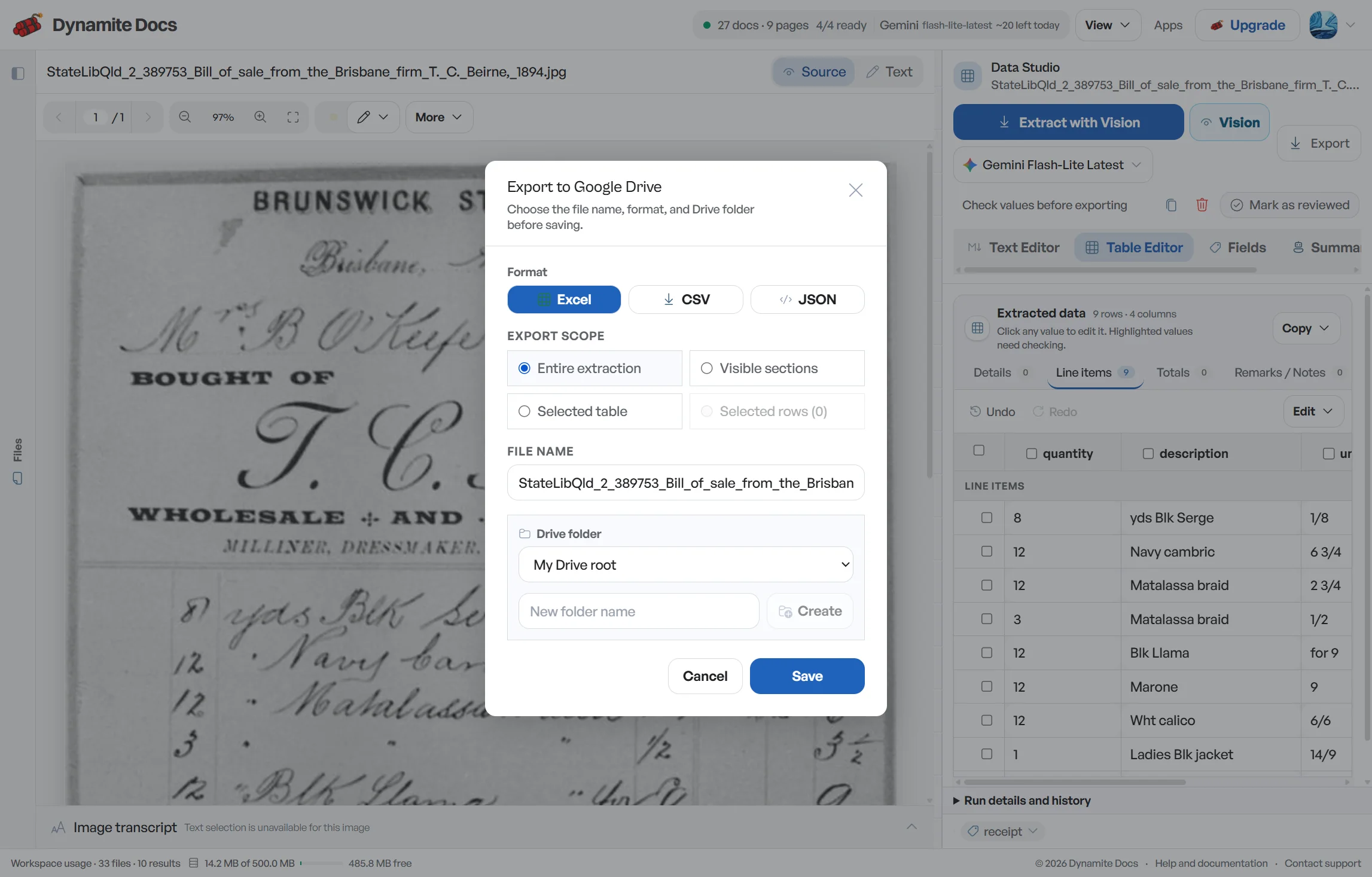
Different bank layouts slow down monthly reconciliation
- Every Indian bank arranges columns differently: some place debits before credits, others combine them with transaction codes.
- Narration fields often contain dense branch codes, IMPS numbers, or UPI references that are hard to parse by eye.
- Statements arrive as digital PDFs, scanned printouts, or password-protected files, requiring flexible extraction tools.
- Typing transaction entries by hand introduces errors that cause ledger balances not to balance at month-end.
Document types this workflow handles
- Digital statement PDFs: official e-statements parsed directly from text
- Scanned paper passbooks & statements: physical copies read via visual OCR
- Unlocked PDF statements: statements unlocked with your password
- Multi-month account batches: multiple statement files processed in sequence
What gets extracted from an Indian bank statement
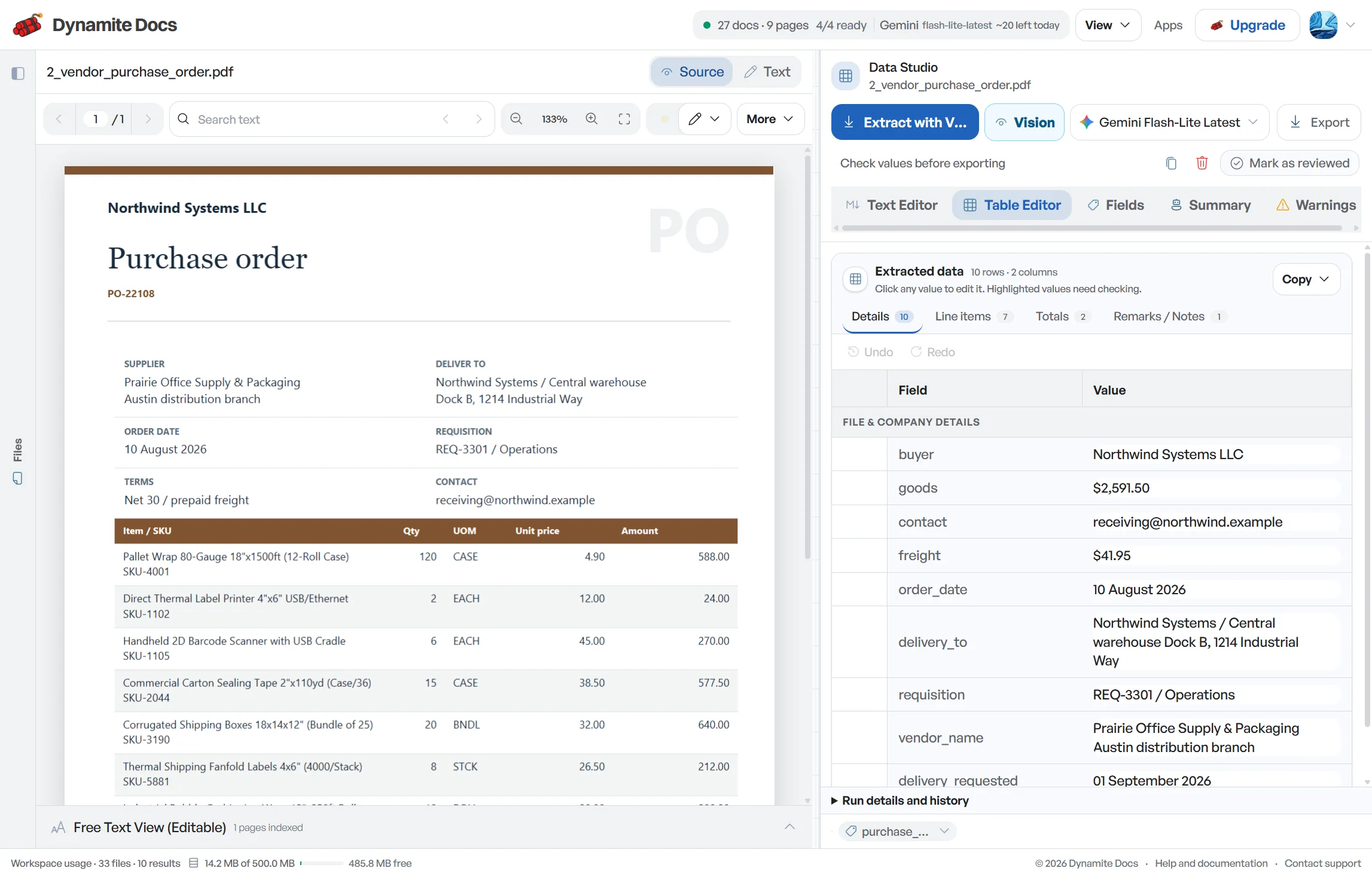
Fields are recognized from each bank structure. A typical extraction provides:
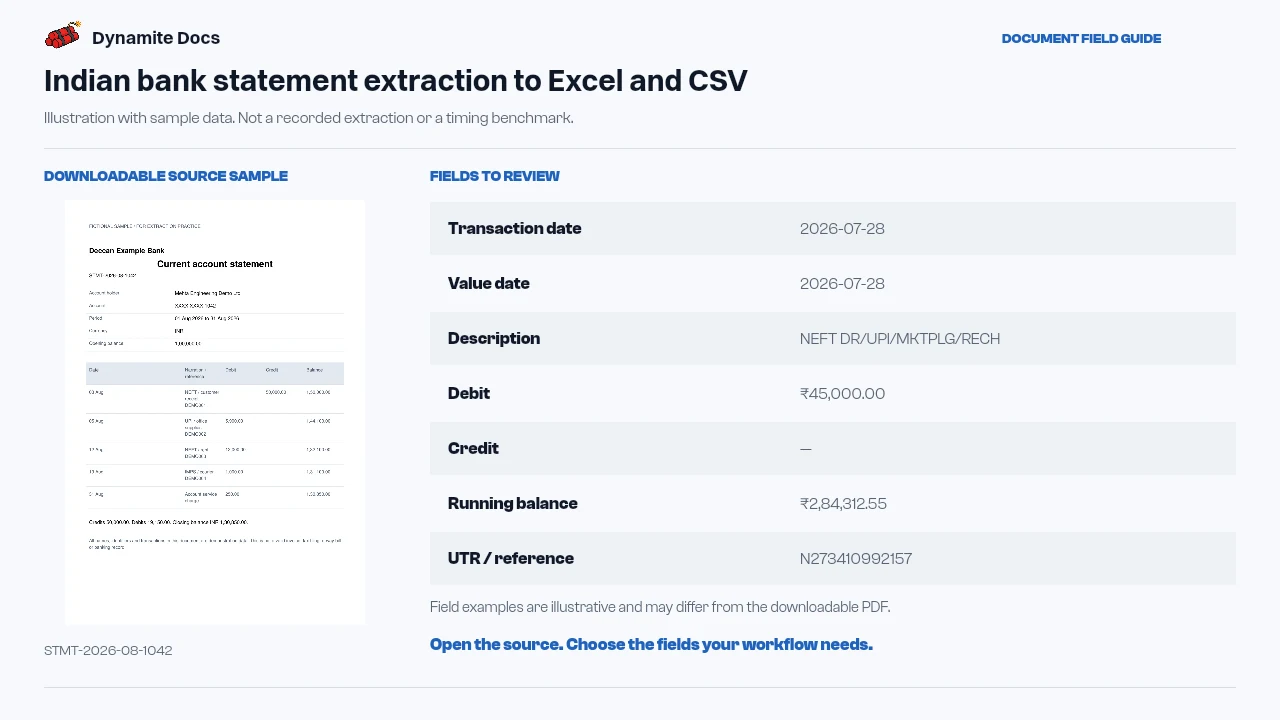
- Transaction date: 2026-07-28
- Value date: 2026-07-28
- Description: NEFT DR/UPI/MKTPLG/RECH
- Debit: ₹45,000.00
- Credit: Not applicable
- Running balance: ₹2,84,312.55
- UTR / reference: N273410992157
- Cheque number: 000127
- Account (masked): XXXX 1234
- Opening / closing balance: ₹3,29,312.55 / ₹2,84,312.55
A realistic example
Sample data. Not a real invoice or filing record.
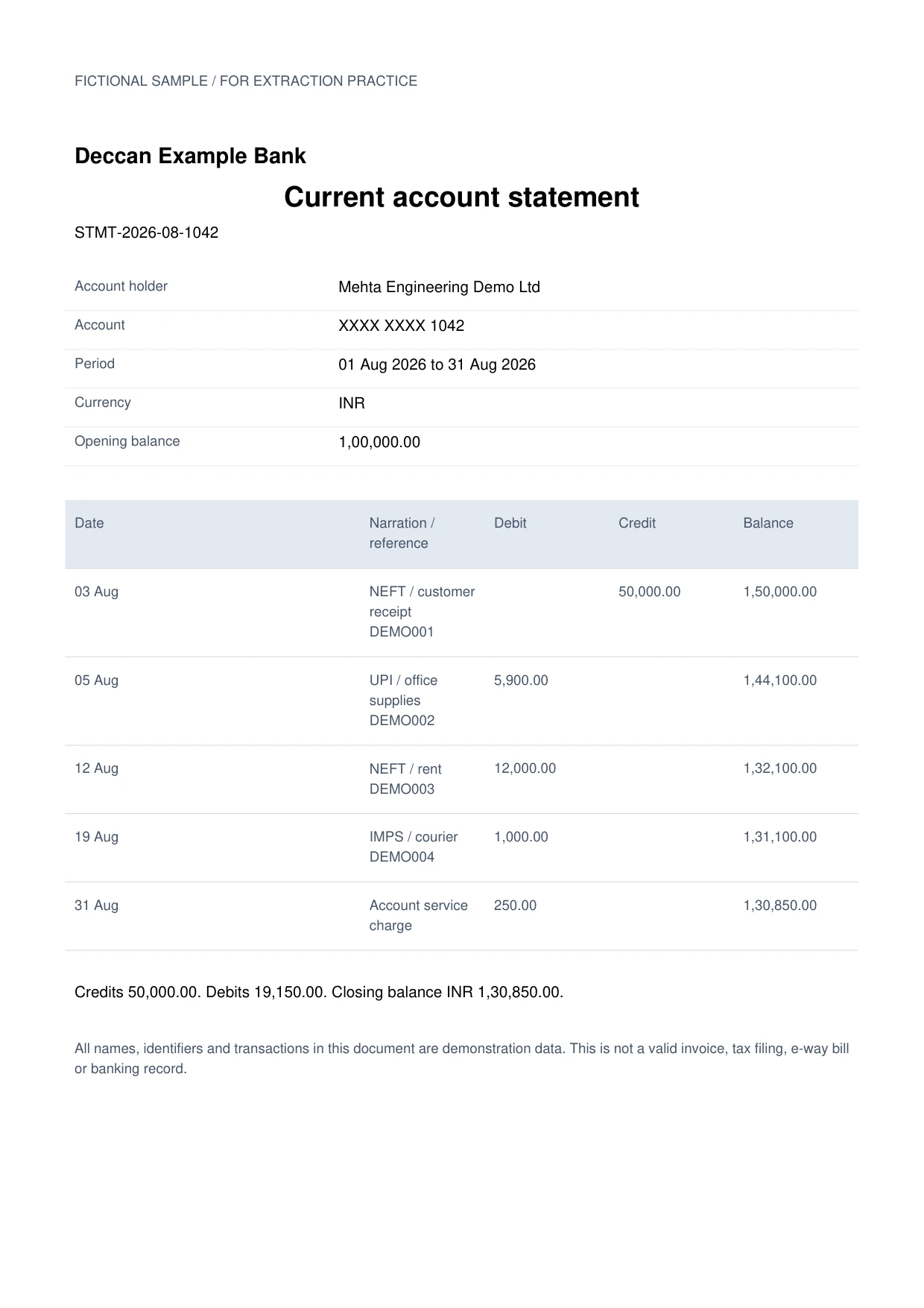
A statement from an Indian bank extracts into organized rows like these, ready for ledger reconciliation:
| Date | Value date | Description | Debit | Credit | Balance | UTR |
|---|---|---|---|---|---|---|
| 2026-07-27 | 2026-07-27 | NEFT DR/UPI/MKTPLG/RECH | ₹45,000.00 | Not applicable | ₹2,84,312.55 | N273410992157 |
| 2026-07-28 | 2026-07-29 | NEFT CR/SALARY/ACME PVT LTD | Not applicable | ₹1,20,000.00 | ₹4,04,312.55 | N274118009633 |
| 2026-07-29 | 2026-07-29 | IMPS DR/CHQ NO. 000127 | ₹12,750.00 | Not applicable | ₹3,91,562.55 | M27349022108 |
What to validate before export
Validation issue
Reconcile opening balance, transaction signs, and closing balance.
Limitation
The output does not complete bank reconciliation or assign ledgers.
Reviewed by Dynamite Docs content team. Last verified 2026-09-11.
Standardized transaction tables across all major Indian banks
Indian bank statements report many of the same facts but do not arrange them in the same way. Some separate transaction date and value date; some wrap narrations across several lines; and some use one amount column with a debit or credit marker. Extraction normalizes those visible values into a predictable table while preserving the original narration for review. Do not discard that narration just because a shorter category label is easier to analyze.
Start the control check before matching individual transactions. Confirm the account number, statement period, currency and opening balance. Then test the running balance from one row to the next using the debit and credit columns. Finally compare the calculated closing balance with the printed closing balance. A gap can indicate a missing row, a duplicated continuation line, a reversed debit and credit, or a number read from the wrong column.
UTR numbers, IMPS references, UPI identifiers and cheque numbers can help match a payment, but not every bank exposes each reference in a clean format. Keep the full source narration beside any parsed reference. Match on more than one signal where possible, such as date window, amount, reference and counterparty. Similar amounts occur frequently, so an amount-only match should remain an exception.
For ledger reconciliation, add columns for matched ledger entry, match status, timing difference, bank charge, interest, unidentified receipt, outstanding cheque and reviewer note. Separate statement extraction from accounting classification: the document can show a credit, but it cannot decide whether that credit is revenue, a loan, a refund or an inter-account transfer without business context.
Dynamite Docs organizes bank transactions into spreadsheet rows. It does not connect to an online bank, move funds, categorize entries with accounting authority or certify that a reconciliation is complete. Bank reconciliations, cash-flow analysis and audit work remain under the direction of your finance team and Chartered Accountant.
Confidentiality and flexible model choice for financial statements
Bank statements contain sensitive financial data. Every signed-in tier can connect a supported provider key. Review the selected provider and your organization’s data policy before processing confidential files.
Digital PDF statements may provide embedded text, while paper scans and passbook copies require visual extraction. Neither format is immune to merged rows, broken columns or ambiguous digits.
Reviewed transaction tables can be exported to Excel, CSV or JSON, or pushed to Google Sheets when connected. Free and Hobby own-key runs use monthly PE; Pro and Ultra own-key runs do not consume PE.
Questions, answered
Does it support statements from HDFC, ICICI, SBI, Axis, and Kotak?
You can upload statements from HDFC, ICICI, SBI, Axis, Kotak and other banks. Layout and scan quality vary, so use a representative sample and verify dates, debit and credit placement, running balances and wrapped narration before processing a full batch.
Can it read scanned statements and physical passbook copies?
Yes. Visual character recognition reads scanned printouts and clear passbook copies, extracting dates, narration lines, debits, credits, and balances.
Does it extract UTR and IMPS reference numbers?
When these values are printed clearly, the extractor can propose UTR numbers, NEFT references, IMPS codes, UPI identifiers and cheque numbers in dedicated columns. Retain the original narration and verify the reference before matching a payment.
Does Dynamite Docs connect directly to my online bank account?
No. Dynamite Docs does not access your bank accounts. You simply upload your downloaded PDF statements or scanned documents to extract clean transaction rows.
Related document workflows
Related extraction articles
Open the document extraction workspace, no credit card required.