Document extraction software
Extract structured tables and fields from unstructured documents using AI
Turn a pile of business documents into structured rows, then check the numbers before they reach Excel, your accounting system or an API.
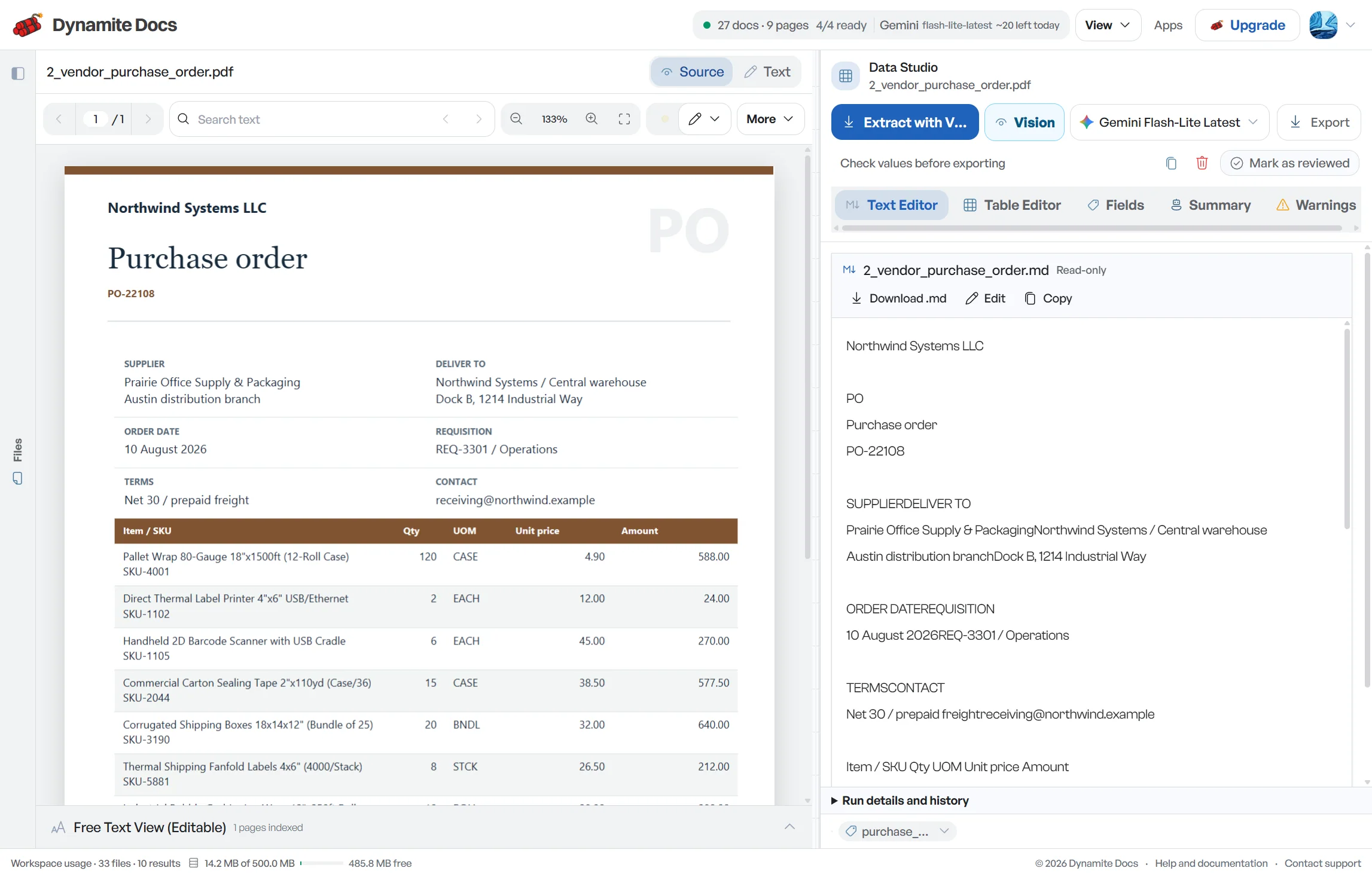
Manual data entry is rarely hard because one field is difficult to type. It is hard because the files arrive in different layouts, tables continue onto another page and one wrong digit can spoil the finished dataset. Dynamite Docs reads embedded text when it is available and uses a vision-capable model for scanned or image-only pages.
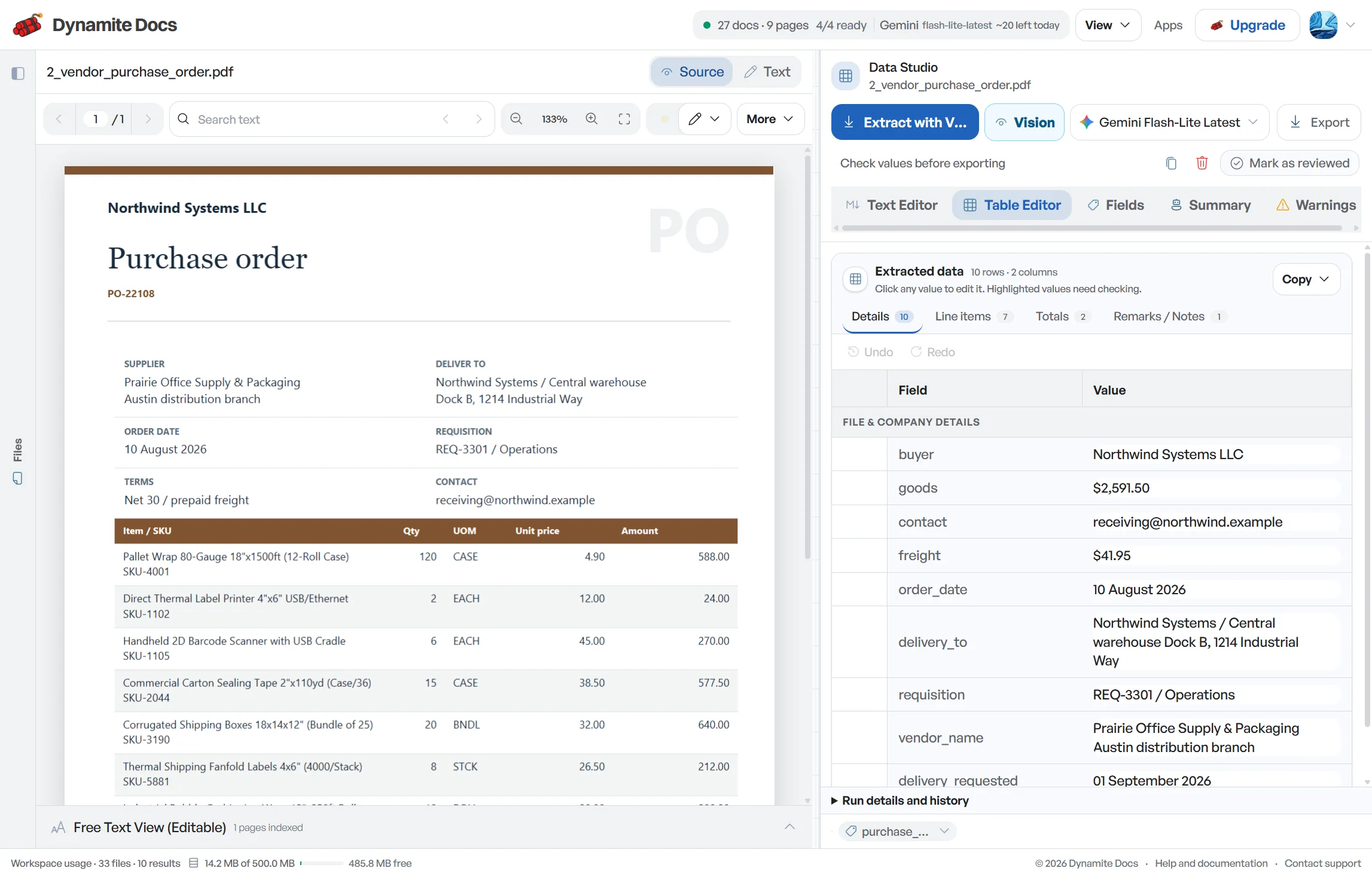
The document extraction workspace returns named fields and table rows rather than a long block of OCR text. You can compare uncertain values with the source, fix them inline and reuse saved corrections on similar layouts. Once the result is ready, send it to Excel, CSV, JSON, Google Sheets, a webhook or the REST API.
Extract a document free. Start in the browser with no credit card. Sign up to download or keep the extraction.
Use the source file you already have
- Digital PDFs: Use the existing text layer first, then organize fields and tables without retyping them.
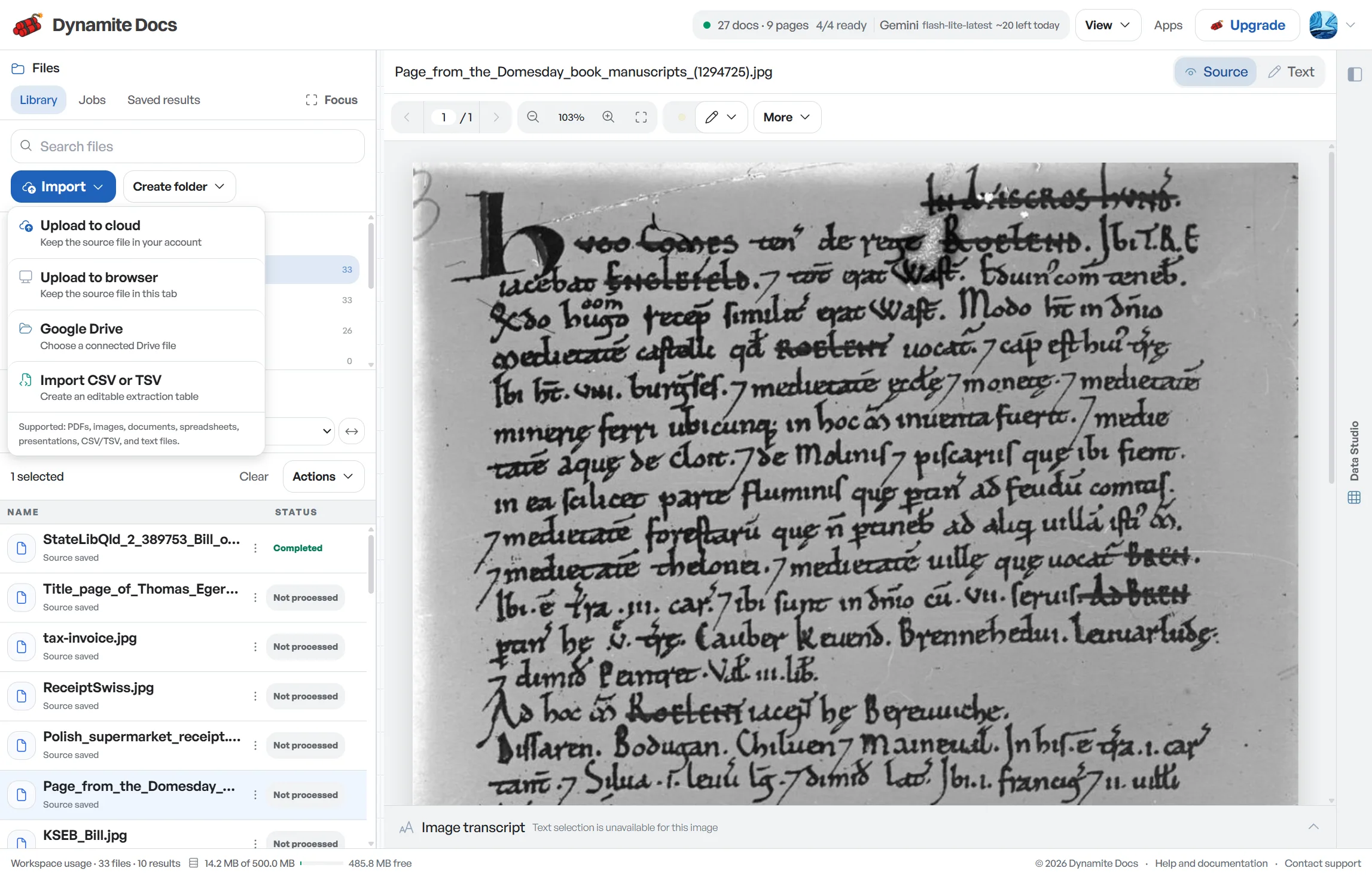
- Scanned files and receipts: Read image-based pages with AI OCR while keeping page layout available for review.
- Multi-page packets: Carry tables across page breaks, remove repeated headers and keep page references for checking.
- Mixed business documents: Process invoices, statements, purchase orders and other business files in the same workspace.
Get fields and rows, not an OCR text dump
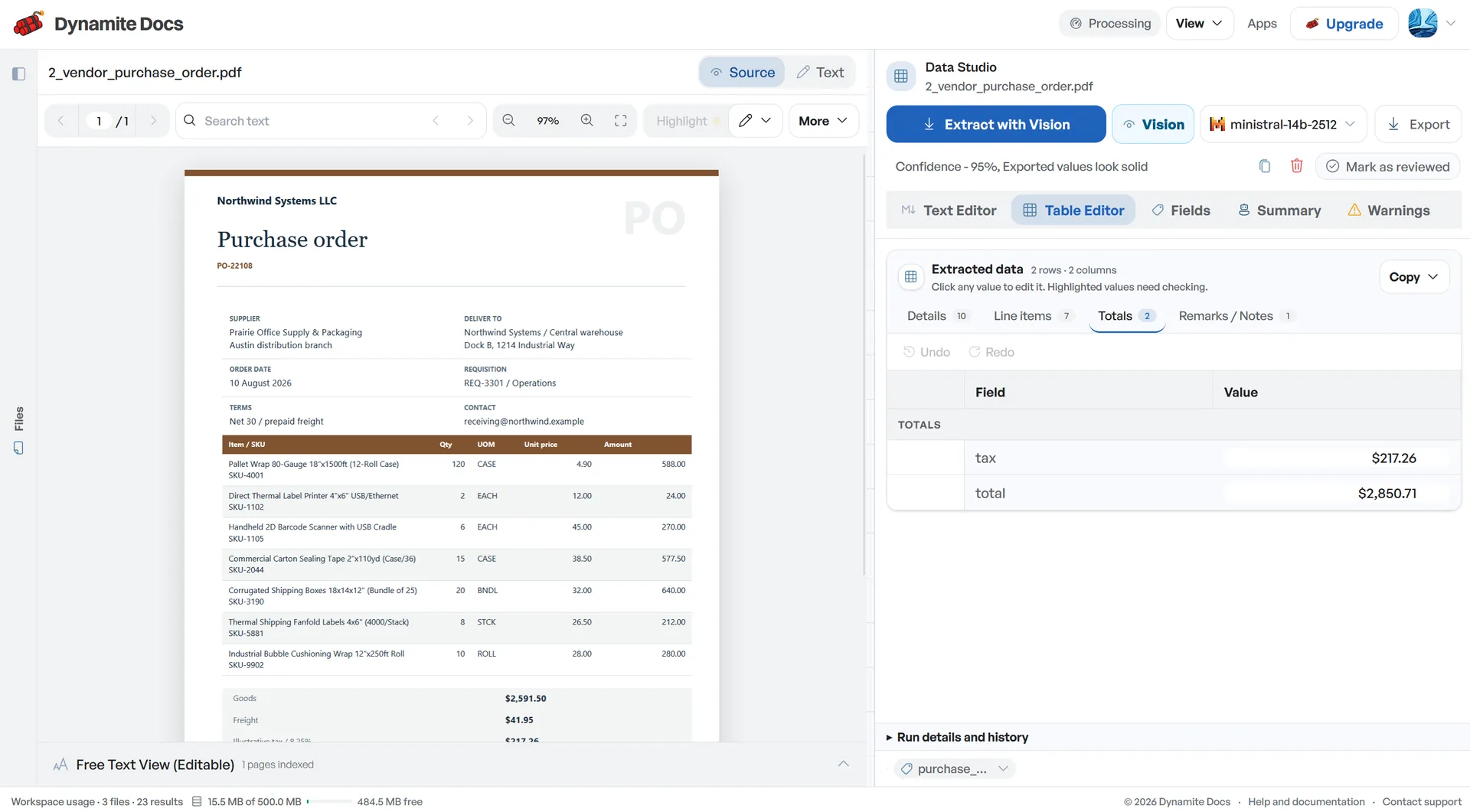
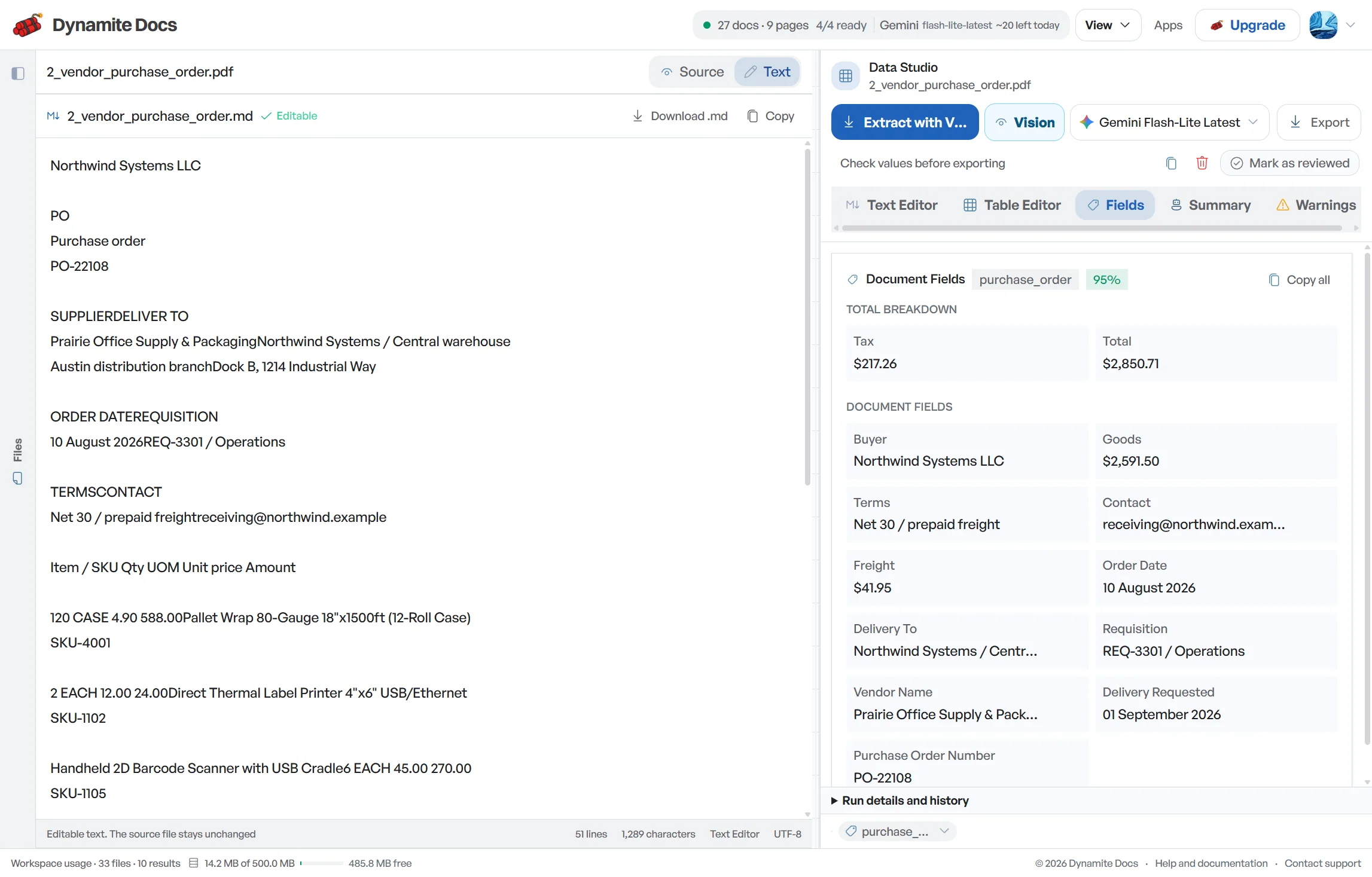
Document-level values stay separate from repeating records. That gives reviewers a usable schema and gives downstream systems predictable columns.
- Document fields: Vendor name, invoice number, issue date, total amount
- Table headers: Line number, item description, quantity, unit price, line total
- Repeating rows: One normalized record per transaction or line item
- Dates and currencies: Standardized ISO dates and clean numeric currency values
- Source coordinates: Bounding boxes linking extracted values back to page locations
- Confidence scoring: Cell-level and field-level confidence indicators for review
From file to reviewed result
- 1. Add the original files. Upload digital PDFs, scans, images or supported office files. API clients can submit stored documents programmatically.
- 2. Let the document define the schema. AI document extraction identifies key-value fields, tables and repeating rows without a coordinate template for each layout.
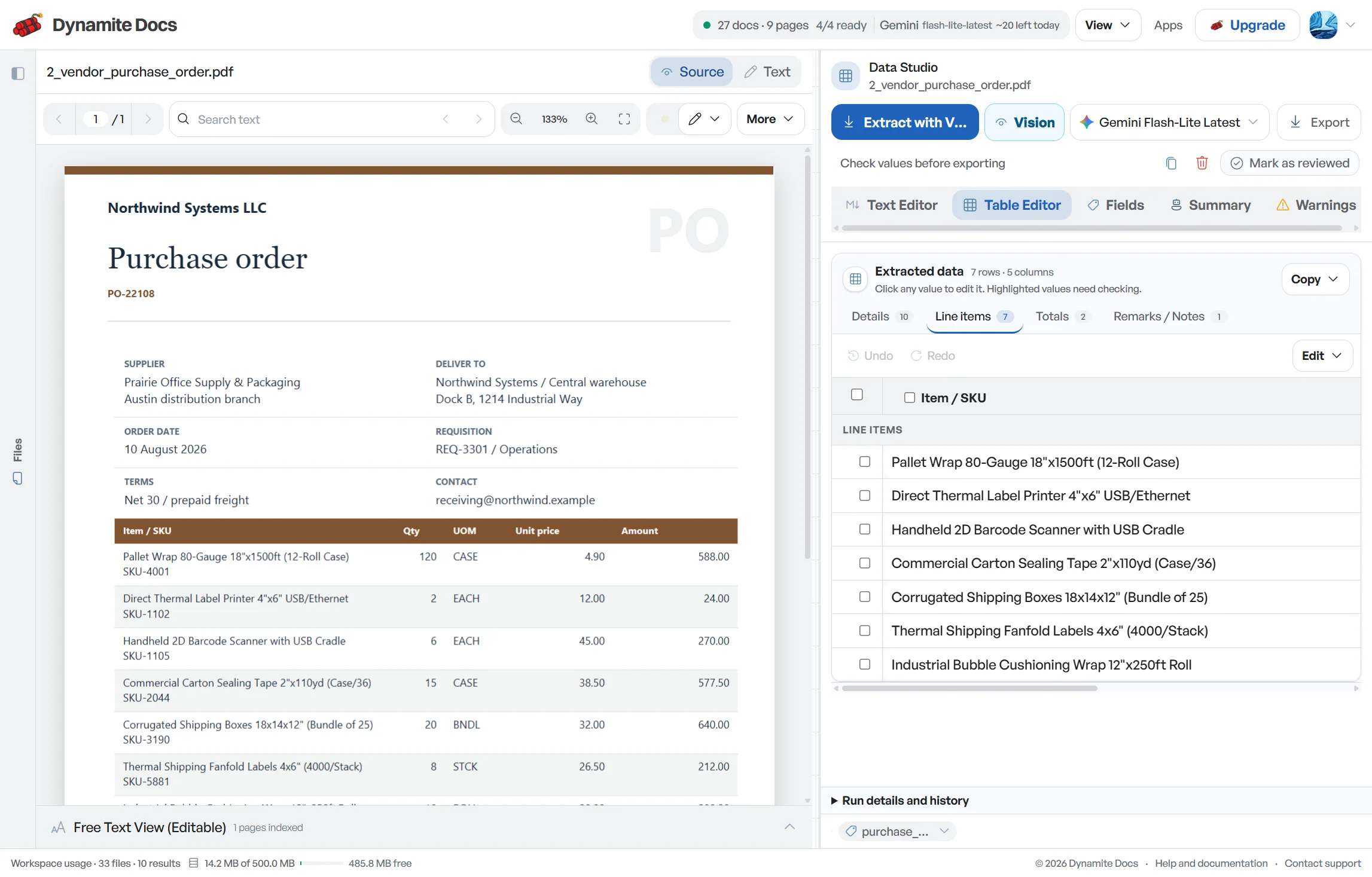
- 3. Check the result against the source. Review flagged fields beside the document, correct values inline and save useful field mappings for similar files.
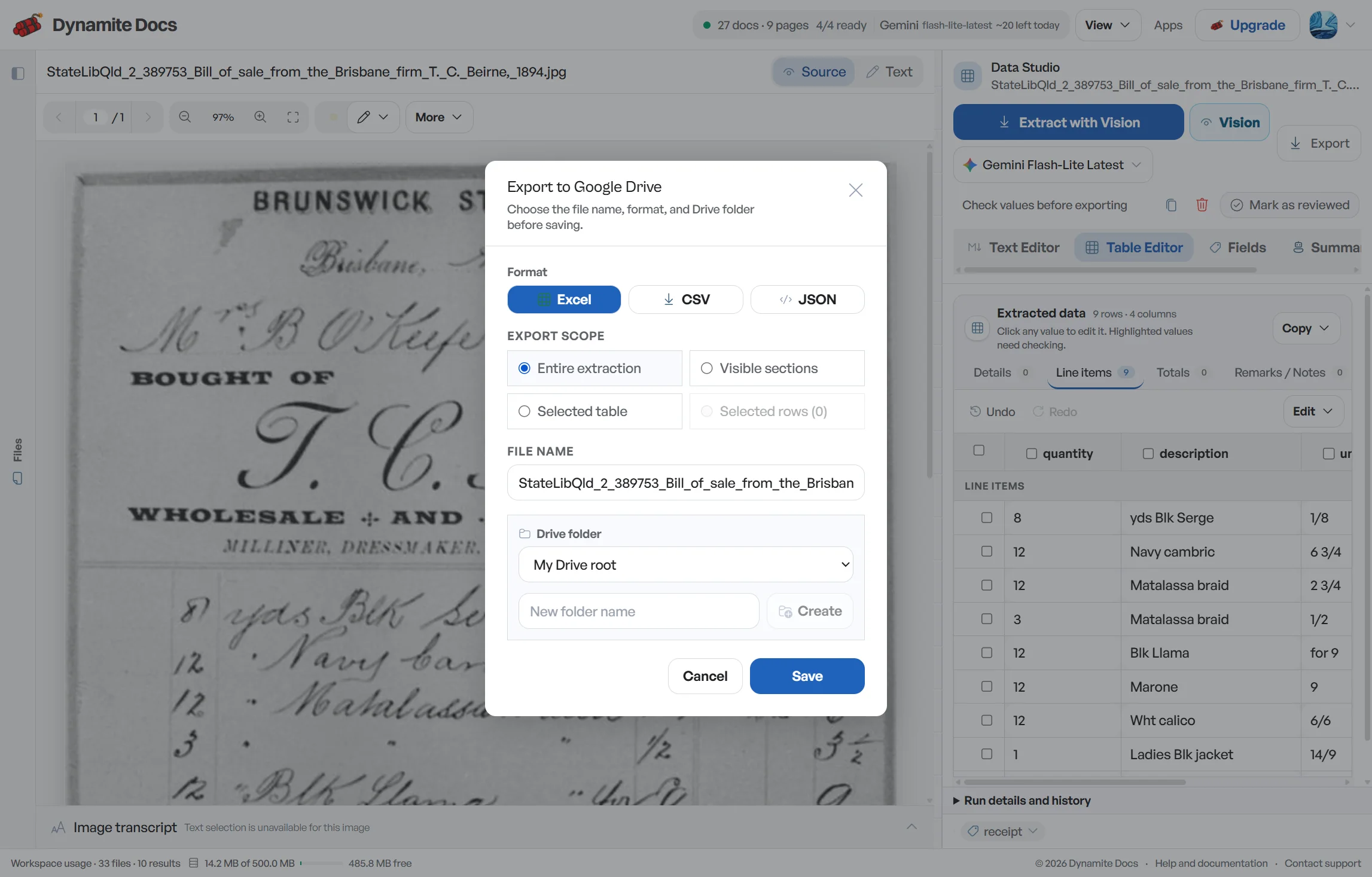
- 4. Send reviewed data where it belongs. Download Excel, CSV or JSON, push a table to Google Sheets, or deliver results through webhooks and the REST API.
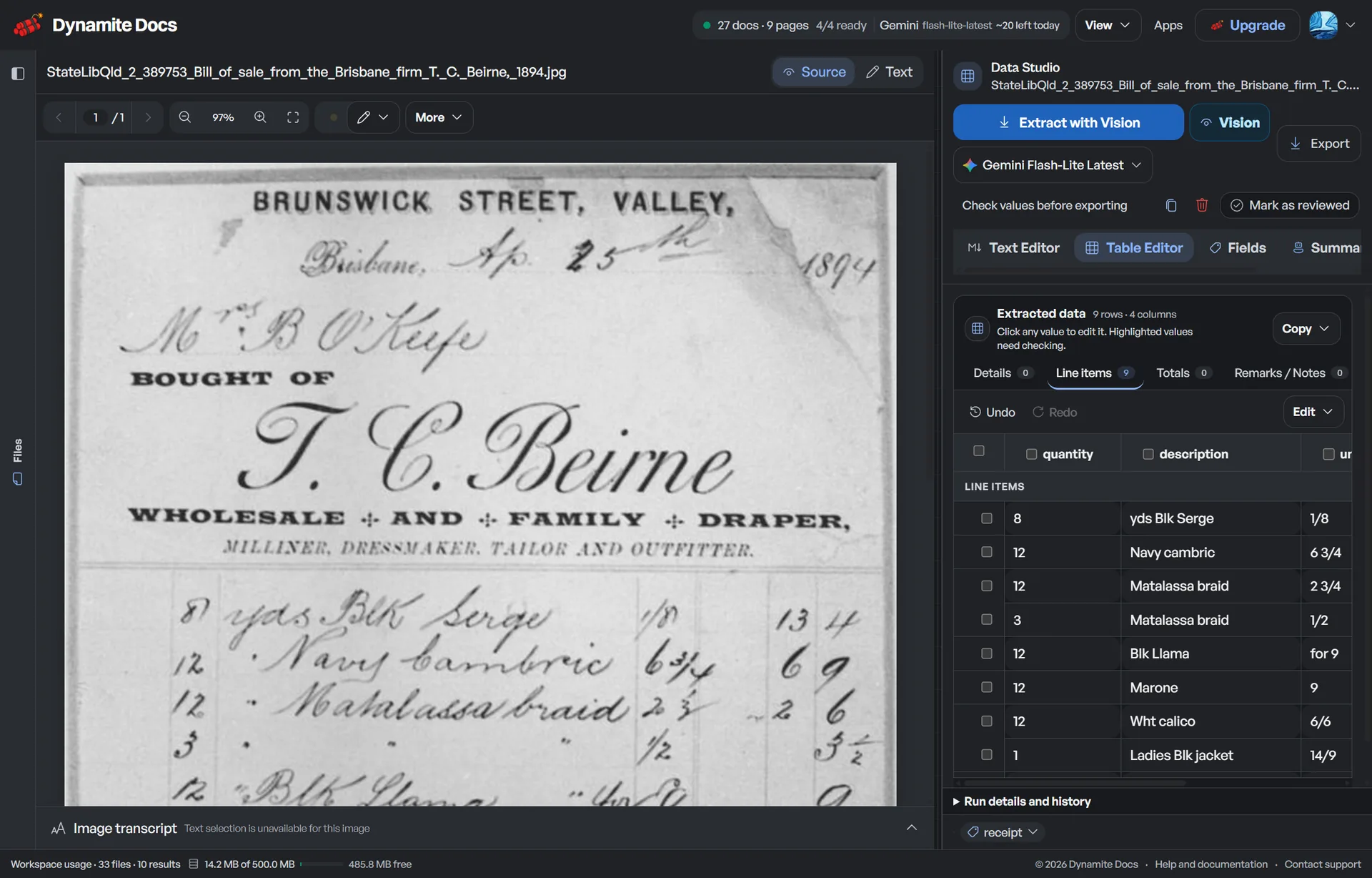
Keep the source beside every correction
The review workspace places the document next to the extracted table. Open a flagged cell, compare it with the page and fix the value without bouncing between a PDF viewer and a spreadsheet.
Choose an output your next system can use
One reviewed extraction can become a workbook, a flat import file, structured JSON or a shared Google Sheet.
| Format | Data structure | Useful when |
|---|---|---|
| Excel (.xlsx) | Multi-tab workbooks with document fields and line items | Financial modeling, reconciliation, and audit review |
| CSV | Flat tabular rows with normalized column headers | ERP data imports, data lakes, and spreadsheet analysis |
| JSON | Structured objects and typed arrays with coordinate data | Automated APIs, backend pipelines, and cloud workflows |
| Google Sheets | Live sheet export with dedicated document tabs | Collaborative team reviews and operational tracking |
Treat confidence as a review cue, not a guarantee
Confidence
Confidence scores help you decide where to look first. Confirm money, tax identifiers, account details and payment dates against the source even when a score is high.
Accuracy
A reliable text layer avoids visual character recognition. Scans and photos add blur, skew, compression and lighting problems that need closer review.
Failure state
Password-protected files, damaged PDFs and illegible scans may fail before extraction or produce incomplete data. Use the cleanest original available.
Product boundary
Dynamite Docs extracts fields and tables. It does not recreate the source document's visual design, logos or page composition.
Know what the software checks and what the reviewer owns
The platform prepares the file and structures the result. Your rules and reviewers decide whether that result is safe to use.
| System layer | Handled by | Primary function |
|---|---|---|
| Document ingestion | Dynamite Docs | Text extraction, image rasterization, page splitting, and layout hashing |
| Schema inference | AI Provider (Hosted or BYOK) | Proposes document fields, table headers, and repeating line items |
| Data verification | Human reviewer & rules engine | Confidence scoring, mathematical reconciliation, and final sign-off |
| Downstream delivery | Integrations & API | Exports to Excel, CSV, Google Sheets, webhooks, and REST endpoints |
Privacy, security and data residency controls
Free and anonymous files stay in browser storage, but hosted extraction still sends prepared document content to an eligible AI provider. Paid plans add encrypted cloud file storage.
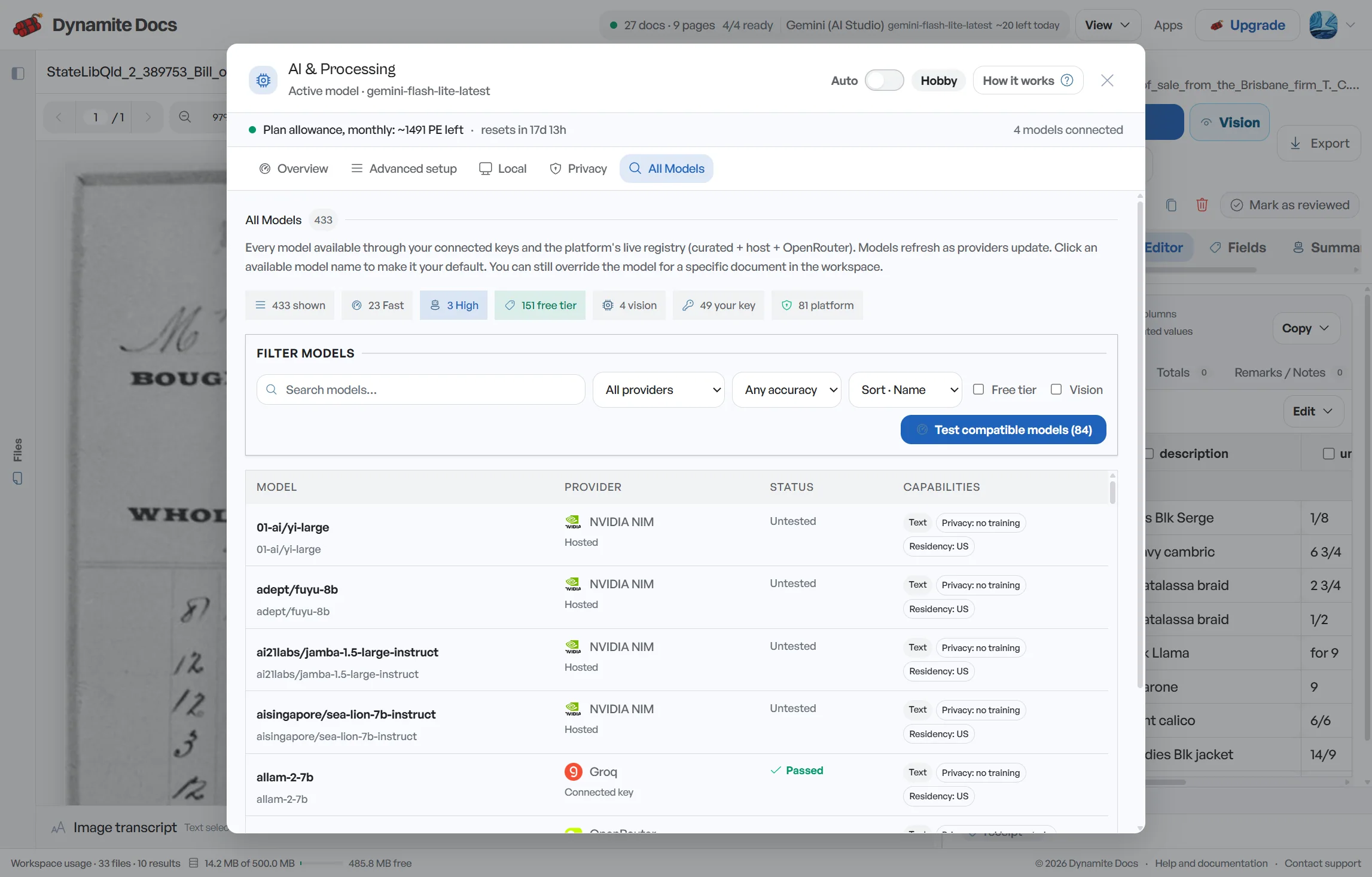
Every signed-in tier can connect an AI provider key. Hobby, Pro, and Ultra can use the local Ollama companion for model inference on the user's computer.
Questions about document extraction software
What is document extraction software and how does it work?
Document extraction software reads text and layout from PDFs, scans, and images, then proposes named fields and table rows. In Dynamite Docs, you compare that result with the source before exporting it to Excel, CSV, or JSON.
How does AI document extraction differ from traditional template OCR?
Traditional OCR depends on rigid coordinate zones that break whenever a vendor alters their layout. AI document extraction uses multimodal models that understand visual context and semantic meaning, extracting data accurately across varied layouts.
Can I extract data from multi-page documents and continued tables?
Yes. The extraction can join continuing rows and remove repeated headers. Review every page break because wrapped rows, subtotals and layout changes can still split or duplicate records.
Which AI providers can I use with Dynamite Docs document extraction?
You can use our managed hosted models or connect your own API keys (BYOK) from providers like OpenAI, Anthropic, Google Gemini, Mistral, and Groq, or run local models offline using our signed Ollama companion.
Choose the next document task
- AI PDF data extraction to Excel and CSV: Extract structured tables, line items, and metadata from PDF files.
- AI PDF extraction for structured data: Read digital or scanned PDFs, then review fields and tables beside the source.
- OCR software and guides: Explore our complete library of OCR guides, workflows, and tools.
- PDF to Excel converter: Convert PDF tables into structured spreadsheets without retyping.
- Document extraction REST API: Submit documents and retrieve structured results programmatically.
- Private document AI controls: Learn about browser-only processing, zero training, and BYOK security.
- Document extraction pricing: Compare Free, Hobby, Pro, and Ultra tiers with hosted and BYOK processing.
Related Workflows
Extract a document free or compare processing, storage and integration limits.