Vendor invoice processing for Indian businesses
By Dynamite Docs. Published . Updated .
Turn GST invoices into clean, reviewed data for Excel and Tally.
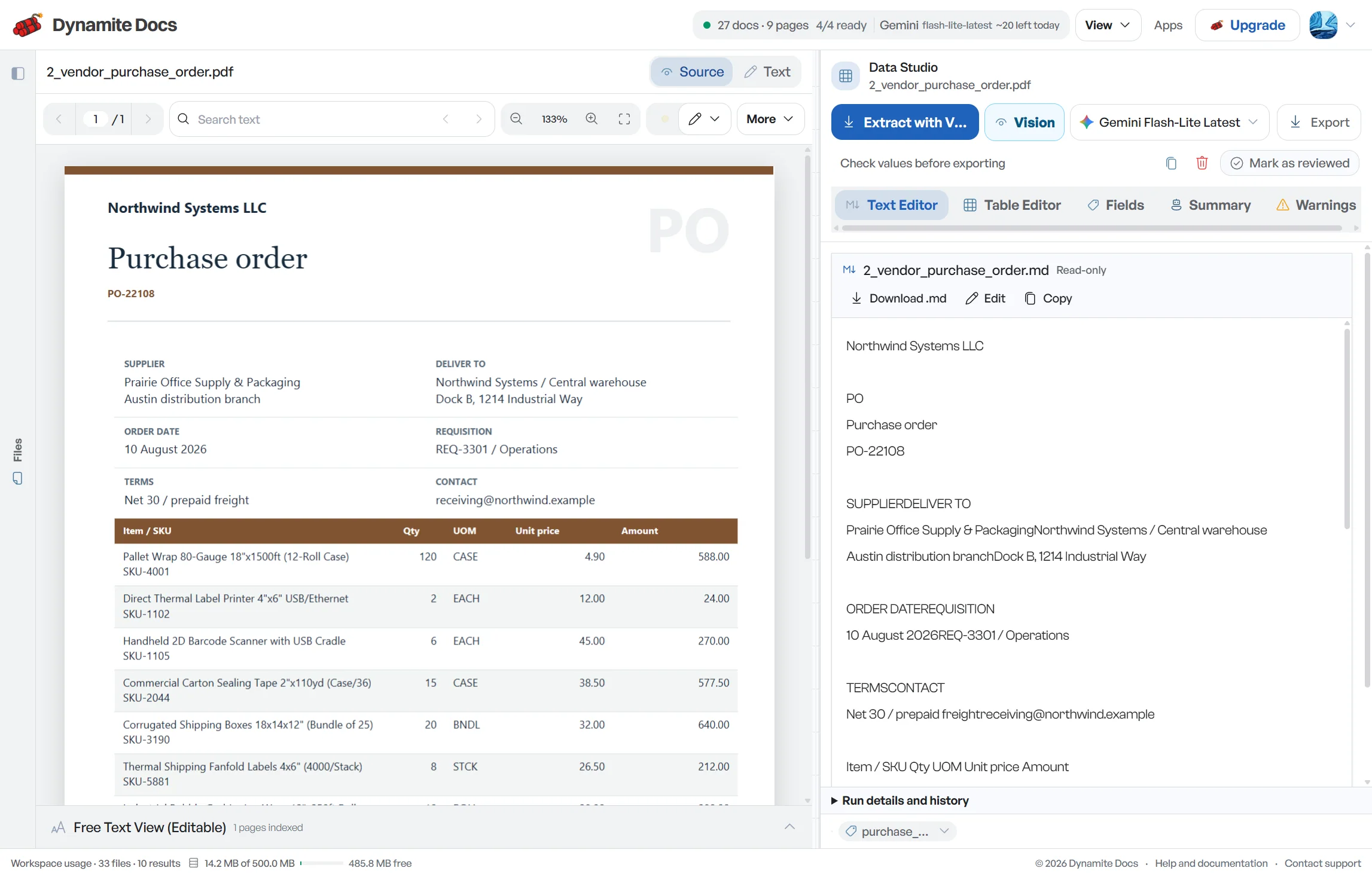
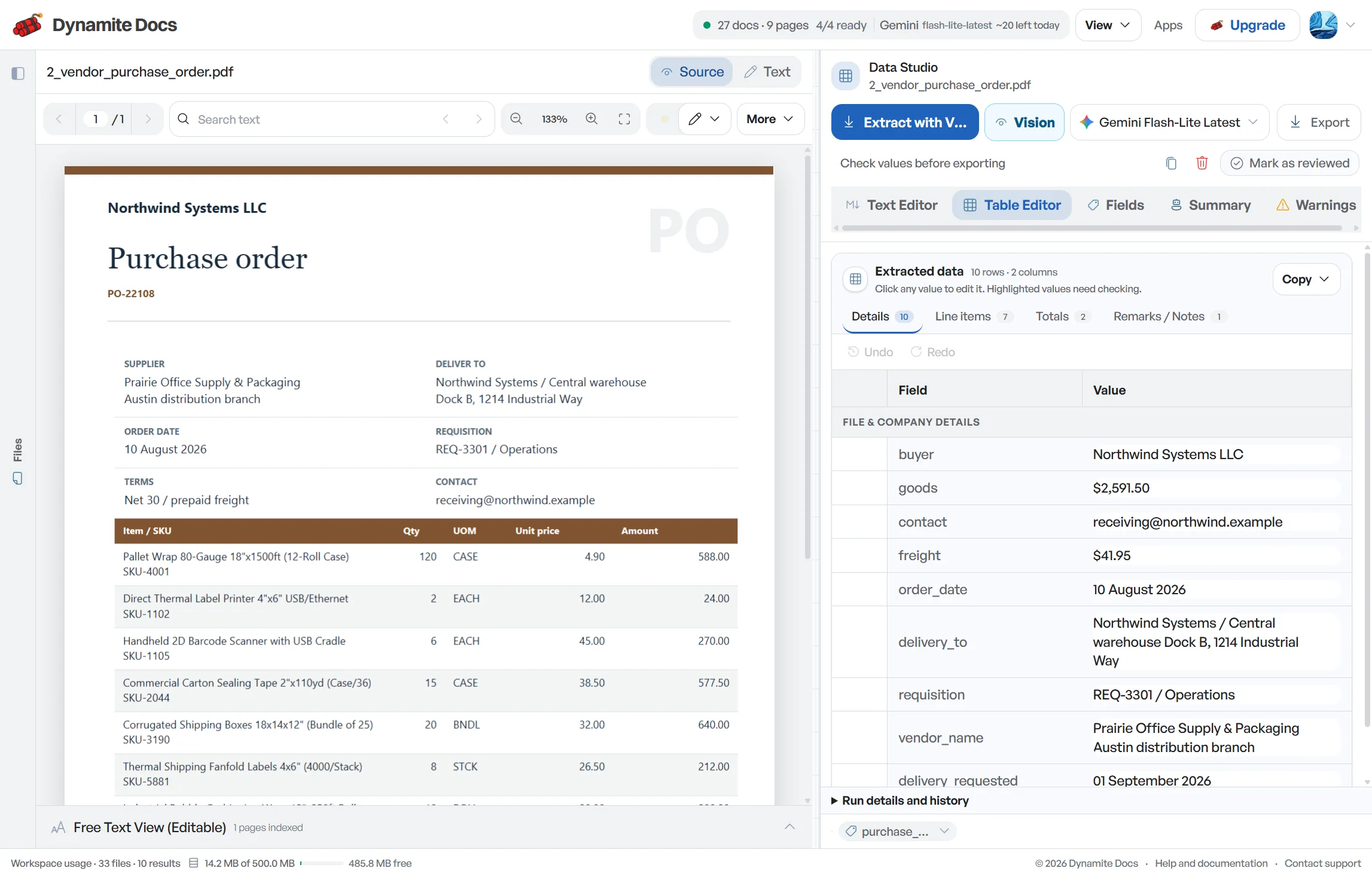
Vendor invoice processing begins with reliable source data, then moves through matching, coding and approval. Dynamite Docs proposes vendor GSTIN, [invoice](/accounting/india/gst-invoice-data-extraction) identity, purchase-order reference, line items, taxable value and tax components from supplier bills, transport invoices and service documents. Review those fields beside the source, keep possible duplicates and unmatched bills in an exception state, and export only the accepted rows. The destination accounting or ERP system remains responsible for tolerances, ledger posting, approval authority and payment.
Try a GST invoice or compare its storage, processing, and export limits.
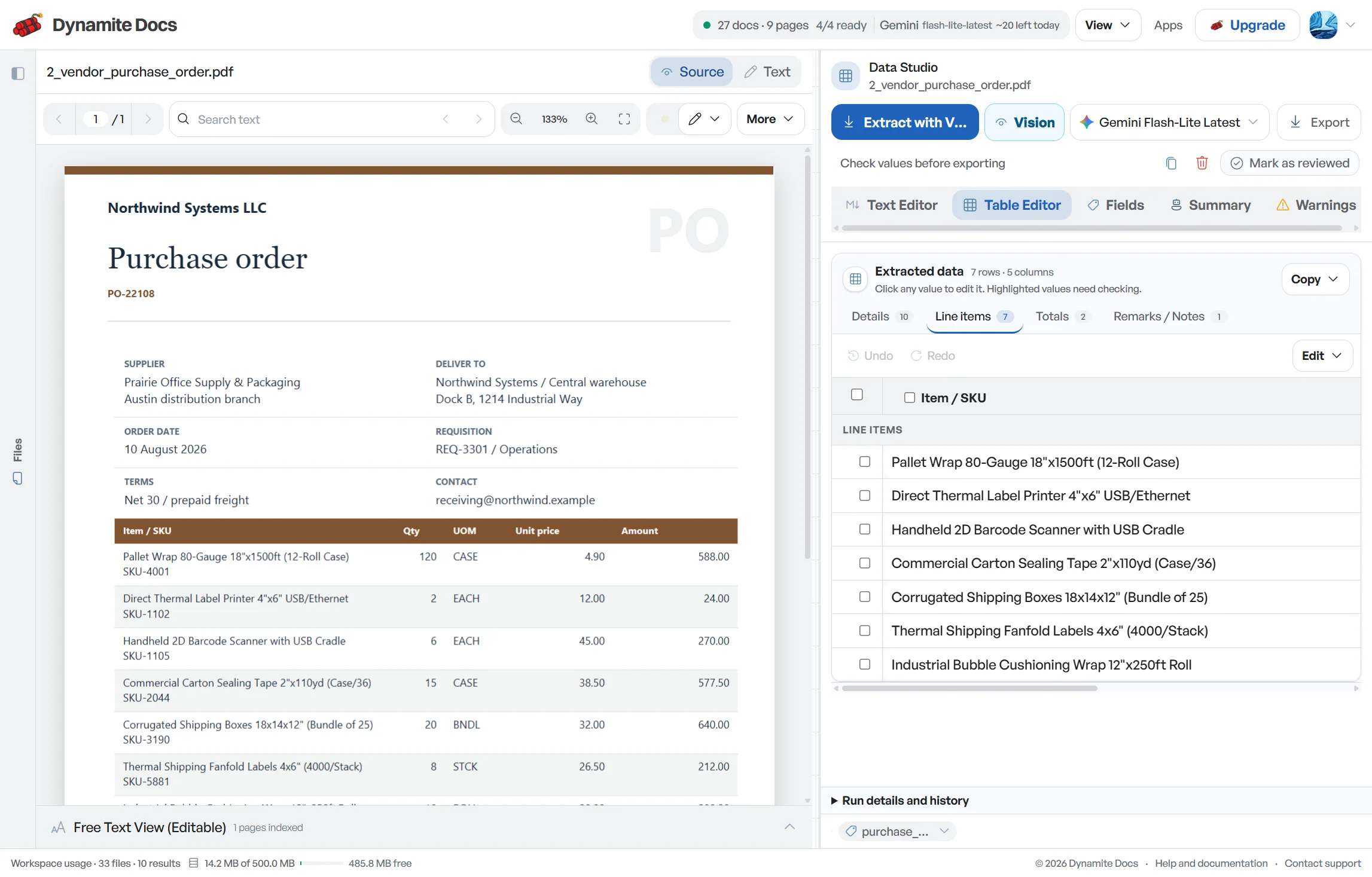
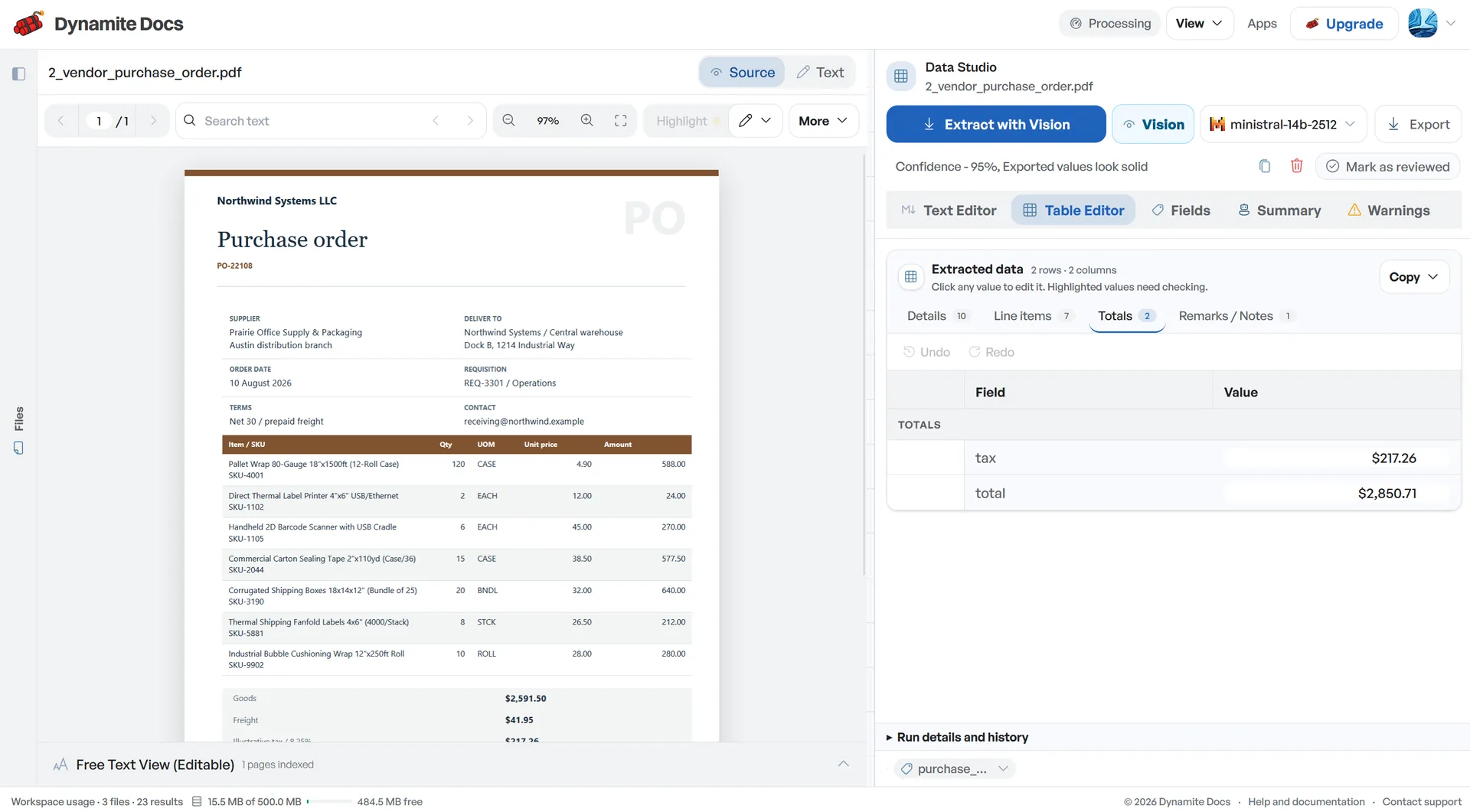
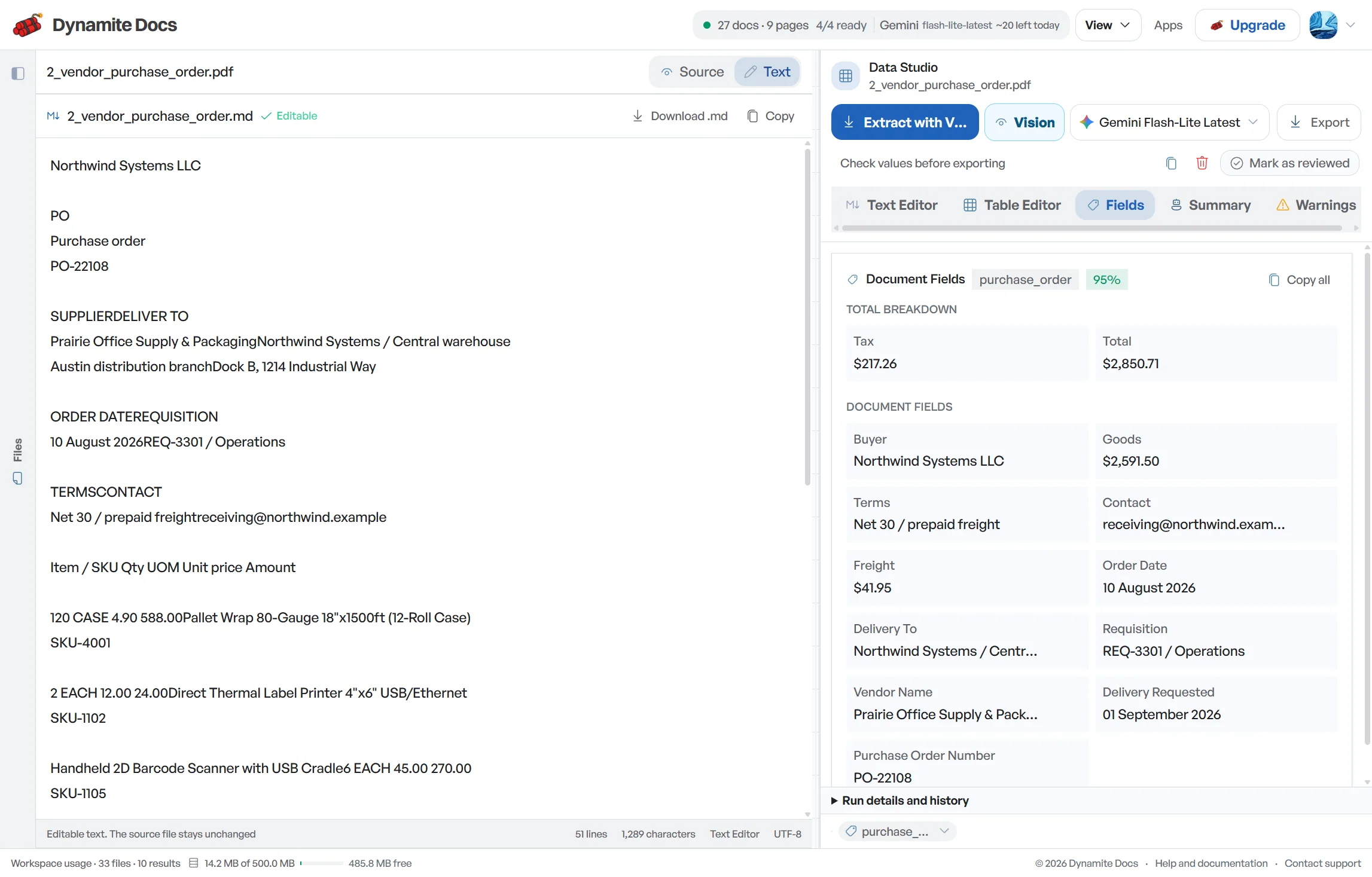
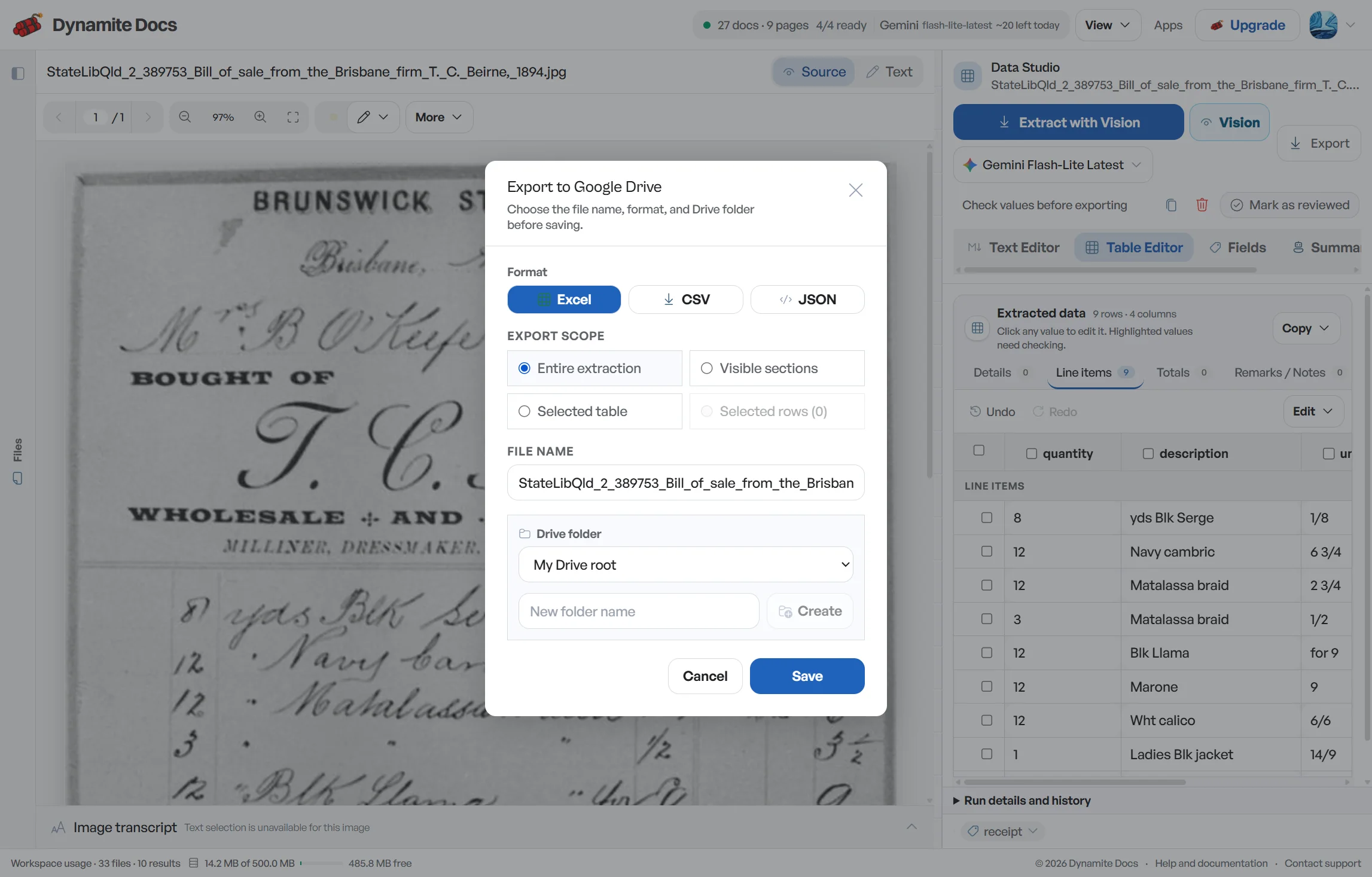
Accounts payable teams spend too much time on manual bill entry
- Dozens of suppliers submit bills in varying formats, requiring manual transcription into accounting software.
- Matching vendor bills against purchase orders and goods delivery slips by eye is slow and prone to oversight.
- Accurate [input tax recording](/accounting/india/gstr-2b-reconciliation) depends on getting vendor GSTINs and tax breakdowns right on every bill.
- Approving bills requires verifying purchase order references, item quantities, and pricing against original orders.
Document types this workflow handles
- Vendor invoice PDFs: purchase and service bills from suppliers
- Paper bills & scans: scanned invoices and photos processed via OCR
- Delivery challans & receipts: receiving records to verify against bills
- Vendor credit notes: supplier adjustments and price discounts
What gets extracted from a vendor bill
Fields are recognized from each vendor layout. A typical extraction provides:
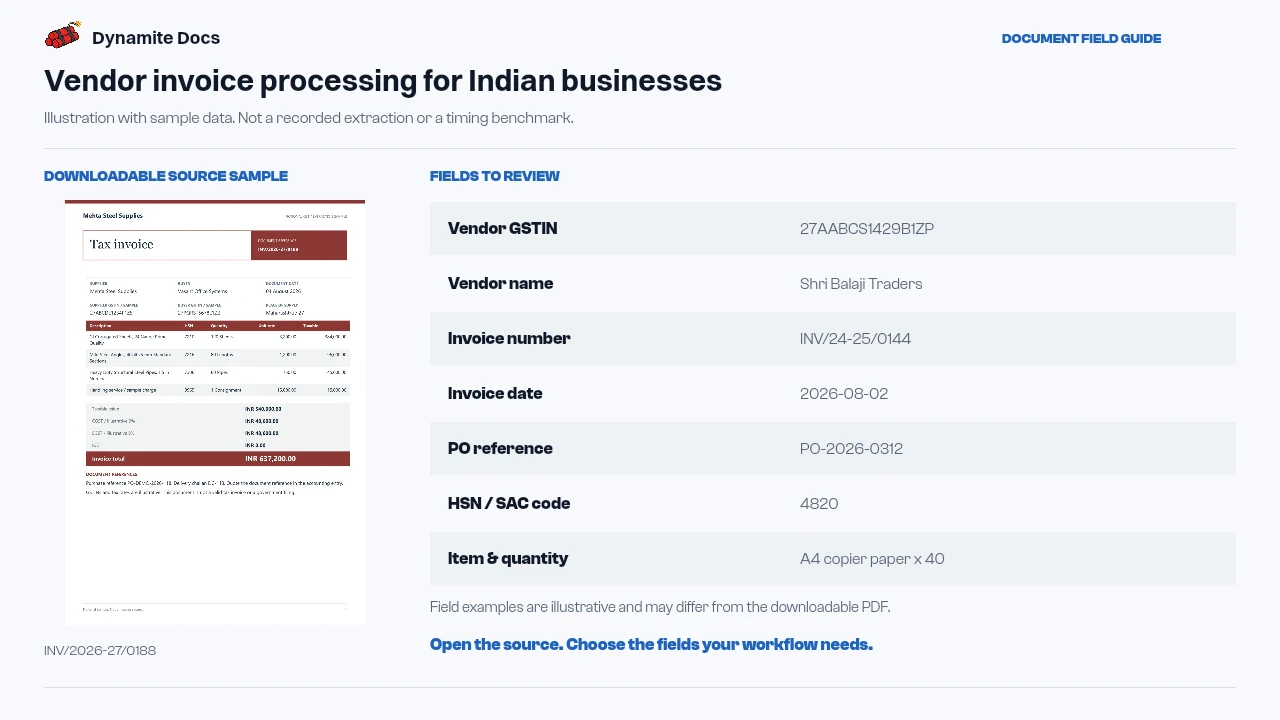
- Vendor GSTIN: 27AABCS1429B1ZP
- Vendor name: Shri Balaji Traders
- Invoice number: INV/24-25/0144
- Invoice date: 2026-08-02
- PO reference: PO-2026-0312
- HSN / SAC code: 4820
- Item & quantity: A4 copier paper x 40
- Taxable value: ₹24,000.00
- CGST / SGST amount: ₹2,160.00 / ₹2,160.00
- Invoice total (incl. tax): ₹28,320.00
A realistic example
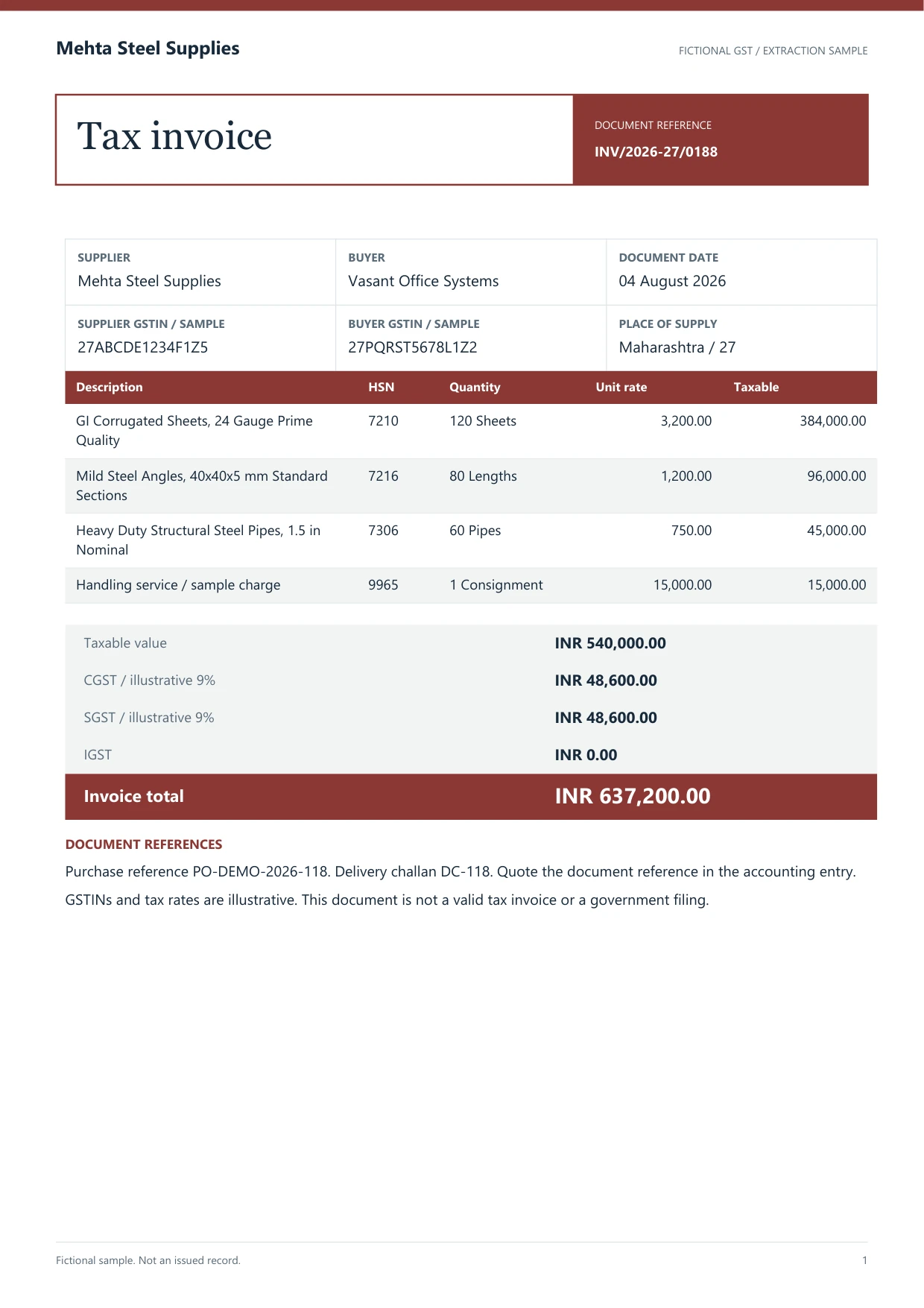
Sample data. Not a real invoice or filing record.
Vendor bills extract into organized rows like these, with PO references ready for verification:
| Invoice # | Date | Vendor | GSTIN | PO # | HSN/SAC | Item | Qty | Taxable value | CGST | SGST | IGST | Total |
|---|---|---|---|---|---|---|---|---|---|---|---|---|
| INV/24-25/0144 | 2026-08-02 | Shri Balaji Traders | 27AABCS1429B1ZP | PO-2026-0312 | 4820 | A4 copier paper | 40 | ₹24,000 | ₹2,160 | ₹2,160 | Not applicable | ₹28,320 |
| SI-1182 | 2026-08-04 | Kaveri Engineering Co. | 33AABCC3456C1ZD | PO-2026-0318 | 8467 | Rotary hammer | 6 | ₹1,86,000 | Not applicable | Not applicable | ₹33,480 | ₹2,19,480 |
| CH-4411 | 2026-08-06 | Shivam Stationers | 27AABFS1132P1ZW | None | 4820 | Desk stationery | 1 | ₹4,500 | ₹405 | ₹405 | Not applicable | ₹5,310 |
What to validate before export
Validation issue
Check duplicate invoice numbers, vendor GSTIN, PO reference, and total.
Limitation
The workflow does not approve vendors, bills, or payments.
Reviewed by Dynamite Docs content team. Last verified 2026-09-11.
Simplifying bill matching and payment approval
Start with vendor identity. Compare the legal name and GSTIN on the bill with the vendor master, and confirm which entity is supplier and recipient. A GSTIN format check can expose a malformed value, but it cannot verify ownership, registration status or whether the supplier record is approved for payment.
Route PO and non-PO bills differently. A PO-backed bill may need line number, SKU, unit, quantity, price and receipt evidence for matching. A non-PO utility, freight or professional-services bill may need service period, cost centre, contract reference and approver. Preserve the source fields first, then add the review fields needed by that route.
Three-way matching compares the invoice with the purchase order and goods receipt or service confirmation. Extraction can prepare the references and values, but it cannot decide whether a quantity variance falls within policy or whether a price change was authorized. Keep unmatched and over-tolerance lines out of the payment-ready export.
Check invoice arithmetic before account coding. Reconcile line taxable values, discount, freight, tax, cess, rounding and amount payable. Record credit notes and debit notes with their document type, sign and original-invoice reference when available. Do not turn every adjustment into a positive invoice row.
Duplicate control should compare vendor GSTIN, full invoice number, date, currency and gross amount. The same bill may arrive through email, a portal and a paper scan. Conversely, two vendors can use the same short invoice number. Preserve source references so a reviewer can settle the difference.
For recurring suppliers, test one full document set and agree on the export schema before processing a large month. Saved corrections can help repeated layouts, but they should not carry forward supplier approval, tax treatment or account coding into a new bill without review.
Dynamite Docs prepares vendor bill data for comparison and export. Payment approval, scheduling, tax eligibility and ledger posting remain under the control of your finance team and connected accounting systems.
Cost control and model choice for accounts payable
Any signed-in plan can connect a supported provider key. Pro and Ultra BYOK runs do not spend Dynamite Docs PE, though provider, file-size and workflow limits still apply.
Digital vendor bills may provide machine-readable text, while paper scans and photos need visual OCR. Both formats use the same review queue.
Vendor layout corrections remain saved in your workspace, making recurring supplier bills faster to review with each monthly cycle.
Questions, answered
Can it help match vendor bills to purchase orders?
Yes. The system extracts PO numbers, line item SKUs, quantities, and prices from vendor bills, giving your team structured rows to compare against purchase orders.
How does it handle vendor bills with no purchase order?
Non-PO bills like utility invoices, freight bills, and service slips are extracted into the same structured format, capturing vendor details, taxable values, and tax splits.
What happens with low-quality scans or photo copies?
Scans and photos without selectable text are read using visual optical character recognition (OCR), with confidence scores highlighting any unclear numbers.
Does Dynamite Docs handle payment disbursements?
No. Dynamite Docs extracts and organizes bill data into approval-ready spreadsheet rows. Payment authorization and execution remain within your banking and accounting systems.
Related document workflows
Related extraction articles
Open the document extraction workspace, no credit card required.