
/api/webhooks, POST /api/v1/infer
Zapier document extraction automation can start with an incoming file or a finished result. Use a scoped API key to submit the document, then catch the signed extraction.completed webhook and map the reviewed fields into a spreadsheet, CRM or another Zapier action. Verify the signature before the Zap writes anywhere.
What the Zapier catch hook receives
- Extraction produces a table, but the table is only useful once it lands where the team works, and that usually means several different places.
- Without automation, distributing rows means exporting a file and re-importing it everywhere, by hand, every time.
- Most of the people who need this are not engineers; the tooling to wire a pipeline should not assume a developer is around.
- Automation is only safe when it can tell a genuine event from a spoofed one. An unsigned webhook is a fake-data risk.
How the Zapier connection works
 Dynamite Docs
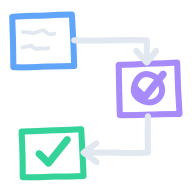
- 01Create a Zapier webhook trigger
- 02Register it as a Dynamite Docs webhook
- 03Map the fields in the Zap
- 04Send documents in via the API
Create a Zapier webhook trigger
In Zapier, choose the Webhooks app, create a Catch Hook trigger, and copy its public endpoint URL.
Register it as a Dynamite Docs webhook
Add that URL as a webhook endpoint in Dynamite Docs. Endpoints must be public HTTPS URLs, and payloads are signed with HMAC-SHA256.
Map the fields in the Zap
Zapier shows the received columns, rows, metadata, and confidence. Map them into the action app, a spreadsheet row or a CRM contact.
Send documents in via the API
For the IN direction, a Zapier Webhooks action POSTs a file to /api/v1/infer with a scoped key and consumes the structured response.
Zapier trigger and API calls
Dynamite Docs- Trigger
- extraction.completed → Catch Hook
- Payload
- columns, rows, metadata, confidence
- Signature
- HMAC-SHA256 (X-Dynamite-Signature)
A Zap uses the following trigger, payload and API call:
A realistic example
A vendor-onboarding Zap assembled in minutes:
| Step | Module | What happens |
|---|---|---|
| Trigger | Catch Hook | Receives extraction.completed from Dynamite Docs |
| Check | Filter | Keeps only W-9 documents with confidence above 0.9 |
| Create | HubSpot contact | Writes vendor name and tax ID to the CRM |
| Store | Google Sheets row | Appends the row to the vendor register |
What the Zapier connection does and does not
Does
- Triggers Zaps with a signed extraction.completed webhook the moment an extraction finishes.
- Lets Zaps POST documents into /api/v1/infer with a scoped key and consume the structured table.
- Retries transient delivery failures so a Zapier outage does not silently drop an event.
Does not
- Does not require Zapier-specific credentials or a private Dynamite Docs Zapier app.
- Does not send original file bytes in webhook events. The payload carries extracted data.
- Does not exempt automation from the same page caps and monthly allowance as interactive use.
Why Zapier needs no separate app
Zapier uses the public webhook and REST API. Nothing extra to install.
A no-code trigger puts extraction data in the hands of the teams that need it, including the ones that never open a terminal.
Signed delivery, retries and plan limits define what happens between the trigger and destination.
Setup and delivery questions
Create a Catch Hook trigger in Zapier, copy its public URL, and register it in Dynamite Docs. Add a verification step before the Zap trusts the HMAC-SHA256-signed payload.
Yes. A Webhooks action POSTs the file to /api/v1/infer with a scoped key and reads the structured rows from the response.
No. The connection uses the public webhook and REST API that work without Zapier, so it never depends on a private app.
Automated requests respect the same per-document page caps and monthly allowance as interactive use. Automation is not a quota workaround.
Extraction guides
Related integrations

Send AI extraction completion events through signed webhooks
Receive signed AI extraction completion events from Dynamite Docs. Verify HMAC signatures on raw bodies and handle retries before acting on delivered data.
POST /api/webhooks, POST /api/webhooks/:id/test
Read the integration
Extract document data using LLMs through a REST API
Extract document data using LLMs through the Dynamite Docs REST API. Submit files, retrieve structured rows, and manage scoped keys within plan limits.
/api/v1/extractions, /api/v1/infer, /api/tokens
Read the integration
Push reviewed AI-extracted tables to Google Sheets
Export reviewed AI tables from Dynamite Docs to Google Sheets. Connect once, push rows to a fresh spreadsheet tab, and keep document fields separate.
POST /api/sheets/export
Read the integrationDocument workflows it feeds
Prepare invoice data with AI for accounts payable teams
Prepare supplier invoice data with AI in Dynamite Docs for accounts payable. Review fields, line items, and tax before sending checked rows to your system.
Extract employee expense report data with AI for finance teams
Finance teams can extract employee expense reports with AI in Dynamite Docs. Review receipts and exceptions before exporting reimbursement working rows.
From the blog
Let extraction drive the rest of your stack.
Catch the webhook in Zapier, verify it, map the fields once, and send each finished extraction to the action you configure.