


Intake

Upload, Drive and email
Pro and Scale add attachment intake. Starter uses upload and stored batch jobs up to 25 files.
Accounting automation should remove repetitive typing, not remove accountants. Dynamite Docs automates capture, field proposals, validation flags and exports. Approvals, ledger codes and payments stay in your process. Start from the accounting automation hub when you need plan comparisons.
By Dynamite Docs. Published . Updated .
Export directly to your accounting software
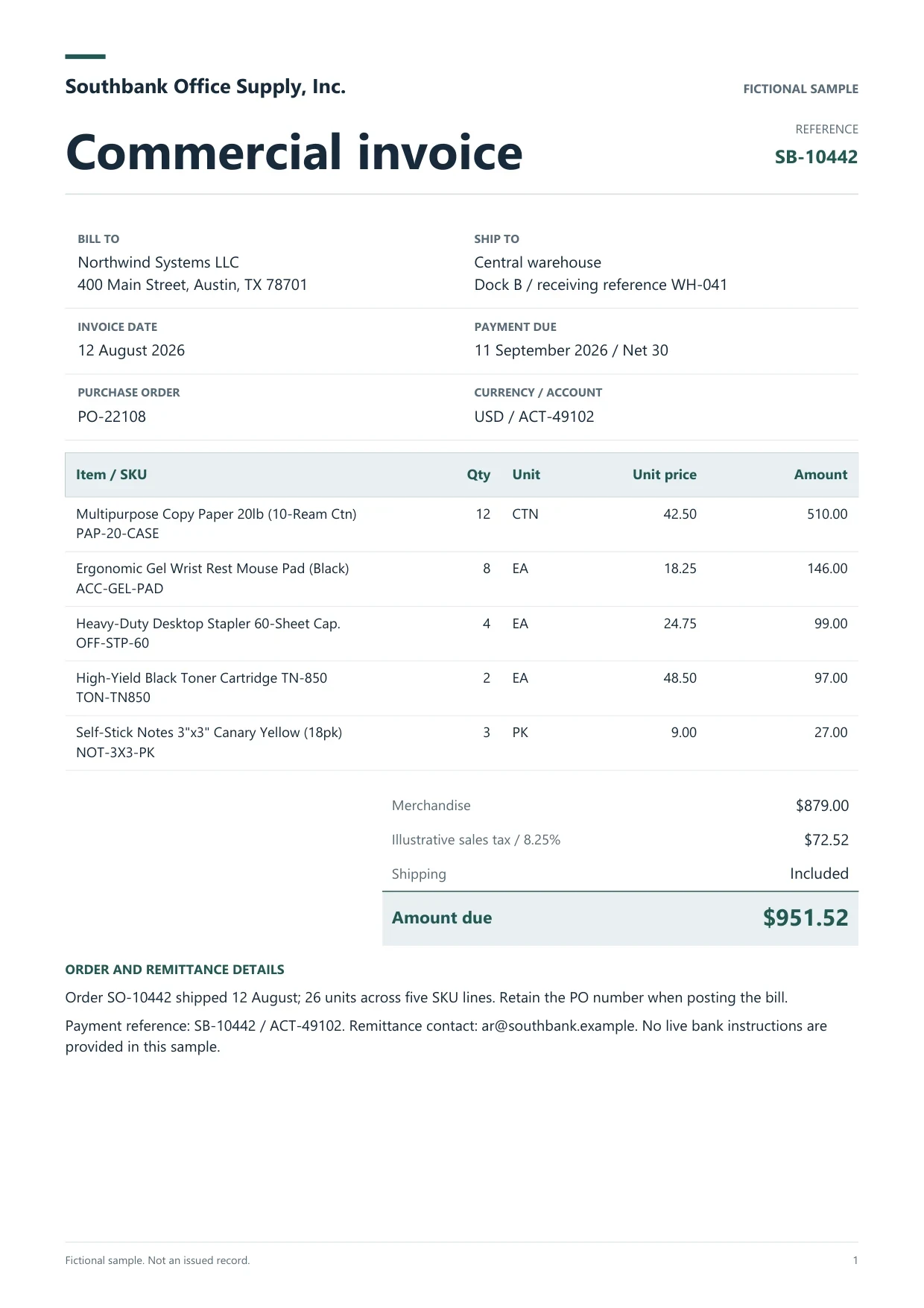
Sample commercial invoice
Source document(drag to dropzone)Page 1
Sample extracted data3 fields
Answer in 30 seconds

Choose upload, Google Drive import, batch jobs or email forwarding on Pro and Scale.
Process many files with retry on failures. Review warnings per document.
Resolve totals, tax and duplicate flags beside the source PDF.
Export or send reviewed rows. Posting happens in the destination system.
 PDF invoices
 Receipt images
 Bank PDFs
 PO PDFs
Name owners for each stage before you turn on email intake or large jobs.
Intake
Pro and Scale add attachment intake. Starter uses upload and stored batch jobs up to 25 files.
Review

Humans clear warnings on totals, tax and supplier invoice numbers beside the PDF.
Handoff

Excel, CSV, JSON, Sheets and connected accounting systems receive reviewed rows only.
Choose the processing route per document type. None of these options bypass the reviewer.
Hosted
Use platform routing on any plan for a quick pilot without installing software.
Forward attachments to a private address. Only files in the message are processed, not email bodies.
Batch

Starter and above queue many files with retries. Open each completed result before month-end sign-off.
 Dynamite Docs
Each run produces reviewable columns:
Starter: 25 files per job, 10 active jobs, 100 monthly page equivalents. Pro: 200 files per job, 25 active jobs, 1,000 page equivalents plus email intake. Scale: 500 files per job, 50 active jobs, 5,000 page equivalents.
Pages per document cap at 50 on Starter, 500 on Pro and 1,000 on Scale.
Each successfully processed page costs 1 PE on hosted models, including batch jobs. Failed pages cost 0 PE.
Starter (Hobby) allows 25 files per job, 10 active jobs, 100 monthly page equivalents (PE), and 50 pages per document. Pro allows 200 files per job, 25 active jobs, 1,000 PE, and 500 pages per document. Scale (Ultra) allows 500 files per job, 50 active jobs, 5,000 PE, and 1,000 pages per document. Failed pages cost 0 PE.
No. It automates capture and extraction. Humans approve before posting.
See the accounting document automation hub for plans, integrations and limits.
Jobs process files automatically, but reviewers still open each result before export.
QuickBooks, Zoho Books, Xero, Sheets and others per the integrations hub.
Starter and above can send signed webhooks when a stored-file extraction completes, so your script can queue the next step after a human review.

Run one batch job on real invoices, clear exceptions, and export before expanding automation.
Can we save optional cookies?
Essential cookies keep you signed in. Optional analytics and masked session replays help diagnose errors. Change your choice in Cookie settings. Privacy policy.