Capture

Full frame photos
Include tax total and GSTIN in the frame. Avoid flash glare on thermal paper.
A scanned bill to Tally voucher workflow starts with OCR on phone photos and desk scans, continues through GST field review, and ends with purchase or sales voucher XML or companion posting. Open Connect Apps in the workspace, connect Tally, and confirm ledgers before posting. Payment and contra vouchers are out of scope.
By Dynamite Docs. Published . Updated .
Export directly to your accounting software
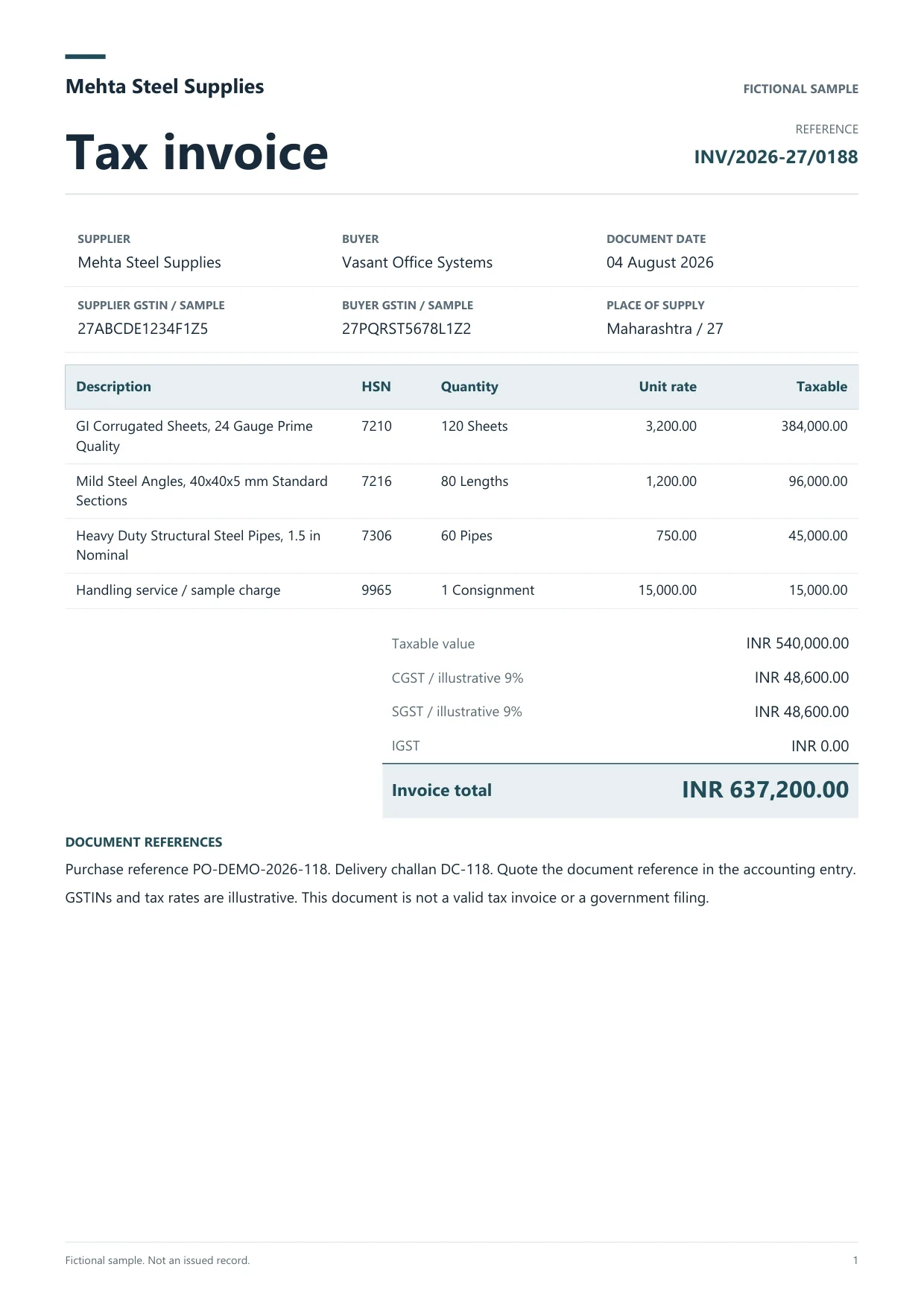
Sample GST tax invoice
Source document(drag to dropzone)Page 1
Sample extracted data4 fields
Answer in 30 seconds

Use full-resolution photos or scanner PDFs.

Follow India GST checks on GSTIN, lines and tax.

Match parties in your schedule. Open Connect Apps, choose Tally, confirm company.

Use companion posting for purchases or download XML. Verify the Day Book.
GST purchase scansSales bill copies Debit notesCash memo scans
Better scans reduce GST misreads before Connect Apps posting.
Capture
Include tax total and GSTIN in the frame. Avoid flash glare on thermal paper.
Connect Apps

Open Connect Apps, choose Tally, confirm company and companion token before posting.
Companion

Post reviewed purchase vouchers on the same PC as TallyPrime. Verify the Day Book after each test.
 Dynamite Docs
Review before Tally:
Starter: 25 files per job, 50 pages per scan set, 100 monthly page equivalents. Pro: 200 files, 500 pages, 1,000 equivalents with email intake. Scale: 500 files, 1,000 pages, 5,000 equivalents.
Image OCR may use more review time than digital PDFs.
Starter (Hobby) allows 25 files per job, 10 active jobs, 100 monthly page equivalents (PE), and 50 pages per document. Pro allows 200 files per job, 25 active jobs, 1,000 PE, and 500 pages per document. Scale (Ultra) allows 500 files per job, 50 active jobs, 5,000 PE, and 1,000 pages per document. Failed pages cost 0 PE.
No. Purchase and sales voucher preparation only.
Open Connect Apps in the workspace, then choose Tally.
Use BUSY-specific India workflows. This page focuses on Tally voucher prep.
Save the image manually, then upload. There is no WhatsApp bot.
Yes. Post one scanned bill, open the Day Book, then widen the batch.

Scan a GST bill, review tax, test one purchase voucher in a Tally test company.
Can we save optional cookies?
Essential cookies keep you signed in. Optional analytics and masked session replays help diagnose errors. Change your choice in Cookie settings. Privacy policy.