AI accounting workflows from source document to reviewed entry
An AI accounting workflow moves a source document through four controlled stages: capture, extraction, human review and handoff to the ledger. Dynamite Docs runs the first three and produces reviewed Excel, CSV, JSON, Google Sheets or connected-system output, while posting, approval and close stay with your accounting team.
By Dynamite Docs. Published . Updated .
Export directly to your accounting software



Sample commercial invoice
Source document(drag to dropzone)Page 1
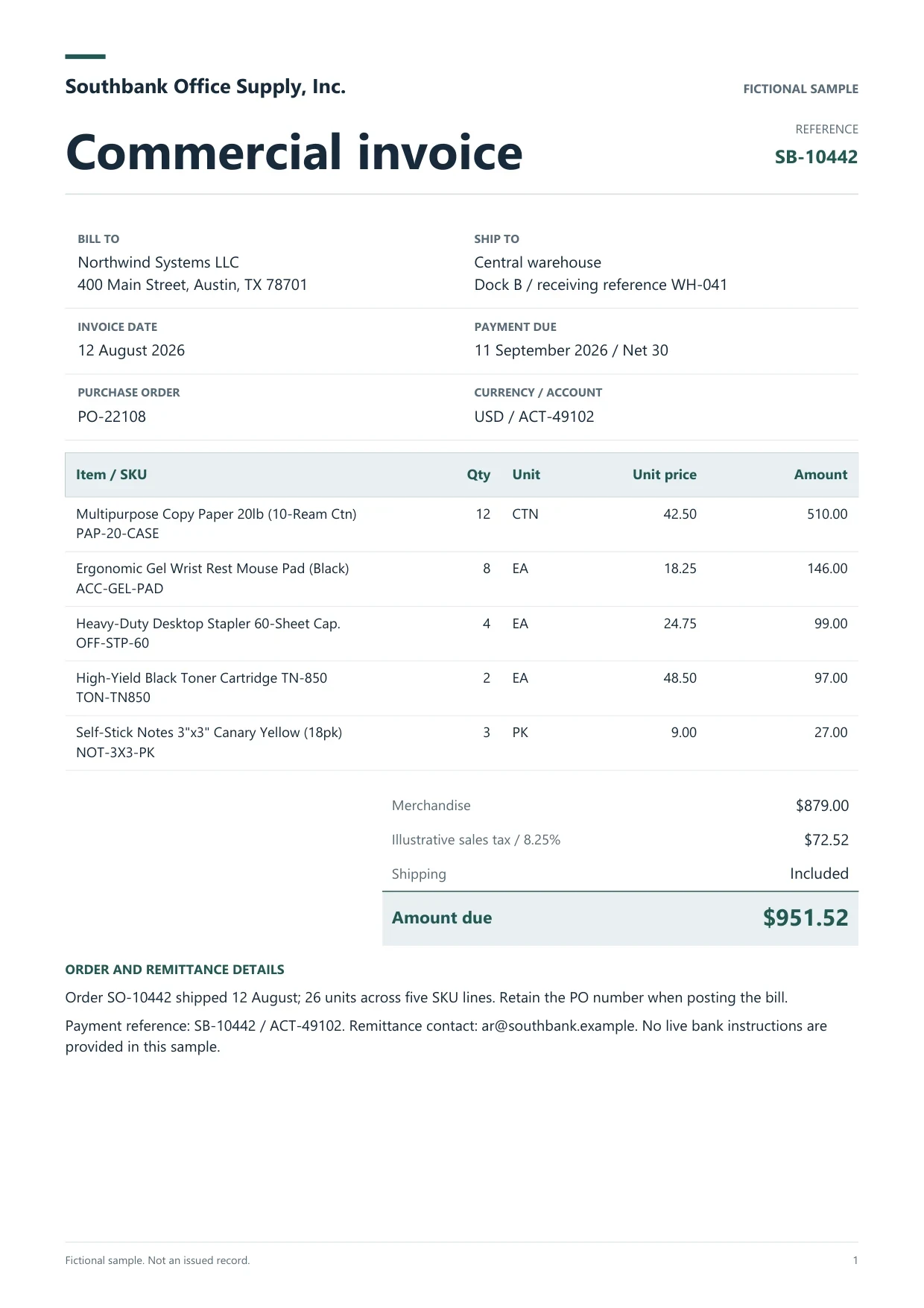
Sample extracted data3 fields
- Invoice number
- SB-10442
- Invoice date
- 12 August 2026
- Total due
- $951.52
Answer in 30 seconds
Design AI accounting workflows in Dynamite Docs: capture invoices, statements and receipts, review extracted rows, and hand checked data to your ledger.
Four stages of an AI accounting workflow

Capture
Collect documents for one entity and period in a folder. Upload PDFs, scans and photos, import from Google Drive on Starter and above, or forward attachments to a private intake address on Pro and Scale.
Extract
Choose the fields each document type needs. The extractor proposes header fields and table rows without a fixed template per supplier, and batch jobs process stored files on Starter and above.

Review and resolve exceptions
Check flagged values beside the source, tie totals and balances, and record why an exception was held. Saved corrections guide later runs on similar layouts.
Hand off
Export reviewed rows, push them to Google Sheets, send them through a webhook or the REST API, or use a connected accounting integration. Confirm the destination mapping on a small batch first.
Document types that share one workflow
 Supplier invoices and bills
 Bank and card statements
 Receipts and expense reports
 Purchase orders and remittances
Control fields every accounting workflow should carry
 Dynamite Docs
- Entity or client
- Brightline Media Inc
- Period
- August 2026
- Source file and page
- NW-88231.pdf, page 1
Beyond the document values, add workflow columns that make each batch traceable and auditable:
Plan requirements for each stage
Free supports browser-only extraction of up to 5 documents a day, with downloads after sign-in. Starter adds stored files, batch jobs of up to 25 files, Google Drive import, Google Sheets push, REST API tokens and signed webhooks. Pro adds inbound email intake and 200 files per job. Scale allows 500 files per job.
Any signed-in plan can connect a supported provider key, and Starter and above can run inference locally through the Windows companion. Check the privacy policy before deciding where each client’s files are stored.
Questions, answered
It is a repeatable path that captures a document, extracts its data, puts the values in front of a reviewer and hands approved rows to the books. The AI handles reading. People own approval and posting.
Start with high-volume, consistent documents such as supplier bills and bank statements for one entity. Add receipts, card statements and purchase orders after the first mapping is stable.
Give each exception a reason, an owner and a next action in the workflow register. Do not export a row until its exception is resolved or deliberately excluded.
Pro and Scale can forward attachments to a private intake address, and Starter and above can import from Google Drive or use the REST API. A reviewer should still check flagged values before handoff.
Extraction guides

Related document workflows


From the blog
How to run and review a bulk invoice extraction job
Run a bulk invoice extraction job in Dynamite Docs. Select stored files, check run status, retry failed invoices, and open results for review.
How to extract invoice data without vendor templates using AI
Learn template-free invoice extraction with AI using Dynamite Docs. Review supplier fields, line items, tax, and totals across changing document layouts.
How to validate totals and line items after AI invoice extraction
Learn how to validate AI-extracted invoices in Dynamite Docs. Recalculate quantities, prices, tax, and freight before exporting checked line items and totals.

Run a pilot batch for one entity
Upload a bill, a statement and a receipt for one period. Review the exceptions, export the register, and confirm the destination mapping before adding volume.