Folders

Per-client uploads
Staff upload to client folders on Starter through Scale job sizes.
Chartered Accountant firms receive bills on WhatsApp, email and shared drives in the same week. Dynamite Docs does not offer a WhatsApp collection bot. It gives each client a controlled upload or email path, extracts GST and payable fields for review, and exports schedules your team can tie to Tally or compliance work.
By Dynamite Docs. Published . Updated .
Review and export GST data
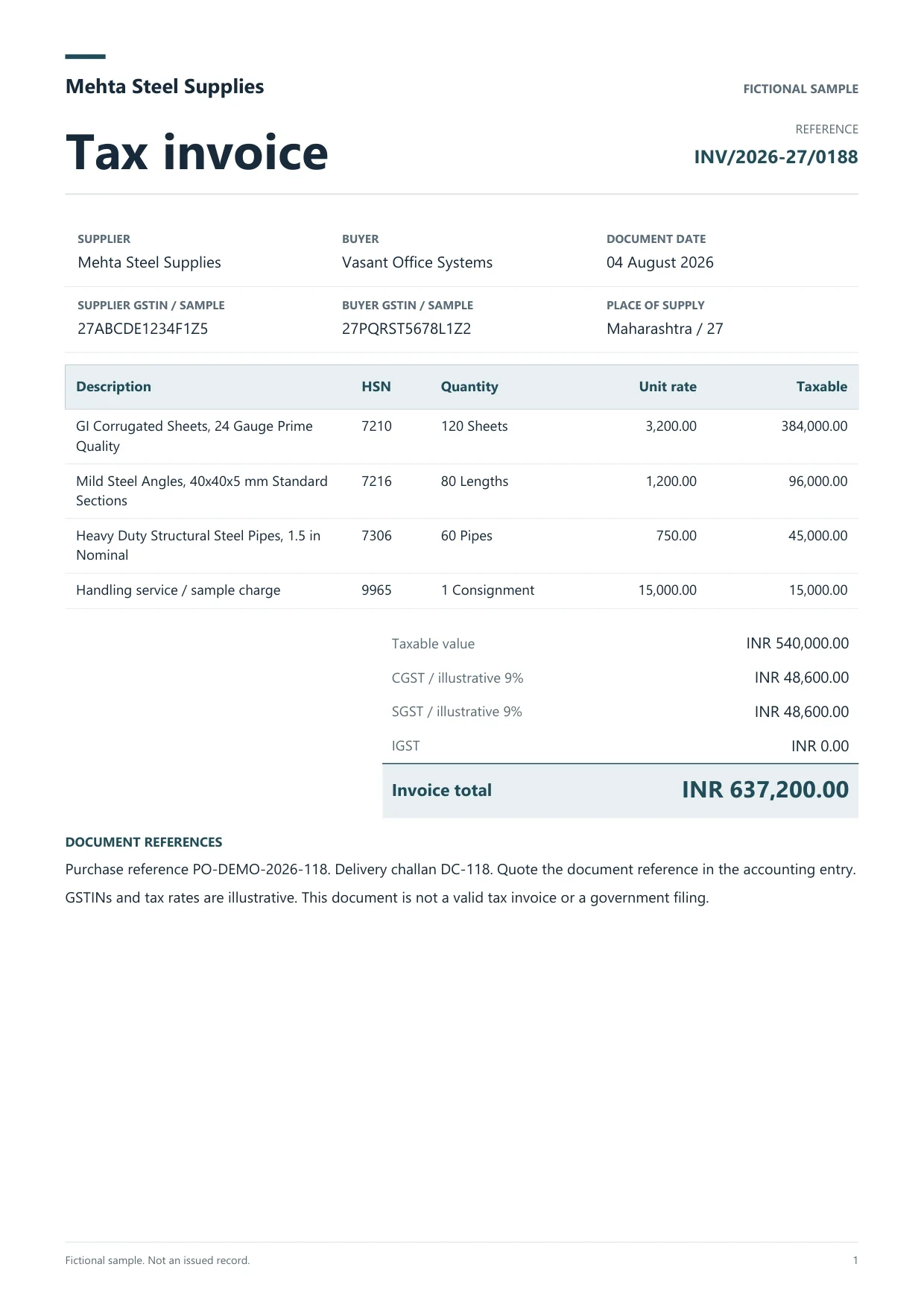
Sample GST tax invoice
Source document(drag to dropzone)Page 1
Sample extracted data4 fields
Answer in 30 seconds

Use workspace folders for uploads. On Pro or Scale, give trusted contacts the private email intake address for PDF attachments.

Review supplier GSTIN, totals and tax splits. Add TDS fields when the note is visible.
Flag missing GSTIN, duplicate invoice numbers or total mismatches before the bill enters the client register.

Download Excel or CSV per client and month. Hand off purchase rows to Tally mapping or GSTR-2B matching workflows.
 Purchase GST billsExpense scansSales copiesBank PDFs
Pick one primary channel per client, then document exceptions.
Folders
Staff upload to client folders on Starter through Scale job sizes.
Clients email PDFs when you want fewer chat saves.
Registers
GST registers export to Excel for Tally or compliance workbooks.
 Dynamite Docs
Track client context with document fields:
Starter supports 25 files per job with 100 monthly page equivalents across firm staff on eligible plans. Pro adds email intake, 200 files per job and 1,000 page equivalents. Scale supports 500 files per job and 5,000 page equivalents for busy month-ends.
Storage limits apply per plan. Delete client files you no longer need or upgrade when batches exceed entitlements.
Starter allows 25 files per job, 10 active jobs, 100 monthly page equivalents (PE), and 50 pages per document. Pro allows 200 files per job, 25 active jobs, 1,000 PE, and 500 pages per document. Scale allows 500 files per job, 50 active jobs, 5,000 PE, and 1,000 pages per document. Failed pages cost 0 PE.
Signed-in firm users upload to client folders. Share intake instructions; clients do not need their own subscription for you to process their files.
No. Use manual saves from chat or shift clients to email intake on Pro or Scale.
Use folders, file naming rules and export filenames that include client code and period.
No. It prepares reviewed rows for your registers and reconciliation work.
Starter job size is 25 files per batch. Busy firms usually move to Pro for 200 files per job and email intake.

Run a bulk invoice extraction job in Dynamite Docs. Select stored files, check run status, retry failed invoices, and open results for review.
Learn template-free invoice extraction with AI using Dynamite Docs. Review supplier fields, line items, tax, and totals across changing document layouts.

Pick one client, define upload or email intake, review a full bill set, and export the register before scaling the pattern.
Can we save optional cookies?
Essential cookies keep you signed in. Optional analytics and masked session replays help diagnose errors. Change your choice in Cookie settings. Privacy policy.