Standard

Buyer-issued PO
Your template PDFs with SKU, qty and rate columns.
Purchase order processing covers how POs enter the system, how lines are validated and how results feed invoice matching. See purchase order data extraction for field-level detail. This page owns the processing workflow keyword.
By Dynamite Docs. Published . Updated .
Export directly to your accounting software
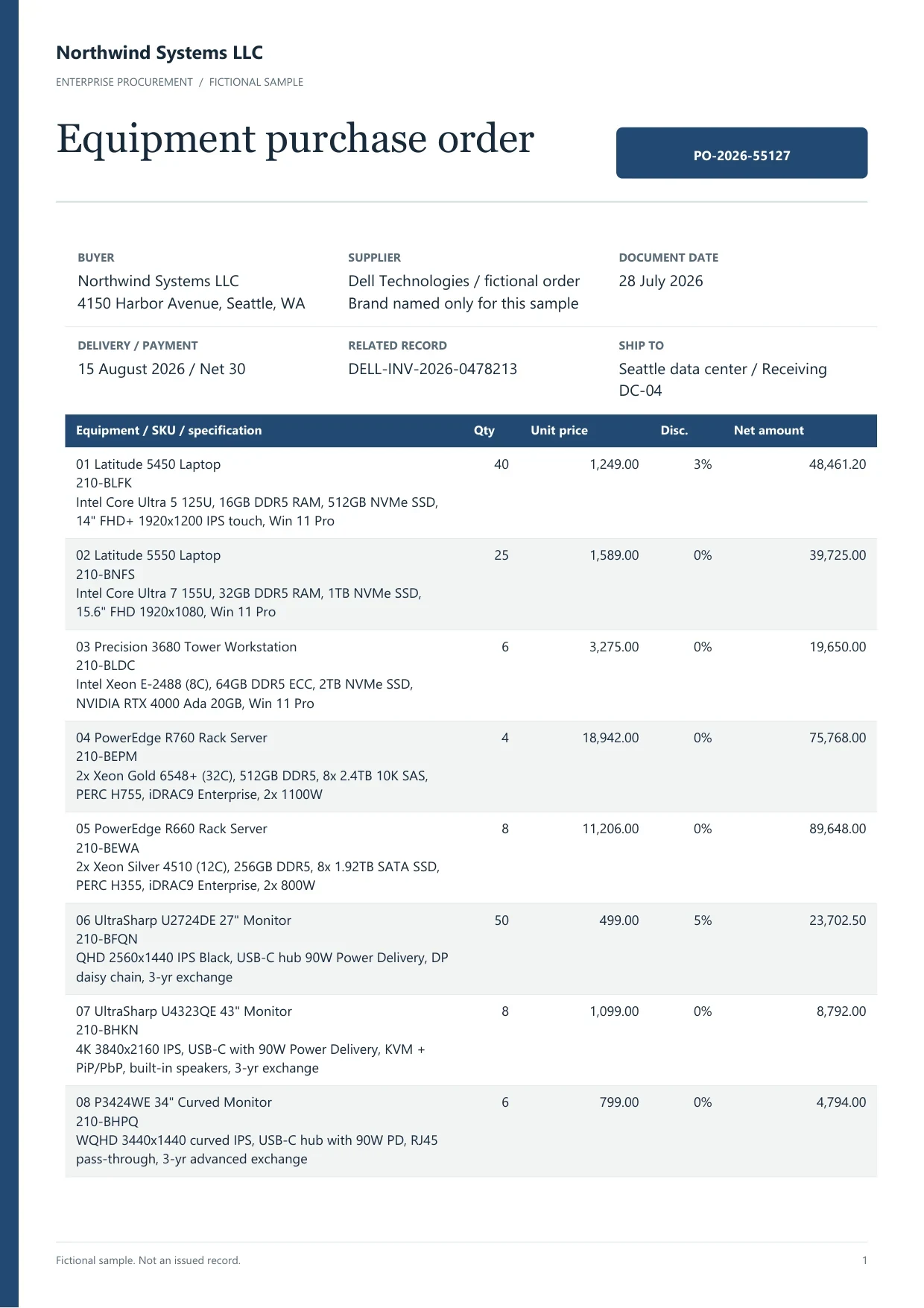
Sample purchase order
Source document(drag to dropzone)Page 1
Sample extracted data3 fields
Answer in 30 seconds
Upload vendor or buyer-generated PO files.

Capture SKU, qty, rate, tax and PO total with validation.

Use matching keys when invoices arrive in AP automation.

Download Excel for two-way or three-way match in your ERP.
 Buyer-generated POs
 Vendor acknowledgementsChange ordersIndian POs
Match rules differ by variant even when extraction columns look similar.
Standard
Your template PDFs with SKU, qty and rate columns.
Ack
May change dates or quantities; keep both PDFs linked in the register.
Change
Extract delta lines separately so totals do not double count.
Processing means the PO row travels with invoices through AP, not that matching is automatic.
Upload
Store PO acknowledgements beside invoices in the same client or entity folder.
Validate

Quantity times rate should tie to extensions before the row enters the match sheet.
Export

Download Excel with PO number, open quantity and invoice reference columns for your ERP.
 Dynamite Docs
Operational matching fields:
Starter jobs handle 25 PO files with 100 monthly page equivalents. Pro handles 200 files with 1,000 equivalents. Scale handles 500 files with 5,000 equivalents.
Multi-page POs respect per-document page caps of 50, 500 or 1,000.
Starter (Hobby) allows 25 files per job, 10 active jobs, 100 monthly page equivalents (PE), and 50 pages per document. Pro allows 200 files per job, 25 active jobs, 1,000 PE, and 500 pages per document. Scale (Ultra) allows 500 files per job, 50 active jobs, 5,000 PE, and 1,000 pages per document. Failed pages cost 0 PE.
Paid invoice intake · PRO and Scale
Forward invoice attachments to your private Dynamite Docs address. They are stored in your account, extracted automatically, and placed in the dashboard for review and export.
No. It supplies PO and invoice rows. Your ERP applies match rules.
Extract focuses on fields. Processing focuses on workflow and matching registers.
They email PDFs to your intake address on Pro or Scale; you still review.
No. Quantities are extracted text unless you post in your inventory system.
Keep open quantity in the export and update the reviewer column when goods arrive; the ERP still owns receipt status.

Extract open POs, tie one invoice, and export a match sheet.
Can we save optional cookies?
Essential cookies keep you signed in. Optional analytics and masked session replays help diagnose errors. Change your choice in Cookie settings. Privacy policy.