AI bookkeeping software that keeps every entry tied to its source
AI bookkeeping software reads the documents behind each entry, such as bank statements, card statements, receipts and supplier invoices, and proposes dates, payees, amounts and tax as editable rows. In Dynamite Docs, a bookkeeper checks each row against the source, then exports reviewed data to Excel, CSV, JSON or a connected accounting system.
By Dynamite Docs. Published . Updated .
Export directly to your accounting software



Sample commercial invoice
Source document(drag to dropzone)Page 1
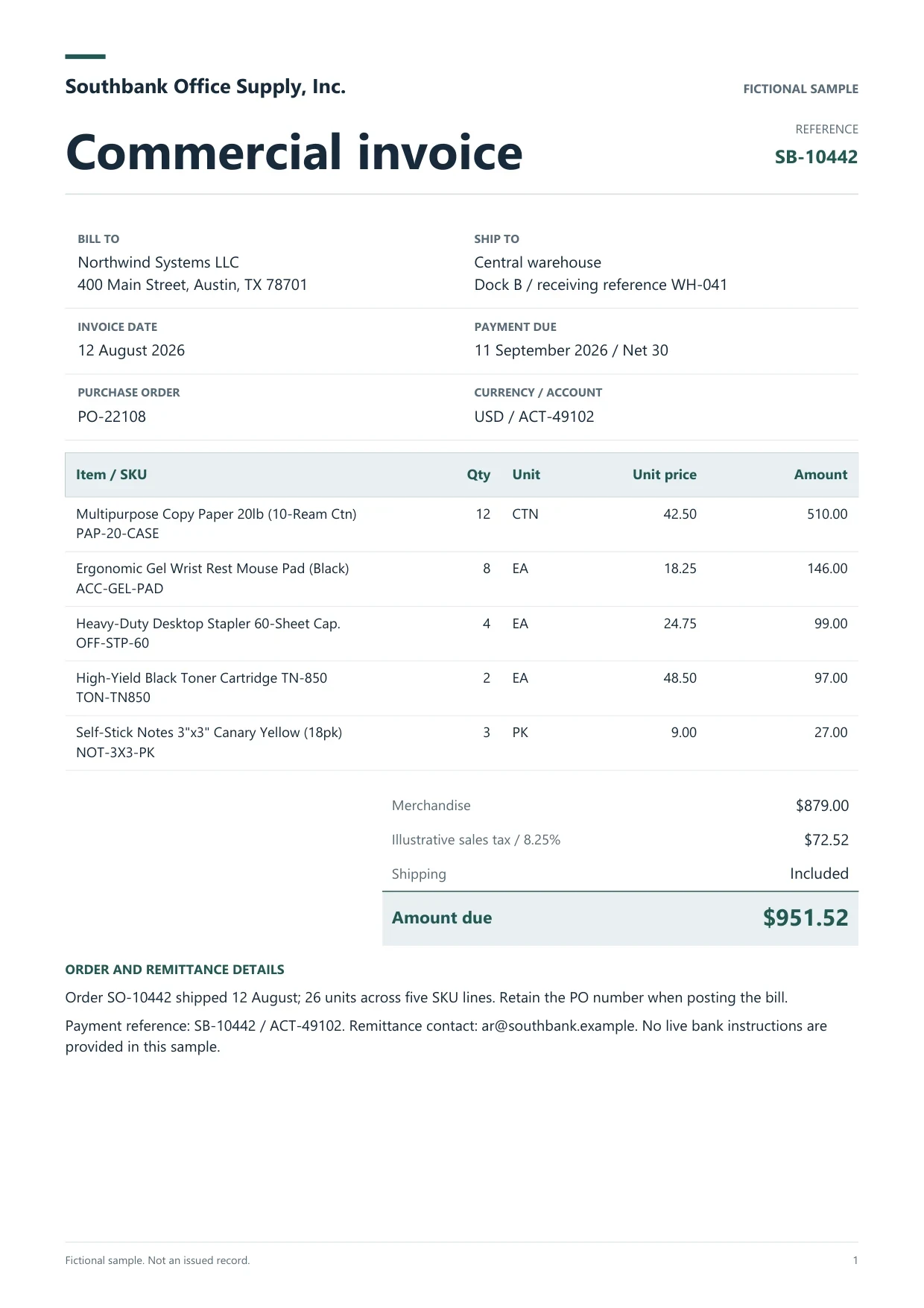
Sample extracted data3 fields
- Invoice number
- SB-10442
- Invoice date
- 12 August 2026
- Total due
- $951.52
Answer in 30 seconds
Dynamite Docs is AI bookkeeping software that extracts bank, card, receipt and invoice data into reviewed rows for Excel, CSV or your accounting system.
How AI bookkeeping works from upload to export

Collect one period of source documents
Upload the bank statement, card statement, receipts and supplier bills for one client or entity and one period. Free accounts process up to 5 documents a day in the browser. Starter and above store files and run batch jobs.

Extract dates, payees, amounts and tax
The extractor proposes transaction rows from statements and header and line fields from receipts and invoices. Saved corrections from earlier reviews can guide later runs on similar layouts.

Review rows beside the source
Check flagged values, reconcile opening and closing balances on statements, and confirm invoice totals before you accept a row. Put unclear items on an exception list instead of guessing.

Export or hand off
Download reviewed rows as Excel, CSV or JSON, push them to Google Sheets on Starter and above, or check the integration requirements before sending bills to a connected accounting system.
Documents an AI bookkeeping workflow reads
 Bank statements
 Credit card statements
 Receipts
 Supplier invoices
Bookkeeping fields captured from source documents
 Dynamite Docs
- Source document
- Bank statement, August 2026, page 2
- Transaction date
- 2026-08-14
- Payee or merchant
- Prairie Office Supply
Request the columns your chart of accounts and reconciliation process need. A typical bookkeeping set includes:
Plans, processing choices and privacy
Free accounts process up to 5 documents a day, 5 pages per document and 25 page equivalents a month in the browser, without cloud storage. Starter adds 500 MB of storage, 50 pages per document, batch jobs and Google Sheets push. Pro raises the allowance to 1,000 page equivalents a month and adds inbound email intake. See pricing for the current plan table.
Any signed-in plan can connect a supported provider key. Starter and above can also run inference locally with Ollama through the Windows companion. Account, plan and token state remain hosted in local mode.
Questions, answered
It is software that reads source documents such as statements, receipts and invoices and proposes structured bookkeeping rows. Dynamite Docs extracts and organises that data for review. It does not post entries or close the books.
No. Use it for statements without a feed, for older periods, and to capture the receipts and invoices that support feed transactions.
Starter and above run batch jobs on stored files: 25 files per job on Starter, 200 on Pro and 500 on Scale. Keep a separate folder per client and period so exports never mix entities.
Every signed-in plan can download Excel, CSV and JSON. QuickBooks Online and Zoho Books can create bills, and Xero creates a draft bill for review. Check the integration requirements for your plan before sending.
Accuracy depends on scan quality and layout. Review every flagged value, and see the extraction accuracy benchmarks for the documented test method.
Extraction guides

Related document workflows
From the blog
How to convert bank statements to Excel for AI bookkeeping
Learn how to convert bank statements to Excel with AI using Dynamite Docs for bookkeeping. Check dates, transaction signs, and balances before reconciliation.
How to convert credit card statements to Excel with AI
Learn how to convert credit card statements to Excel with AI using Dynamite Docs. Review purchases, payments, refunds, and fees before reconciliation.
How small businesses process expense receipts using AI OCR
Learn how small businesses process receipts with AI OCR using Dynamite Docs. Check merchant, date, tax, tip, and total before preparing expense records.

Review one month of bookkeeping documents
Upload a bank statement and the receipts behind it. Reconcile the balances, attach each receipt to its line, and export the reviewed rows.