Manual

Save then upload
Staff save photos or PDFs from chat, then batch upload on Starter, Pro or Scale job limits.
Teams often receive supplier bills on WhatsApp, but Dynamite Docs does not connect to WhatsApp or read chats automatically. Save each PDF or photo to your device, upload it in the workspace or forward it from email on Pro and Scale, then follow the same GST invoice review you would use for any scan.
By Dynamite Docs. Published . Updated .
Review and export GST data
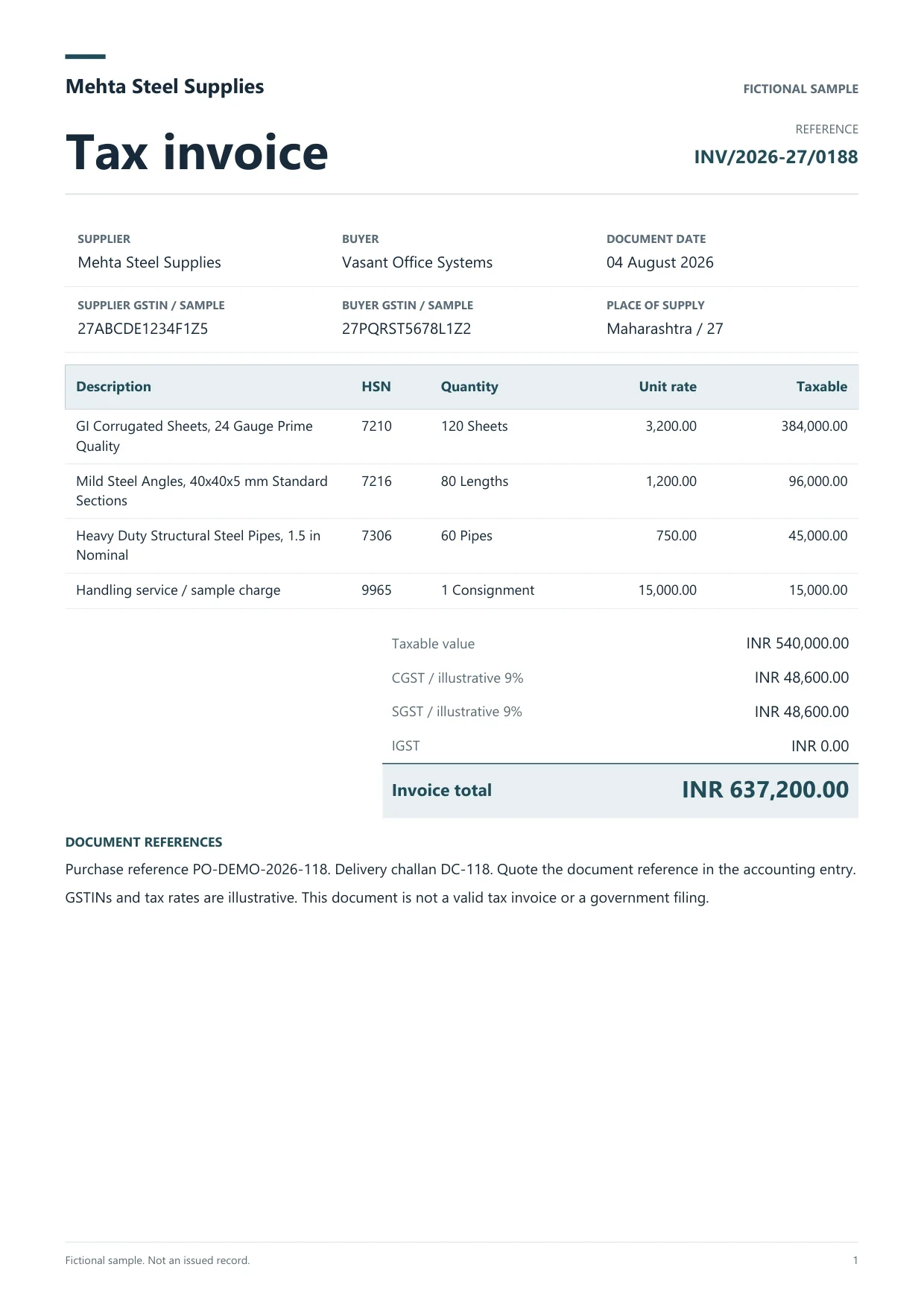
Sample GST tax invoice
Source document(drag to dropzone)Page 1
Sample extracted data4 fields
Answer in 30 seconds

Download the PDF or save the image to a client folder on your computer or phone, then transfer it to the workspace upload.

Review supplier GSTIN, invoice number, line items and tax splits beside the source image.

Match party and tax ledgers in your schedule. Open Connect Apps in the workspace, choose Tally, and confirm company and connector settings before posting.

Download purchase voucher XML or post a reviewed purchase voucher through the Windows companion. Sales and purchase vouchers only; no payment or contra automation in the product.
 GST purchase billsCash memos
 Credit notesDelivery challans
Every file needs a deliberate upload or email handoff.
Manual
Staff save photos or PDFs from chat, then batch upload on Starter, Pro or Scale job limits.
Suppliers email PDFs to your workspace address when you want fewer chat saves.
Tally

Reviewed purchase vouchers post through the Windows companion after ledger mapping.
 Dynamite Docs
The same GST header and line fields as standard purchase extraction:
Starter runs jobs with up to 25 files per job and 100 monthly page equivalents. Pro adds email intake, 200 files per job and 1,000 page equivalents. Scale allows 500 files per job and 5,000 page equivalents.
Tally purchase posting needs the Windows companion and reviewed vouchers. Dynamite Docs does not create payment, receipt or contra vouchers.
Starter allows 25 files per job, 10 active jobs, 100 monthly page equivalents (PE), and 50 pages per document. Pro allows 200 files per job, 25 active jobs, 1,000 PE, and 500 pages per document. Scale allows 500 files per job, 50 active jobs, 5,000 PE, and 1,000 pages per document. Failed pages cost 0 PE.
Paid invoice intake · PRO and Scale
Forward invoice attachments to your private Dynamite Docs address. They are stored in your account, extracted automatically, and placed in the dashboard for review and export.
No. Save files from WhatsApp manually, then upload or email them into the workspace.
Not in the product today. Use email intake on Pro or Scale, or upload saved files in batch jobs.
Review can happen in the browser. Tally posting uses the Windows companion on the same computer as TallyPrime.
Reviewed purchase and sales voucher preparation. Payment and contra vouchers are out of scope.
Yes when you save the image and upload it. Review totals beside the source before Tally mapping.
Build a Tally import workflow with AI-extracted GST invoices from Dynamite Docs. Map reviewed rows to masters and voucher fields, then test and reconcile.
Run a bulk invoice extraction job in Dynamite Docs. Select stored files, check run status, retry failed invoices, and open results for review.

Save a supplier photo, upload it, review GST fields, and test one purchase voucher in a Tally test company.
Can we save optional cookies?
Essential cookies keep you signed in. Optional analytics and masked session replays help diagnose errors. Change your choice in Cookie settings. Privacy policy.