Local TallyPrime connector on port 9000 for reviewed invoice vouchers
The Dynamite Docs Windows companion is a local TallyPrime connector. It runs on the same computer as TallyPrime and talks to the TallyPrime HTTP server at 127.0.0.1 on port 9000. It reads companies, ledgers and stock items from the open company, checks each reviewed purchase voucher against those masters and the Day Book, then posts the vouchers and reads them back to confirm they landed.
By Dynamite Docs. Published . Updated .
Review and export GST data



Sample tallyPrime E-Invoice
Source document(drag to dropzone)Page 1
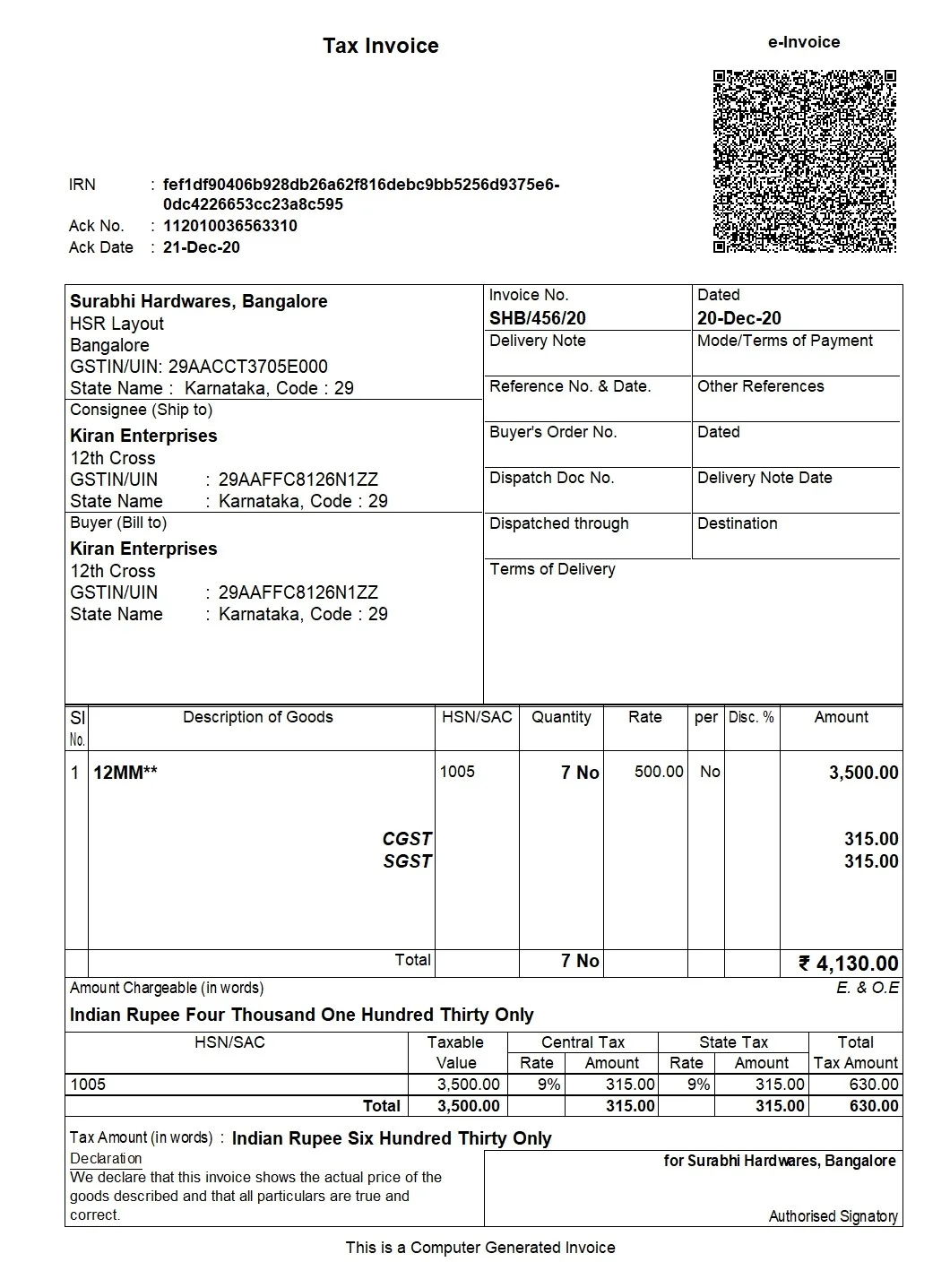
Sample extracted data3 fields
- IRN
- DEMO-IRN-TALLY-4819
- Invoice number
- TP-2026-088
- Invoice value
- INR 48,250.00
Answer in 30 seconds
Post reviewed purchase vouchers to TallyPrime through the Dynamite Docs Windows companion, which talks to the TallyPrime HTTP server on port 9000.
How the local TallyPrime connector works

Enable the TallyPrime HTTP server
In TallyPrime, open client/server configuration under Help → Settings → Connectivity (some releases use F12 → Configure → Client/Server). Set TallyPrime to act as a server or both, keep port 9000, then restart TallyPrime and open the target company. Confirm the path in TallyPrime help for your installed release.

Connect Tally in the workspace
In the Dynamite Docs workspace, open Connect Apps and choose Tally. Install and start the Windows companion on the same computer as TallyPrime. It talks to TallyPrime on 127.0.0.1:9000, and every push needs a valid local token.

Review the voucher in the workspace
Extract the purchase bill, then check supplier GSTIN, invoice number, date, taxable value and the CGST, SGST or IGST split beside the source. In Connect Apps, confirm the company and supplier ledger read from TallyPrime.
Post and verify
Send 1 to 50 vouchers. The companion checks masters and the Day Book, posts the XML to port 9000, then re-reads the Day Book and reports how many vouchers it verified.
What the connector reads and writes
 Company list
 Ledgers and groupsStock items and unitsPurchase vouchers
What the connector checks before and after posting
 Dynamite Docs
- TallyPrime address
- http://127.0.0.1:9000
- Selected company
- Mehta Steel Traders 2026-27
- Vouchers in the request
- 1 to 50
Each push runs the same checks against the open TallyPrime company:
Requirements for the TallyPrime connector
Tally XML export is available on Starter and above. Posting directly needs the Windows companion on the same computer as TallyPrime, with the TallyPrime HTTP server enabled on port 9000 and the target company open.
Without the companion you can still download purchase or sales voucher XML from the workspace and import it in TallyPrime yourself. Extraction draws on your monthly page equivalents: 100 on Starter, 1,000 on Pro and 5,000 on Scale.
Paid invoice intake · PRO and Scale
Fetch invoices from email.
Forward invoice attachments to your private Dynamite Docs address. They are stored in your account, extracted automatically, and placed in the dashboard for review and export.
- 01Invoice arrives
- 02Forward attachment
- 03Extract and review
- 04Export to your workflow
Questions, answered
It is the default port of the TallyPrime HTTP server, which accepts XML requests from other programs. The Dynamite Docs companion sends its read and import requests there.
No. The companion only connects to TallyPrime on the same computer, at 127.0.0.1 or localhost. Install it on the machine where TallyPrime runs.
No. Posting to TallyPrime happens on your computer, but extraction, review and your account use the Dynamite Docs workspace, and the companion may verify its token with Dynamite Docs.
It posts reviewed purchase vouchers. Sales voucher XML can be downloaded from the workspace and imported in TallyPrime. Payment, receipt, contra and journal vouchers are not created.
Extraction guides

Related document workflows

From the blog
Build a Tally invoice import workflow using AI-extracted data
Build a Tally import workflow with AI-extracted GST invoices from Dynamite Docs. Map reviewed rows to masters and voucher fields, then test and reconcile.
What is Tally XML voucher format?
Tally XML wraps vouchers in an Import Data ENVELOPE. Learn the VOUCHER and ledger tags Dynamite Docs uses for reviewed Purchase and Sales vouchers.

Connect a TallyPrime test company
Turn on the TallyPrime HTTP server, start the Windows companion, and post one reviewed purchase voucher to a test company before you use it on live books. For the XML shape itself, read [what is Tally XML voucher format](/blog/what-is-tally-xml-voucher-format).