Retail

Kirana ruled books
Common in India; amounts in words and figures both need review.
Petty shops still issue handwritten cash memos on ruled paper. Dynamite Docs applies OCR to photos and scans, proposes merchant, date, items and total, and flags low-confidence digits for review. It does not decide deductibility or GST treatment.
By Dynamite Docs. Published . Updated .
Export directly to your accounting software
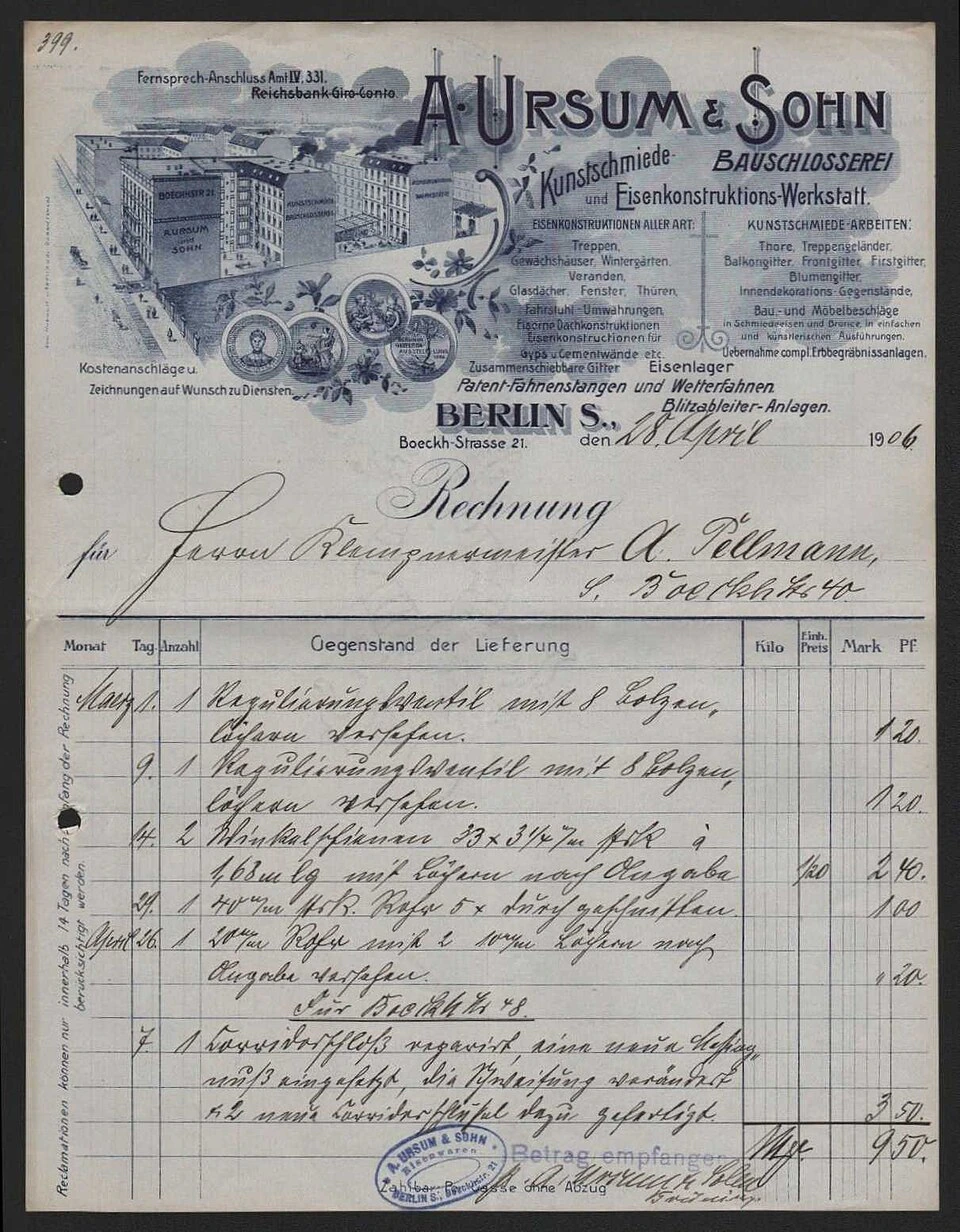
Sample A. Ursum & Sohn Scanned Invoice
Source document(drag to dropzone)Page 1
Sample extracted data3 fields
Answer in 30 seconds

Capture the full memo including tax lines if present.
The model proposes text fields with confidence hints.

Compare written words and numerals. Correct merchant spelling.

Download rows for petty cash or employee reimbursement registers.
Kirana cash memosFuel slipsParking and toll chitsService chitsRoute each source to the right reviewer column.
Retail
Common in India; amounts in words and figures both need review.
Travel
Short scrawl; retake when totals are low confidence.
Digital
When shops issue PDFs, prefer upload over phone OCR.
Handwriting needs light and resolution as much as model choice.
Photo
Lay the memo flat, fill the frame, and avoid shadow across the total. Retake when confidence stays low.
Scan
Often better for faint ink on ruled books. Still review amounts in words versus figures.
Local

Use the Windows companion on eligible paid plans when memos must stay on your hardware during inference.
 Dynamite Docs
Typical petty cash columns:
Photos count as pages. Starter allows 50 pages per document and 100 monthly page equivalents. Pro allows 500 pages and 1,000 equivalents. Scale allows 1,000 pages and 5,000 equivalents.
Batch jobs accept 25, 200 or 500 files per job by plan.
Starter (Hobby) allows 25 files per job, 10 active jobs, 100 monthly page equivalents (PE), and 50 pages per document. Pro allows 200 files per job, 25 active jobs, 1,000 PE, and 500 pages per document. Scale (Ultra) allows 500 files per job, 50 active jobs, 5,000 PE, and 1,000 pages per document. Failed pages cost 0 PE.
Test your sample. Mixed-language handwriting may need more review.
Only when printed clearly. Many cash memos have no GSTIN.
Yes on eligible paid plans via companion or provider keys per privacy policy.
No. Save the image and upload it manually.
Retake the photo or request a duplicate memo. Do not guess amounts that fund reimbursements.

Use last month’s petty cash photos, review totals, and export a register.
Can we save optional cookies?
Essential cookies keep you signed in. Optional analytics and masked session replays help diagnose errors. Change your choice in Cookie settings. Privacy policy.