


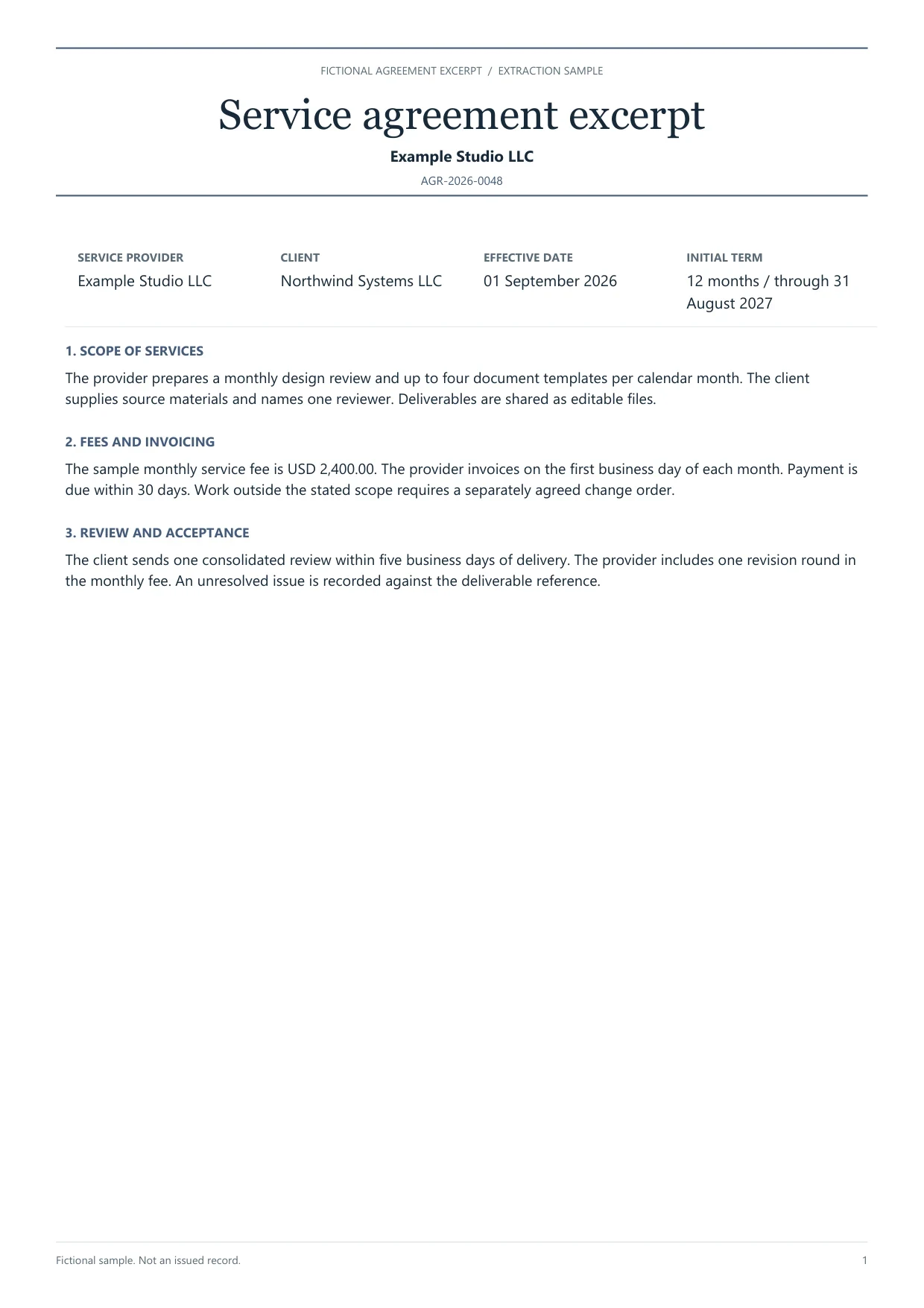
AI for real estate documentation prepares lease and closing paperwork for human review. Dynamite Docs extracts draft fields from leases, amendments, rent schedules, and related PDFs so property, legal, and accounting reviewers can check party names, dates, and amounts beside the source before the rows enter a deal or property workbook.
How real estate document extraction works: define the decision first. A lease abstract may need landlord, tenant, premises label, effective date, commencement date, term end, renewal option text, base rent, currency, security deposit, and a page reference. A closing checklist may need document type, party, signed date, and missing-item flags. A rent schedule may need unit, tenant, period, and amount. Keep amendments linked to the governing lease instead of treating each PDF as an unrelated file. Dynamite Docs does not interpret legal obligations, calculate CAM reconciliations, or replace counsel. Reviewers mark unclear renewal math, conflicting amendment dates, and unreadable exhibits before exporting Excel, CSV, or JSON.
Documents to prepare
Leases and amendments
Capture parties, premises identifiers, key dates, rent figures printed in the lease, and renewal or notice language that the abstract must quote. Keep amendment files tied to the same agreement family.
Closing and due-diligence packets
Extract document type, party names, dates, and checklist status fields your deal room already tracks. Do not treat an extracted row as proof that a condition is satisfied.

Rent rolls and schedules
Prepare unit, tenant, period, and amount columns from the schedule layout you receive. Recalculate totals in the receiving workbook after review.
Manual abstracting vs generic OCR vs Dynamite Docs review
Illustrative comparison for a lease abstract queue. Not a claim about speed or accuracy percentages.
 Dynamite Docs
- Task
- Party names
- Manual abstract
- Retype from cover
- Generic OCR dump
- Often truncated

| Task | Manual abstract | Generic OCR dump | Dynamite Docs review |
|---|---|---|---|
| Party names | Retype from cover | Often truncated | Compare full legal names to source |
| Renewal rule | Paraphrase in notes | Single date cell | Keep option text plus normalized date |
| Amendment link | Folder memory | Separate unrelated rows | Shared agreement family reference |
Review against the source
Dynamite Docs- Task
- Party names
- Manual abstract
- Retype from cover
- Generic OCR dump
- Often truncated
- Confirm agreement family, parties, and premises label before reviewing money or dates.
- Keep commencement, expiration, and notice deadlines as separate fields with page references.
- Preserve currency and rent period labels. Monthly base rent differs from annual rent.
- Escalate conflicting amendment language to counsel instead of picking a convenient date.
Handoff steps
Dynamite Docs- 01Choose the abstract or checklist schema
- 02Review the governing file and amendments
- 03Export the reviewed property workbook
Choose the abstract or checklist schema
List only the fields the property or deal team uses. Add optional exhibits later rather than forcing every lease into one wide table.

Review the governing file and amendments
Extract the current controlling documents. Correct party names, dates, and rent figures beside the PDF, and record unresolved clauses as exceptions.
Export the reviewed property workbook
Download Excel, CSV, or JSON. Verify row counts and agreement references after import into the deal room or property system.
Export and handoff
Excel supports an abstract sheet plus an exception sheet. JSON can feed an internal deal system with a fixed schema. Keep the signed PDF as the authority for any dispute.
Processing choices and allowances
Choose hosted AI, your own provider keys, or local Ollama on an eligible plan. Each successfully processed hosted page uses one PE. Free and Starter BYOK use the same PE allowance; Pro and Scale BYOK cost zero PE, with provider charges and limits still applying. Failed pages cost zero PE.
Check current plans, page limits, and capabilities and review storage and data-residency policies before processing sensitive records. Local model inference is a separate choice from browser-local file storage.
Workflow boundaries
- Extraction does not give legal advice, calculate CAM reconciliations, or certify title.
- Renewal deadlines and notice methods need human confirmation against the governing clause.
Related guides
Extract contract dates and renewal terms
Build a contract index with clause references for legal review.

AI for manufacturing businesses
Review supplier and receiving documents for plant operations.

Operations vendor document handoffs
Prepare purchase orders and vendor records for the next team.

Finance team document intake
Coordinate AP and multi-team document review workflows.

Browse role and industry solutions
Explore AI document extraction workflows by audience.
Questions about this workflow
Can this replace a lease abstract prepared by counsel?
No. It prepares draft fields for review. Counsel and the property team decide what the lease requires.
How should amendments be linked?
Assign a shared agreement family identifier and record whether each amendment replaces, adds, or clarifies a section before normalizing dates or rent.
Does Dynamite Docs calculate CAM or percentage rent?
No. Capture printed inputs your team needs, then run calculations in the property workbook or system that owns those rules.
Which files belong in the first pilot?
Use one active lease with an amendment, plus a short rent schedule. Count corrections and confirm a second reviewer can find each amount in the source.