




Sections07
Reading time9 min
EvidenceProduct comparison

Comparison Summary

Trace a multi-line GST purchase bill into TallyPrime. Check how each tool handles the bill, the supplier ledger, the item mapping and the final voucher.

TrulyInvoice offers a purchase-entry workflow that reads supplier bills, maps stock items and ledgers, and posts reviewable purchase vouchers through its Tally connector. Its documentation also describes creating missing masters.

Dynamite Docs lets you check named invoice fields and line items next to the original. Review the company, supplier ledger and totals, then download voucher XML or post a reviewed purchase voucher through the configured Windows companion.

Test a purchase invoice

Use a bill with several lines and a supplier ledger that your reviewer has to resolve.
Compared with
TrulyInvoice
For
Indian accounting teams using TallyPrime
Sources checked
November 17, 2026

Documents for this workflow

Fit register

Decide who should set up items and ledgers

Use a purchase bill with one routine line and one mapping that needs a decision.

Your purchase books require native stock-item entry

Test TrulyInvoice’s item matching with one known SKU and one new item. Check how your team approves master creation and how units and quantities appear in Tally.

Your reviewer needs traceable invoice data or a ledger voucher

Use Dynamite Docs source review to verify printed values and line items. Check the destination ledger separately and confirm what is included in the XML before import.

How we maintain this comparison

Written and maintained by the Dynamite Docs team. We sell one of the products compared here. Fit recommendations are our assessment, not an independent ranking.

Review dates appear alongside the vendor sources in each guide. Dynamite Docs allowances and capabilities come from our current plan definitions. The comparisons use published capabilities and pricing.

Compare extraction, review, intake, delivery, deployment and total cost separately. A feature that we could not confirm remains unconfirmed. Vendor statements describe published capabilities, not results we have reproduced.

Check the quoted plan and implementation scope before purchase. The owner reviews these comparisons every month, with the next review due December 9, 2026, or earlier after a material product or pricing change.

Decision table

Dynamite Docs vs TrulyInvoice

Compare the same invoice and Tally masters. A balanced voucher can still have the wrong supplier, item or tax ledger.

Swipe horizontally to compare every column

WorkflowDynamite DocsTrulyInvoice
Source and row reviewReview editable GSTINs, invoice fields, item rows and printed tax splits beside the source.Describes OCR for PDFs, scans and photos, with side-by-side review before sync. Purchase entry workflow (opens in a new tab)
Supplier and stock mappingConfirm the supplier ledger for purchase posting. Choose accounting or item invoice mode. Item mode requires the existing Tally stock-item names, units and quantities.Describes Tally stock-item and vendor ledger matching and creation of missing masters. TrulyInvoice controls (opens in a new tab)
Purchase voucher handoffDownload voucher XML or post a reviewed purchase voucher through the configured Windows companion on an eligible plan.Posts purchase vouchers through its local Windows connector. Connector setup (opens in a new tab)
Other input and outputsExport reviewed source rows to Excel, CSV or JSON. Purchase and sales invoice vouchers have an XML option.Lists purchase and sales OCR, bank statements and Tally sync in its pricing plans. TrulyInvoice plans (opens in a new tab)
Test a purchase invoice

Use a bill with several lines and a supplier ledger that your reviewer has to resolve.
Compare INR pricing and included work

Pricing checked November 17, 2026. Compare the plan that covers your actual intake, review and Tally handoff.

Swipe horizontally to compare every column

ProductPublished priceIncluded usageWhat to confirm
Dynamite DocsStarter ₹259/month or ₹2,590/year100 hosted page equivalents per monthConfirm your monthly page count and whether you need voucher XML or companion posting.
TrulyInvoiceLite ₹399/month or Plus ₹599/month (opens in a new tab)Lite lists 1,000 invoice pages and one seat. Plus lists 2,000 pages and two seats.Confirm how bank statements count toward usage and request multi-client pricing for a CA practice.

Check all Dynamite Docs prices and limits. Successfully processed hosted and local no-AI pages use one PE each; failed pages cost zero. Free and Starter own-key runs use the same allowance; Pro and Scale own-key runs cost zero PE. Monthly caps are hard. Provider and file-size limits still apply.

Plan a migration test before switching

Test a supplier ledger exception

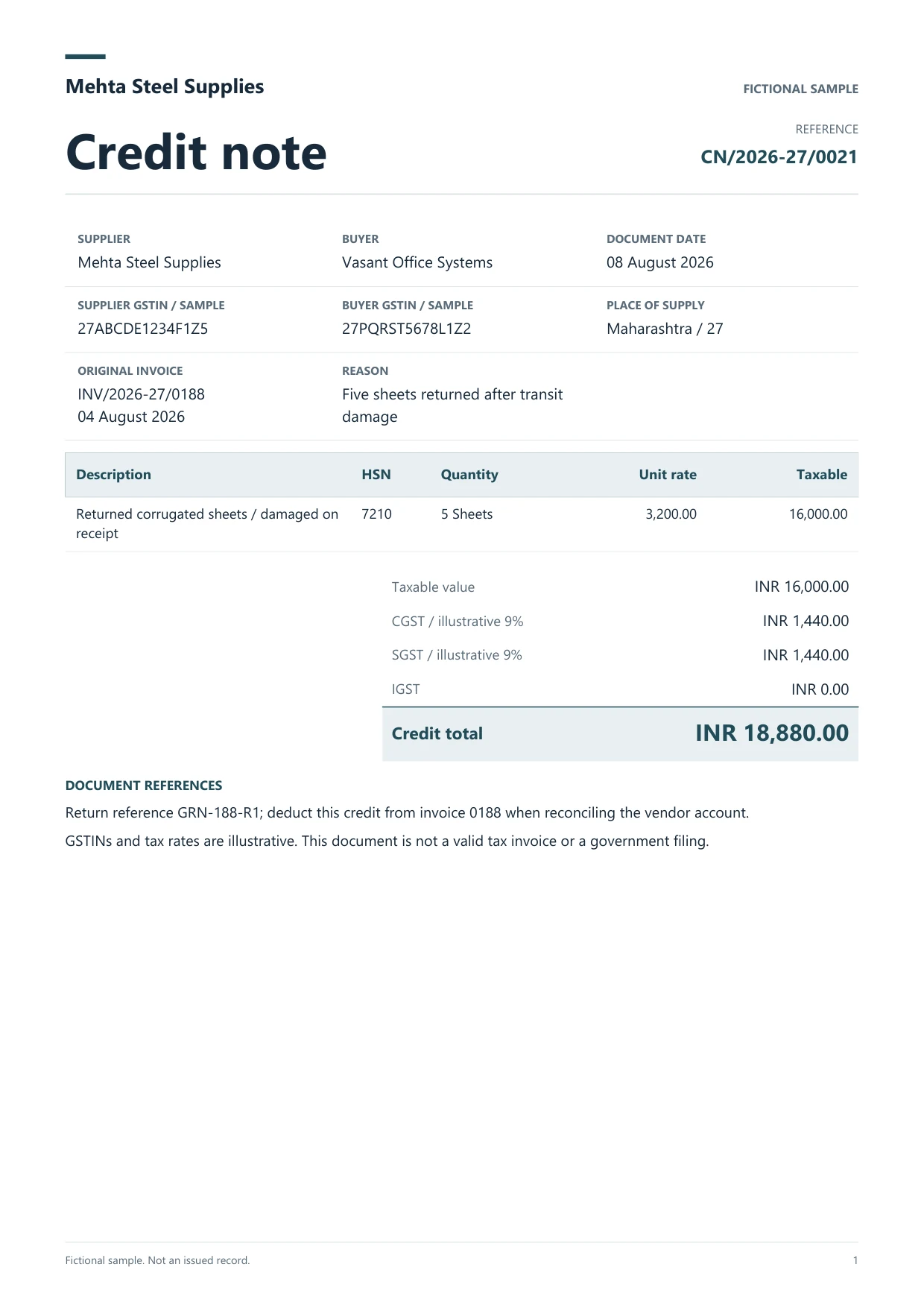
Use the fictional multi-line GST bill and compare the item rows against its reviewed workbook. Add a separate supplier bill with a printed IGST amount so the reviewer can check that the resulting voucher uses the intended tax ledger.

In a test Tally company, include a supplier with two similar ledger names. Trace how each tool surfaces the ambiguity. Open the final voucher and check the chosen supplier, taxable total, tax amounts and any stock movement you expect.

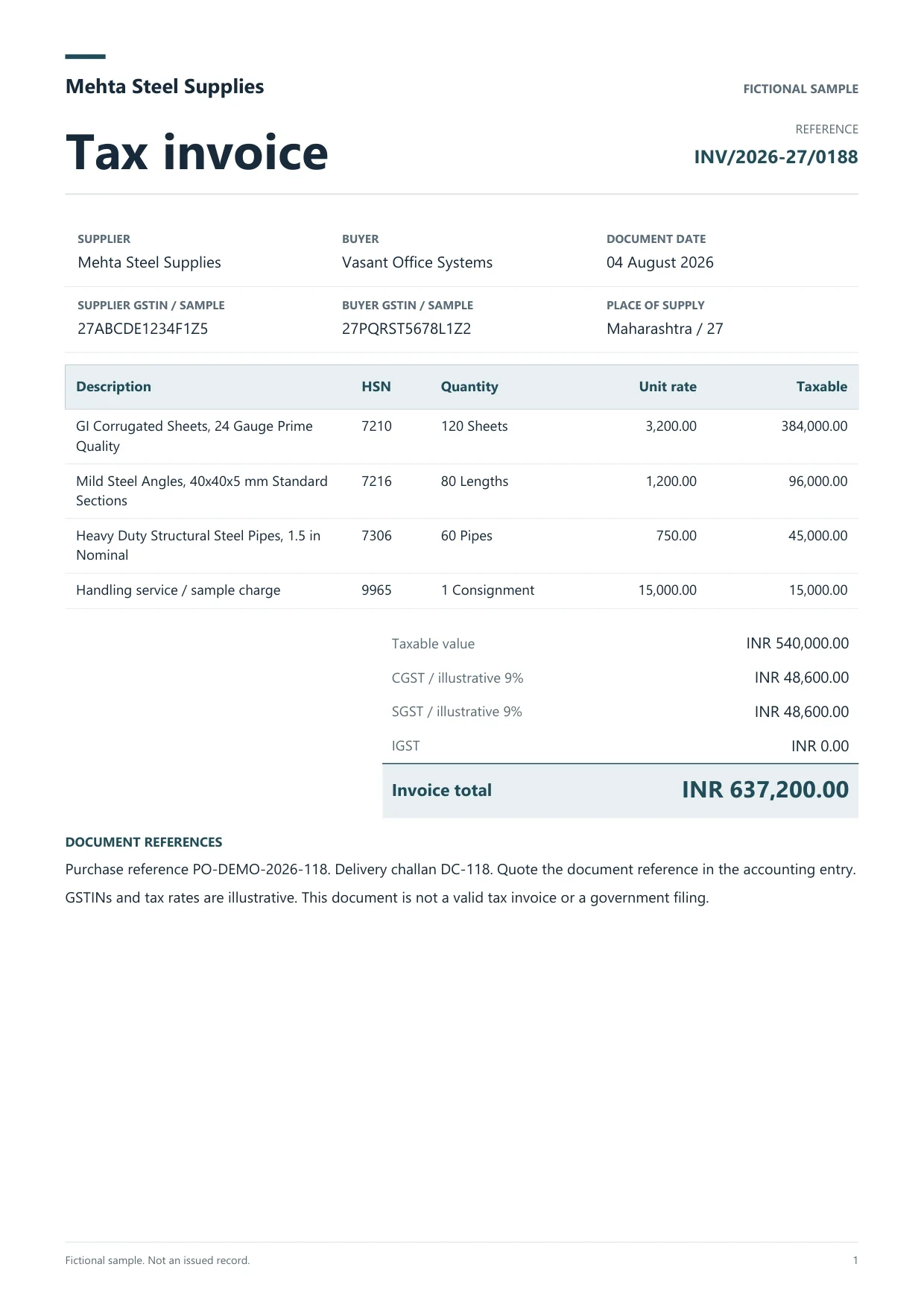
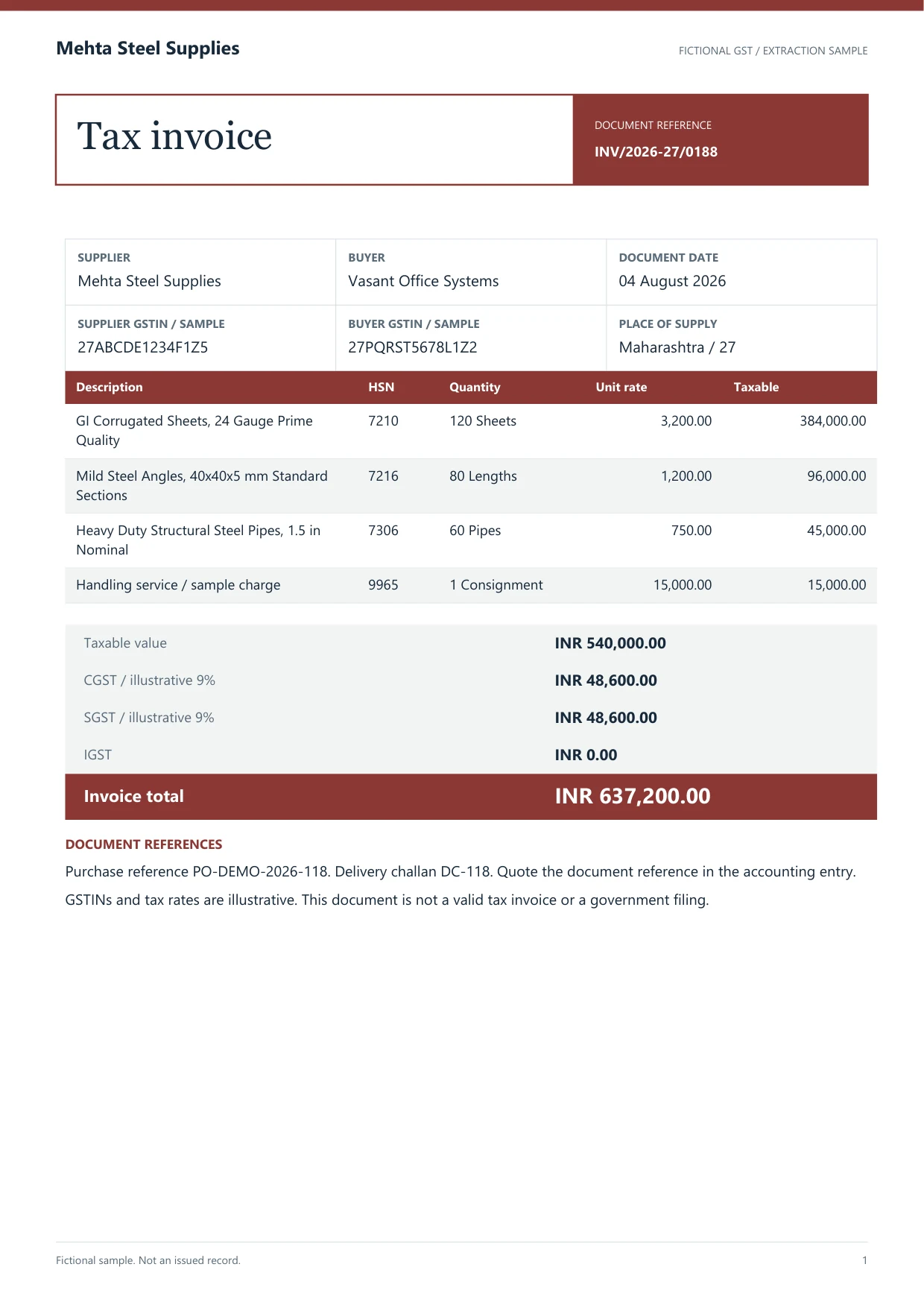
Review a sample GST invoice

This fictional invoice has a preloaded draft with two mistakes. Check the bill, correct the CGST and supplier ledger, then download the reviewed workbook or sample purchase voucher.

Fictional Mehta Steel invoice showing CGST of ₹48,600 and a total of ₹6,37,200
Open the original sample PDF
Read the printed values

Supplier Mehta Steel Supplies. Taxable ₹5,40,000.00. CGST and SGST ₹48,600.00 each. Total ₹6,37,200.00.

Purchase voucher draft

Invoice INV/2026-27/0188. Sample company Dynamite Docs Demo.

See a purchase voucher verified in TallyPrime

In the 16 November 2026 QA run, a separate fictional GST purchase voucher, DDQA-P002, imported with one voucher created and zero errors. The same reference appeared in the test company’s Day Book. A separate batch check rejected a missing ledger before posting.

Supplier ledger
QA Supplier
Voucher total
₹1,180.00
Freight debit
₹1,000.25
CGST and SGST debits
₹90.02 each
Rounding credit
₹0.29
Day Book reference
DDQA-P002

Open the workspace with your own GST invoice

Working procedure

Check a purchase voucher before it reaches the books

Dynamite Docs logoDynamite Docs
The handoff
Supplier invoice: TrulyInvoice alternativeVerify the printed bill. Resolve the supplier and item names. Inspect the resulting voucher. Not extracted customer data.FROM SOURCE FILE TO A RESULT YOU CAN USEPDFSupplier…🔍 Click to zoomReview workspaceTrulyInvoi…alternative1Verify theprinted bill2Resolve thesupplier and itemnames3Inspect theresulting voucher
  1. 01Verify the printed bill
  2. 02Resolve the supplier and item names
  3. 03Inspect the resulting voucher
Keep the original beside the result.
  1. 01

    Verify the printed bill

    Confirm quantities, unit rates, discounts and the printed tax split before entering accounting mappings.

  2. 02

    Resolve the supplier and item names

    Check the exact company and supplier ledger. Ask the reviewer to resolve an uncertain item or master before allowing any creation or posting.

  3. 03

    Inspect the resulting voucher

    Compare the party entry and ledger totals in Tally with the original invoice. Verify any expected stock movement using the inventory reports.

Dynamite Docs logoDynamite Docs
The review
Supplier invoice: TrulyInvoice alternativeConfirm the supplier ledger before posting a reviewed purchase voucher from Dynamite Docs.. Check item-level inventory requirements separately when choosing a ledger or stock-item workflow.. Not extracted customer data.SOURCE DOCUMENTSupplier invoice🔍 Click to zoomReview before exportCompared withTrulyInvoiceCompare with the source on the leftAccept after reviewKeep the original beside theresult.Original stays…
Compared with
TrulyInvoice
For
Indian accounting teams using TallyPrime
Sources checked
November 17, 2026
Keep the original beside the result.

Provider independence

Choose how your documents are processed

Dynamite Docs offers hosted extraction, supported provider keys and Ollama on eligible paid plans. Check where each option sends your files and what counts against your plan.

Compare every AI route

Hosted

Uses your included processing allowance.

Provider key

Uses your provider account and its billing terms.

Local inference

Ollama runs inference locally. Account and workspace features remain hosted.

Keep control of masters and tax decisions

The firm owns its supplier records, approved tax treatment and voucher sign-off.

  • 01Confirm the supplier ledger before posting a reviewed purchase voucher from Dynamite Docs.
  • 02Check item-level inventory requirements separately when choosing a ledger or stock-item workflow.

Sources and review date

Questions

Check the edge cases before you buy

Does TrulyInvoice post purchase vouchers to TallyPrime?+

Yes. Its purchase entry guide (opens in a new tab) describes reviewing the extracted values and mappings before syncing through the local connector.

Can Dynamite Docs prepare a stock-item purchase voucher?+

Yes. Choose Item invoice and enter the company’s stock item, unit, quantity and rate for each applicable row. Check the imported voucher and stock movement in your test company.

What should I test with an unfamiliar supplier?+

Try a bill with a supplier name similar to an existing ledger. Record what each tool proposes, who approves the mapping, and whether any master was created in the test company.

First document

Test the file that makes the current process slow.

Test a purchase invoice

Use a bill with several lines and a supplier ledger that your reviewer has to resolve.

Can we save optional cookies?

Essential cookies keep you signed in. Optional analytics and masked session replays help diagnose errors. Change your choice in Cookie settings. Privacy policy.