





Sections08
Reading time9 min
EvidenceTeam guide

Comparison Summary

TallyPrime and Zoho Books both keep Indian GST books, but they differ in where the ledger runs and how supplier bills reach it. Use this guide to choose the books system first, then decide how Dynamite Docs should hand off reviewed invoice data.

Tally vs Zoho Books is a ledger choice, not an OCR choice. TallyPrime is desktop-first Indian accounting software with GST returns support and local company data. Zoho Books is cloud accounting software with organization-level access in a browser. Dynamite Docs does not replace either product. It extracts GST invoices and related documents into a review workspace, then hands checked data to the ledger you already run.

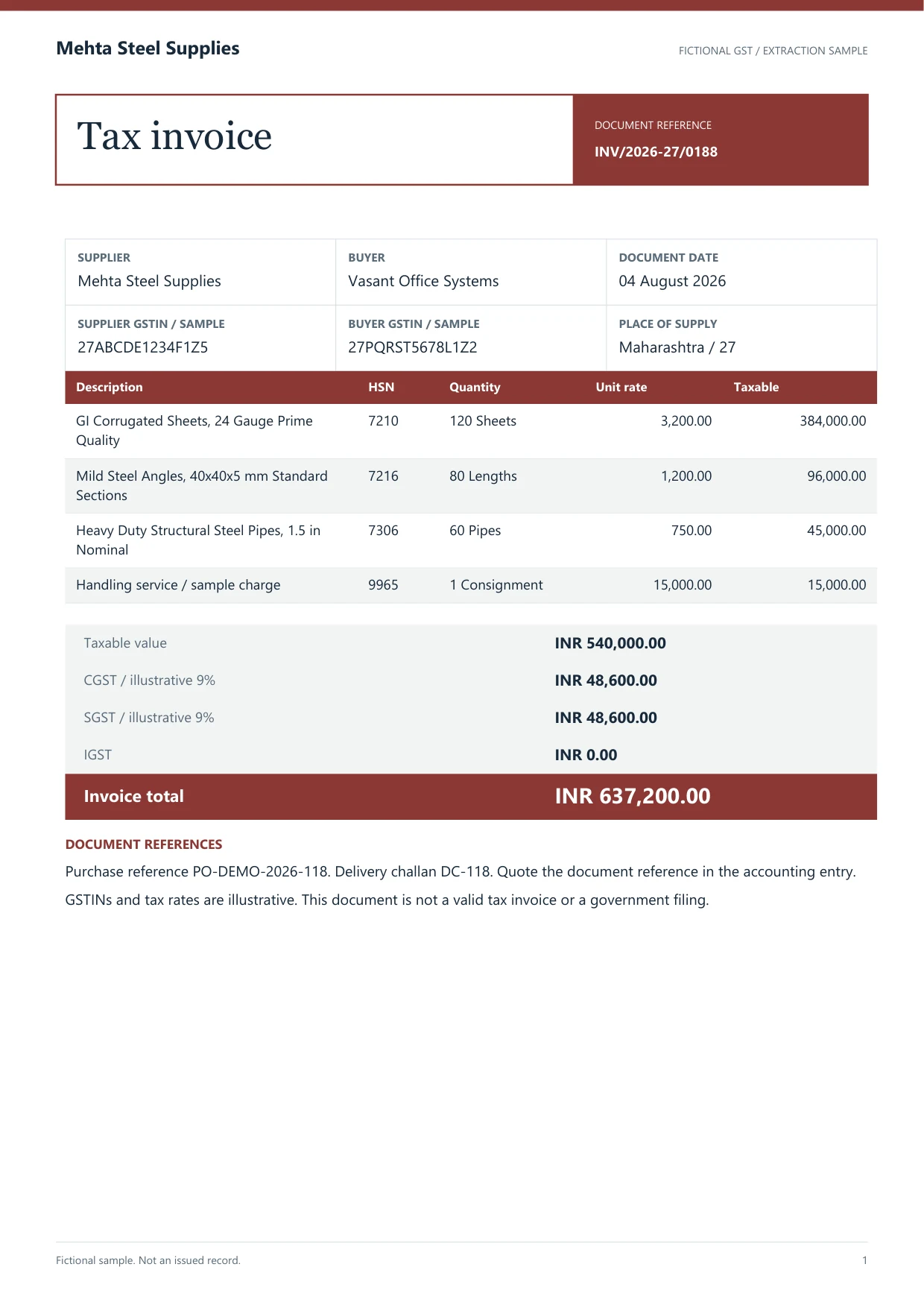
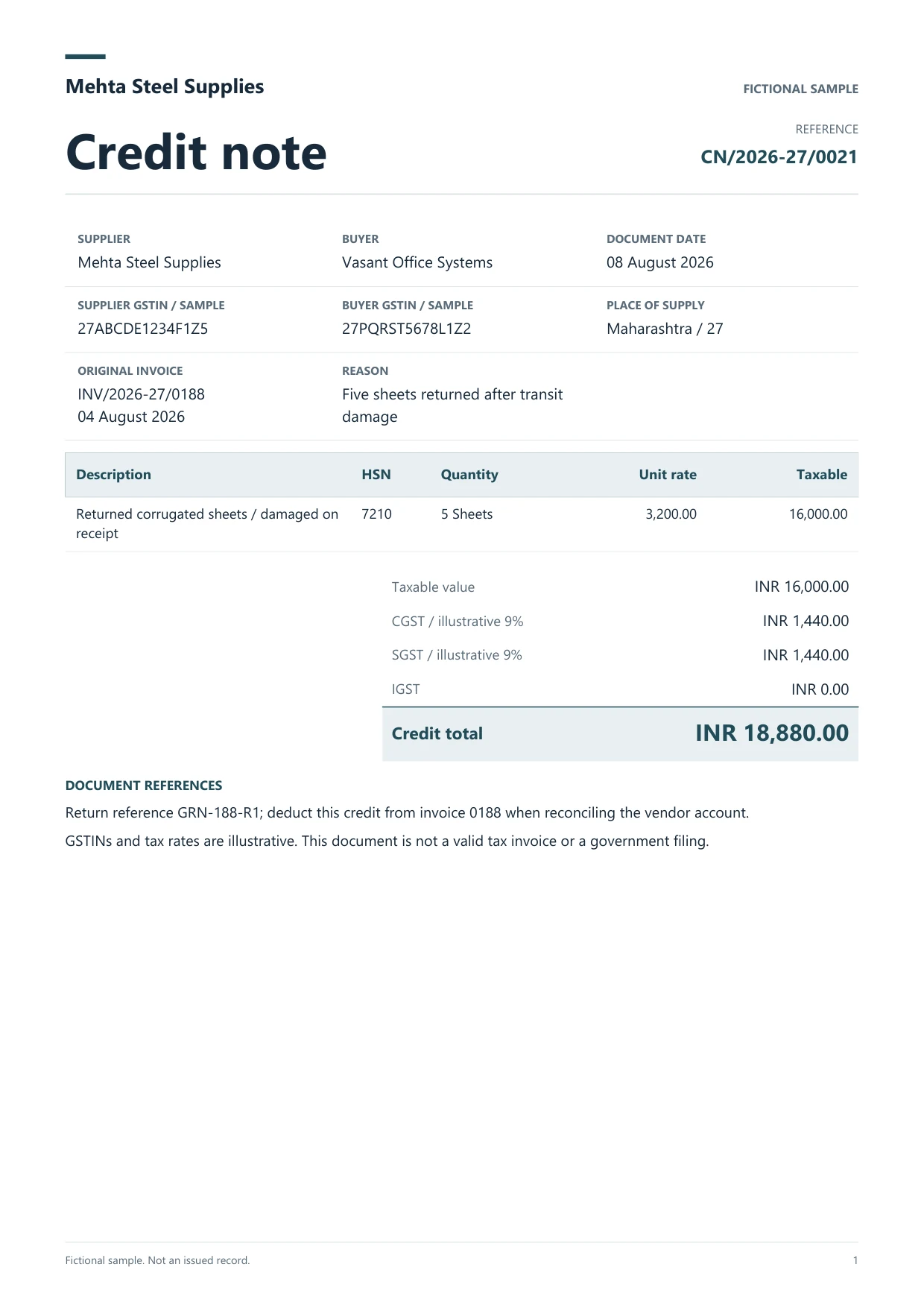
How Tally vs Zoho Books works for document intake: keep the supplier PDF or photo beside the proposed fields, confirm GSTIN format, invoice identity, HSN or SAC lines and CGST/SGST or IGST splits, then send only accepted values onward. For TallyPrime, Dynamite Docs can prepare purchase or sales voucher XML on Starter and above, and can post a reviewed purchase voucher through the Windows companion on Port 9000 when that path is configured. For Zoho Books, Dynamite Docs connects over OAuth on Starter and above, maps contact, accounts, currency and tax after review, and can attach a stored source file when it is 5 MB or smaller. Neither handoff files GST returns or decides ITC treatment. Your firm still owns Day Book checks, GSTR-2B matching and final books.

This page is published by Dynamite Docs. It compares how document data reaches each ledger using our connectors and first-party product pages. It is not an independent review and it does not rank accuracy or claim a time saving.

Try a GST invoice

Review one supplier bill, then decide whether the next step is Tally voucher prep or a Zoho Books bill.
Decision
Which ledger owns the books
Tally handoff
Reviewed purchase or sales voucher XML, or companion post
Zoho Books handoff
Reviewed invoice or bill over OAuth
Sources checked
November 18, 2026

Documents for this workflow

Fit register

When each ledger fits the document workflow

Start from where your company data already lives, then test the same invoice through Dynamite Docs into that system.

Choose TallyPrime when the firm already closes on desktop companies

Use invoice extraction for Tally when reviewers work in TallyPrime Day Book, need Port 9000 posting for purchase vouchers, or must keep voucher XML under local company control. Confirm GSTIN, party ledger and tax ledgers before import.

Choose Zoho Books when the books must stay in a shared cloud organization

Use the Zoho Books integration when finance staff create invoices or bills in a browser organization, need OAuth-connected attachments, and want Dynamite Docs to map reviewed fields after a person checks the source.

Use Dynamite Docs as the review layer for either ledger

Keep extraction, correction and export in one workspace. Switch the destination after review instead of forcing every client onto the same books product.

How we maintain this comparison

Written and maintained by the Dynamite Docs team. Dynamite Docs sells document extraction that can hand off to TallyPrime or Zoho Books. It does not sell those ledgers.

Platform descriptions cite first-party vendor pages and our own connector behaviour. We have not published a shared accuracy benchmark between TallyPrime and Zoho Books.

Test the same GST invoices in your own companies before standardizing a ledger or intake process.

Decision table

TallyPrime, Zoho Books and Dynamite Docs side by side

The table compares ledger ownership and the Dynamite Docs handoff. Confirm current TallyPrime and Zoho Books features on each vendor site before purchase.

Swipe horizontally to compare every column

CriterionTallyPrimeZoho BooksDynamite Docs role
Where the books runDesktop-first company data on the firm workstation or server. TallySolutions (opens in a new tab)Cloud organization accessed in a browser. Zoho Books (opens in a new tab)Hosted review workspace. Local Ollama inference is optional on Starter and above.
GST invoice intakeManual voucher entry or import into the companyManual bill or invoice entry in the organizationExtract GSTIN, lines and tax splits beside the source, then export or post after review
Document handoff from Dynamite DocsPurchase or sales voucher XML, or reviewed purchase post through Port 9000 companionOAuth create invoice or bill with optional source attachment under 5 MBPerson reviews values before any ledger write
Bank statementsBanking vouchers stay in Tally after your mapping processBank feeds and matching stay in Zoho BooksExport checked statement rows for reconciliation. No payment or contra vouchers
GST returns and ITCPrepared and filed in your Tally and portal workflowPrepared and filed in your Zoho Books and portal workflowPrepares purchase rows for GSTR-2B matching. Does not file returns
Minimum Dynamite Docs plan for connectorStarter ₹259/month for voucher XML and companion postingStarter ₹259/month for Zoho Books OAuthFree plan supports browser extraction and CSV, Excel or JSON export only
Try a GST invoice

Review one supplier bill, then decide whether the next step is Tally voucher prep or a Zoho Books bill.

Working procedure

How to compare Tally and Zoho Books with the same invoice

Dynamite Docs logoDynamite Docs
The handoff
Source document: Tally vs Zoho BooksPick one multi-line GST bill. Extract and review in Dynamite Docs. Send one copy toward TallyPrime. Send the same review toward Zoho Books. Not extracted customer data.FROM SOURCE FILE TO A RESULT YOU CAN USEPDFSource…🔍 Click to zoomReview workspaceTally vsZoho Books1Pick onemulti-line GSTbill2Extract andreview inDynamite Docs3Send one copytoward TallyPrime
  1. 01Pick one multi-line GST bill
  2. 02Extract and review in Dynamite Docs
  3. 03Send one copy toward TallyPrime
  4. 04Send the same review toward Zoho Books
Keep the original beside the result.
  1. 01

    Pick one multi-line GST bill

    Include a clear GSTIN, HSN or SAC lines and a printed CGST/SGST or IGST split. Write down the party ledger and tax ledgers you expect in each system.

  2. 02

    Extract and review in Dynamite Docs

    Confirm supplier and buyer GSTINs, invoice number, dates, line amounts and tax totals against the PDF or photo before any export.

  3. 03

    Send one copy toward TallyPrime

    Prepare voucher XML or post a reviewed purchase voucher through the companion into a test company. Open Day Book and check party, tax ledgers and totals.

  4. 04

    Send the same review toward Zoho Books

    Map contact, accounts and tax in a test organization. Confirm the created bill and any attachment status, then compare correction effort with the Tally path.

Dynamite Docs logoDynamite Docs
The review
Source document: Tally vs Zoho BooksDynamite Docs does not replace TallyPrime or Zoho Books as the general ledger.. No accuracy winner or time-saving percentage is claimed without a shared benchmark on your files.. GST filing, ITC claims, and audit sign-off stay with your tax and accounting process.. Not extracted customer data.SOURCE DOCUMENTSource document🔍 Click to zoomReview before exportDecisionWhich ledger owns thebooksCompare with the source on the leftAccept after reviewKeep the original beside theresult.Original stays…
Decision
Which ledger owns the books
Tally handoff
Reviewed purchase or sales voucher XML, or companion post
Zoho Books handoff
Reviewed invoice or bill over OAuth
Keep the original beside the result.

Provider independence

Keep ledger choice separate from extraction choice

Dynamite Docs can feed more than one ledger from the same reviewed extraction. Changing books software later does not require a new OCR product if the review workspace already stores corrections.

Hosted models, your own provider key and local Ollama on eligible plans all return fields to the same workspace. Choose the inference route from policy, not from the Tally or Zoho decision.

Compare every AI route

TallyPrime path

Voucher XML or Port 9000 companion for reviewed purchase vouchers.

Zoho Books path

OAuth invoice or bill creation after field mapping.

Export only

CSV, Excel or JSON when a person will key the entry.

What this comparison does not decide

Ledger selection still belongs to the firm. Dynamite Docs only prepares reviewed document data.

  • 01Dynamite Docs does not replace TallyPrime or Zoho Books as the general ledger.
  • 02No accuracy winner or time-saving percentage is claimed without a shared benchmark on your files.
  • 03GST filing, ITC claims, and audit sign-off stay with your tax and accounting process.
  • 04Confirm current TallyPrime edition features and Zoho Books plan limits on the vendor sites before you buy.

Sources and review date

Questions

Check the edge cases before you buy

Is Tally better than Zoho Books for GST invoices?+

Neither is universally better. Prefer TallyPrime when your firm already maintains desktop companies and voucher review in Day Book. Prefer Zoho Books when staff need a shared cloud organization. Test the same GST bill through both handoffs before you standardize.

Can Dynamite Docs post to both Tally and Zoho Books?+

Yes on Starter and above. Tally purchase posting uses the configured Windows companion. Zoho Books uses OAuth to create a reviewed invoice or bill. Sales and purchase voucher XML are available for Tally without posting.

Does Dynamite Docs file GSTR-1 or GSTR-2B?+

No. It can prepare invoice rows for your GSTR-2B matching workflow. Filing and ITC decisions stay in your GST process.

Who publishes this Tally vs Zoho Books guide?+

Dynamite Docs. Competitor and platform facts link to first-party product pages. Use your own pilot files before choosing a ledger.

Why Switch

Why finance and operations teams switch to Dynamite Docs.

Self-Serve in 60s

No mandatory sales calls or multi-week pilots. Test 25 pages free immediately on your real documents.

Provider Independence

Bring your own OpenAI, Anthropic, Gemini, or local Ollama keys with zero markup and unlimited runs on Pro.

Multi-Page Tables

Handles borderless tables, multi-page line items, and messy layouts without rigid pre-trained templates.

Clean Native Exports

Export straight to Google Sheets tabs, Excel (.xlsx with typed cells), CSV, or stream to webhooks.

First document

Test the file that makes the current process slow.

Try a GST invoice

Review one supplier bill, then decide whether the next step is Tally voucher prep or a Zoho Books bill.

Can we save optional cookies?

Essential cookies keep you signed in. Optional analytics and masked session replays help diagnose errors. Change your choice in Cookie settings. Privacy policy.